
dev7355608



dev7355608
Only the icon and border move but other elements do not: 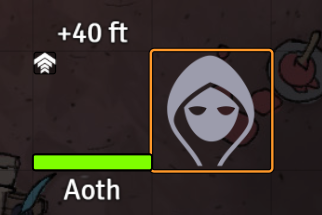
I noticed that even after the reload in step (3) the vision mode doesn't render correctly. The correct shader is applied, but the defaults/uniforms defined by the blindness vision mode...
> * open prototype dialog > * call a setFlag on the prototype token while the dialog is open > * close the dialog > * check the actor data,...
@bigtimebuddy Sprite masks are currently always blended with the NORMAL blend mode. A workaround would be this: ```js object.mask = new PIXI.MaskData(sprite); object.mask.filter = new PIXI.SpriteMaskFilter(); object.mask.filter.blendMode = PIXI.BLEND_MODES.ADD; ```...
Imagine any scenario where you want to blend an object with anything other than NORMAL, but also want to apply a sprite mask to the object. The default filter of...
You can use custom sprite mask filters like so: ```js object.mask = new PIXI.MaskData(sprite); object.mask.filter = new MyCustomSpriteMaskFilter(); ``` But you shouldn't use a mask for reverse masking. That doesn't...
Try this: ```js object.filters = [new PIXI.SpriteMaskFilter(undefined, `\ varying vec2 vMaskCoord; varying vec2 vTextureCoord; uniform sampler2D uSampler; uniform sampler2D mask; uniform float alpha; uniform float npmAlpha; uniform vec4 maskClamp; void...
The test is passing `aux.getBounds` instead of `aux.getBounds()`. But it fails in 6.4.2 nonetheless (https://www.pixiplayground.com/#/edit/_yONXrK95SkRg2n60yGeu), because it isn't actually allowed to pass a `Rectangle`. It expects `PixelExtractOptions` that requires the...
We could definitely pass the frame to `generateTexture`. Rendering to a much bigger texture and then extracting a subregion of it is certainly a waste. I think my playground didn't...
Demo: https://www.pixiplayground.com/#/edit/SxA5Du1KEcFLwp1_Ks8Pr