
lakrsrool
lakrsrool
Still waiting for some help with getting "Open With" to work in FF. I've tried a different approach by doing step 3 at the location where Python is located (see...
I've raised the command prompt to Admin and then I've run the command line as instructed in step 3 "open_with_windows.py install" so everything should be OK as far as I...
If instead of going where Python is installed I go to the Downloads folder where the Python executable is as well I get the following result (similar to what I...
Take a look at my post above the last one -- pointing at where Python is installed in C:\Programs (86) instead of the downloads folder I do not get this...
This is what I'm talking about that should work: 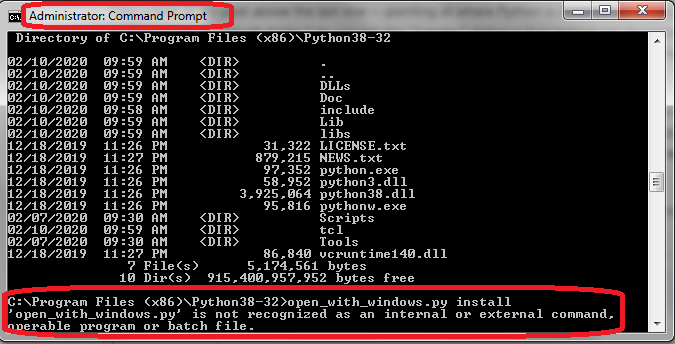 I'm doing step 3 command in the directory where Python is installed...
Let's start over (I've tried this this 4 times now - removed "Open With" extension and uninstalled all aspects of Python including folders left behind and went through each of...
Thanks crimsonskylark, Note: to author of add-an: By changing path in Command Prompt to where the Python Installer was saved in "Downloads" folder (like I did before -- which is...
I have the same exact problem with Ghostery on the Vivaldi browser [6.5.3206.39 (Stable channel) (64-bit)]. Reinstalling extension does not help. Is the CSS code posted previously (above) supposed to...
^ Followup - (to reiterate, reinstalling add-on does not help) - beyond this, if I disable/enable the add-on the error will disappear momentarily but soon (w/in seconds) return. I have...
> > I have the same exact problem with Ghostery on the Vivaldi browser [6.5.3206.39 (Stable channel) (64-bit)]. Reinstalling extension does not help. > > Is the CSS code posted...