
aybe

aybe

An amazing thing would be color themes like this:  Thank you!
It seems that R# applies the same rules for any project in a Unity solution:  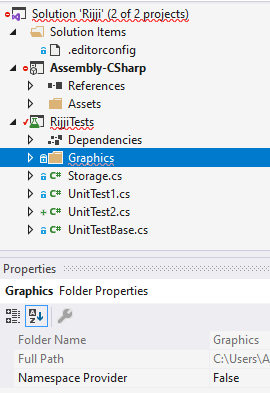 Why does it set `Namespace Provider = false` for other types of projects...
I want to use the null-checking pattern `!= null`, however, R# always forces me to use `is { }`: 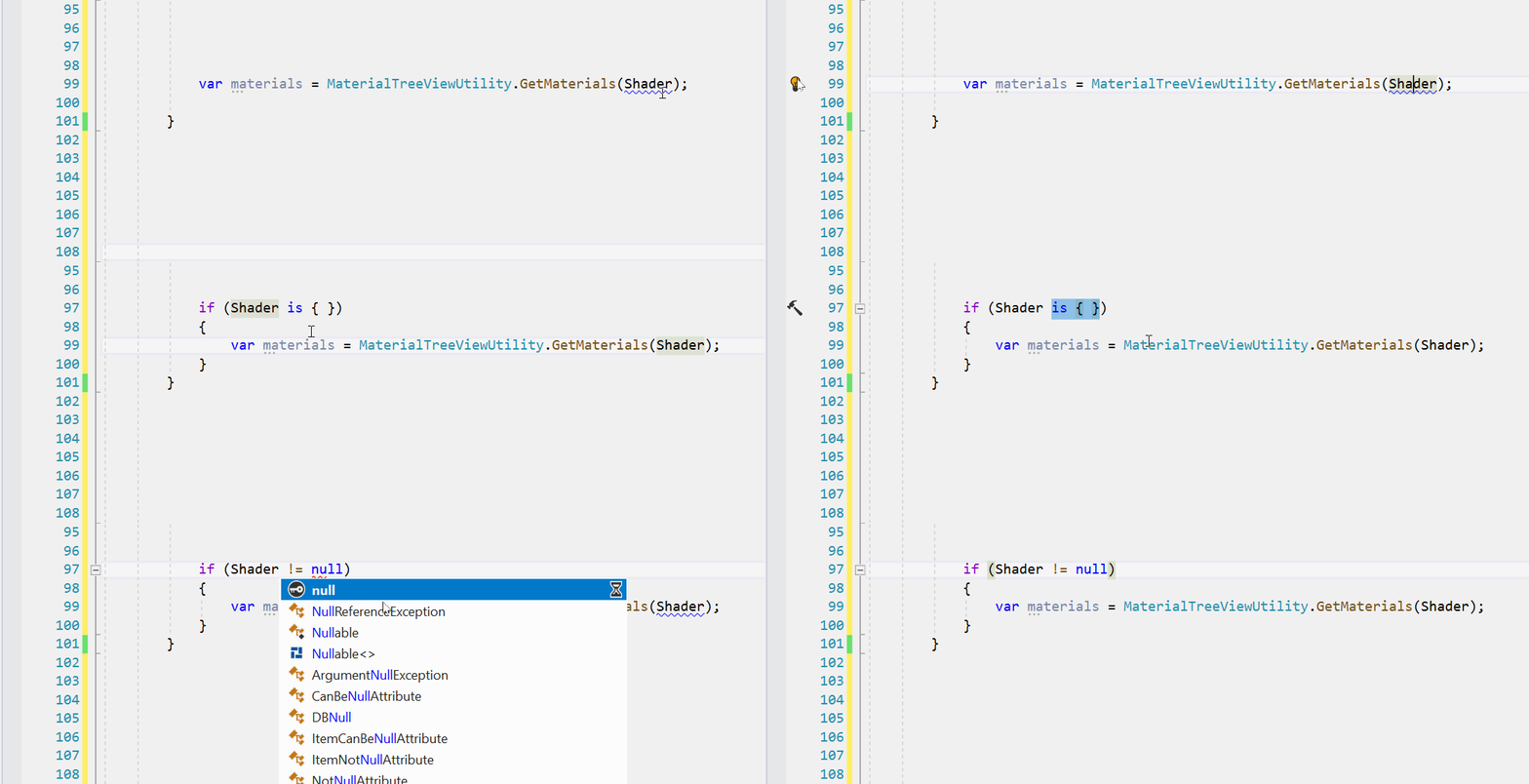 When looking at the options, this option is nowhere to...
Take this piece of code: ``` private void OnDrawGizmosSelected() { Gizmos.DrawSphere(rb.position, 1.0f); } ``` *Check expression for null* changes it to this which doesn't work for Unity objects: ``` private...
Thanks for the code, I believe it could be further enhanced to support editor mode, like the following: ``` using System.Diagnostics.CodeAnalysis; using JetBrains.Annotations; using UnityEngine; namespace Z { [PublicAPI] [ExecuteAlways]...
As far as I can tell, the kit does not seem provide some abstract infrastructure on how to achieve that. Say I have a main window, i.e. the shell and...
I've been trying to understand why documentation of Babylon.js doesn't get generated as well, while debugging the project I've seen that `JsDoc` members get populated but I couldn't see any...
### The problem If somehow you happen to click with middle mouse button to start scrolling without using mouse wheel and you move before the cursor mouse changes to scroll,...
### Steps to Reproduce the Issue 1. Open the software 2. Type something onto the default document 3. Save the document with Ctrl-S 4. Press Enter 5. You are greeted...
### Description Long story short, when the window shows up, it is with a white background: Even worse, if you dare starting the window with an aspect ratio such as...