
FilipShavash
FilipShavash
Hi Laurent. I tried to set up Microcks on EC2 based on the available helps but the further i went is the moment that all 4 docker compose starts up...
Hi @lbroudoux Many thanks. Tried that one but unfortunetly my EC2 micro becomes irresponsive When trying to open microcks webpage after all the changes and spin up docker compose it...
Indeed, redirect updated by running this command for each try and the same results: jq '.applications |= map(if .name == "microcks-app-js" then .redirectUris = [ "EC2DNSHostName:8080/*" ] else . end)...
Exactly t2.micro. This is the top -i after starting docker compose with 4 components: 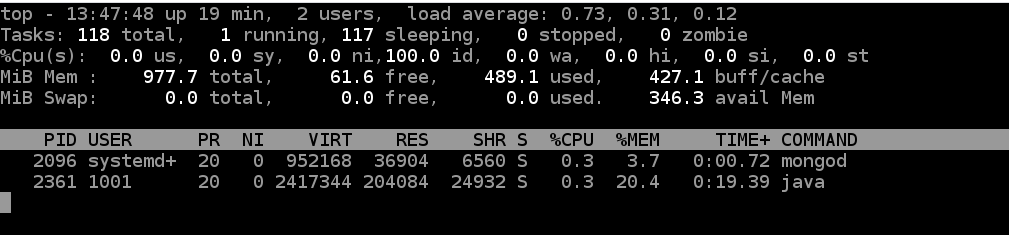 And the instance become irresponsive the moment keycloak docker is fired up. As i said...
I let this instance work for a while with the images being up and suddenly (after a night:)) it becomes responsive but still web page for microcks stays empty. But...
I had to restart instance again as it become inaccesible. Stop and spin up containers and after that command docker ps -a:  But again after a while it becomes...
@lbroudoux I left EC2 micro being up for a couple of hours and this is what i see from "docker ps -a"  So i checked keycloak logs and quite...
What about configuration file, mine seems not to have "keycloak.ssl-required=none". Maybe that is causing snow ball effect on the whole keycloak? 
@lbroudoux attached full log from keycloak in case You would find some time to help me analyse that [keycloak.log](https://github.com/microcks/microcks/files/6990704/keycloak.log)