
Cadenn
Cadenn
> So ur final network input is an image and some bbox for it? > > When u train a normal segmentation network does it work wekk? > > Notice...
> I see the challenge. I think our method fits more with natural scenes. OK, thank you for your reply. Also, did you know that someone copied the complete code...
> Yolo typically uses darknet as the backbone. > You may ask for help in [GluonCV repo](https://github.com/dmlc/gluon-cv) and see if they can offer some advice on how to do it....
> Please let me know if you have a willing to implement this. haha xian ran bu yuan yi
> Hello > How are you? > Thanks for contributing this project. > I have a question. > Does this project support class-incremental training for saving training time without catastrophic...
> > > mish_cuda支持cuda9.2和10.0,但pytorch1.5.1最低支持10.1,请问您的mish_cuda安装没问题嘛,或者说您的pytorch,cuda的版本是? > > > > > > 请问你的mish_cuda现在安装成功了吗? > > 我在ubuntu1804下pytorch1.6 cuda10.2下直接python setup.py install成功安装了,在windows10下pytorch1.6 cuda10.1也成功安装了 安装成功的标志是什么?为什么我的出现了以下问题? 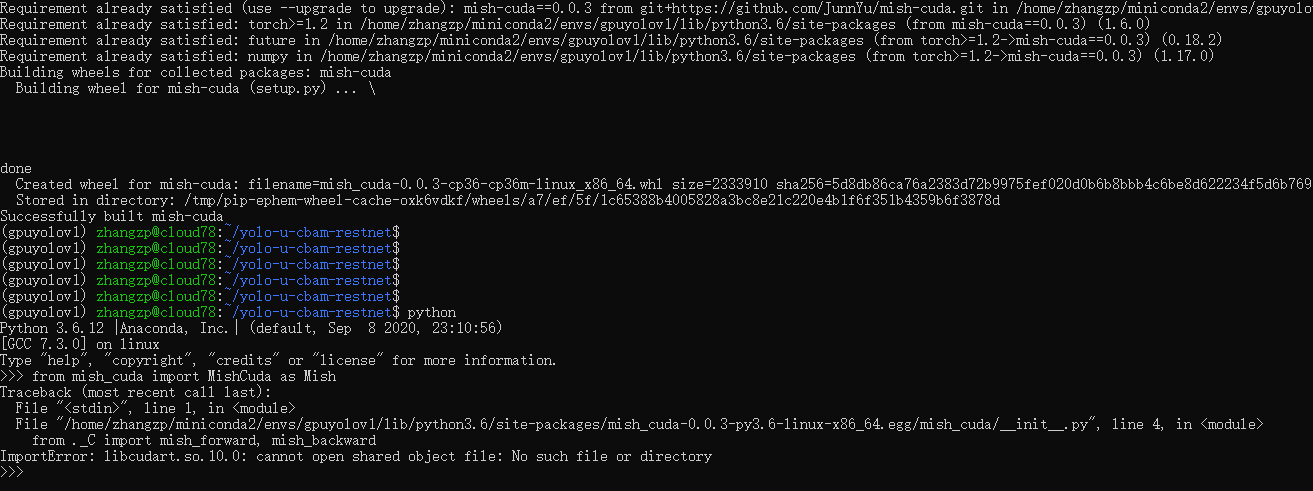
> > > mish_cuda支持cuda9.2和10.0,但pytorch1.5.1最低支持10.1,请问您的mish_cuda安装没问题嘛,或者说您的pytorch,cuda的版本是? > > > > 在ubuntu1804下pytorch1.6 cuda10.2下直接python setup.py install成功安装了,在windows10下pytorch1.6 cuda10.1也成功安装了 在ubuntu1804下pytorch1.6 cuda10.2下直接python setup.py install成功安装。您使用的什么版本,可以分享一下链接吗? 我使用作者提供的网址安装不成功。 
> @xiaozhangya 你这个cuda环境就没配置安装好吧,自己搜一下安装与你pytorch版本一致的cuda 服务器的cuda是10.0 我的虚拟环境是pytorch1.6 cuda是10.2 这样怎样处理呢
> @xiaozhangya 我记得我服务器也是cuda10的,用了cuda10.1的pytorch1.6,你是在anaconda环境中装的pytorch嘛? 对 实在anaconda的虚拟环境
 > @xiaozhangya 我记得我服务器也是cuda10的,用了cuda10.1的pytorch1.6,你是在anaconda环境中装的pytorch嘛? 是的 服务器是cuda10的,用了cuda10.2的pytorch1.6 这样安装mish_cuda报错如何解决,报的错误如下  ![Uploading 1604472610(1).png…]()