
reoh

reoh
If highlighting stops working, replace the contents of this file: `\.atom\packages\language-javascript-semantic\styles\semantic-colors.atom-text-editor.less` with: ```less @import "syntax-variables"; @bright-text-color: contrast(@syntax-background-color, lighten(@syntax-text-color, 20%), darken(@syntax-text-color, 20%)); .text-color(@contrast) { color: mix(@bright-text-color, @syntax-background-color, @contrast); } .syntax--source.syntax--js-semantic {...
I managed to solve this by installing node-gyp's dependencies: https://github.com/nodejs/node-gyp Make sure to: install Python 2.7.3 and/or install it to C:\Python27 (not sure which is necessary because it worked after...
Ran into this issue again after updating Atom to v1.13.0... fixed it this time with: ``` apm install --global --production windows-build-tools ``` Note the `apm`, had to install this using...
Hi, @tststs is it possible to use this package with custom grammars? I'm using [language-semantic-js](https://github.com/p-e-w/language-javascript-semantic) This might be relevant: https://github.com/p-e-w/language-javascript-semantic/issues/31
The log file seems to be missing:  -even with logLevel set to debug
Should note also, the sql table is being populated now (with duplicates?) with the latest version but still won't import: 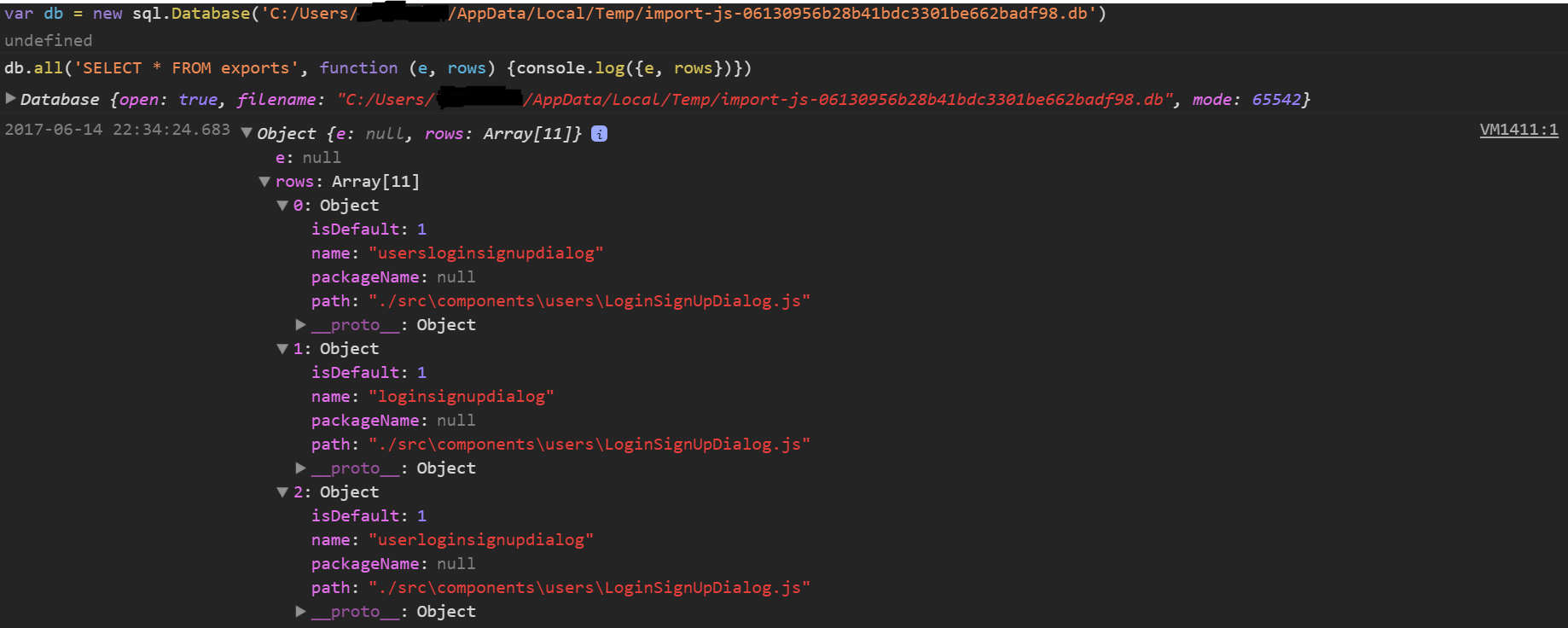
Windows, yeah. Logpath: C:\Users\user~1\AppData\Local\Temp\importjs.log
Yeah, still an issue with latest version, even after running `taskkill`
I also had this issue, though I'm not using `create-react-app`, just `webpack-dev-server`. It seems be working after changing the `devtool` option to something else, and then back again, in the...