
Ryuk



Ryuk
I got the same issue what I did was: Stop RoundedTB Change the taskbar allignment to left and reapply roundedTB effect Restart (IDK if this is mandatory but it worked...
Windows 11 (x64) (not insider) It is downloaded from Microsoft store Yeah it is auto starting on windows startup but the setting panel also launching (it was not happening like...
> Well regarding Dynamic Mode not working when a window is maximized, it is due to you enabling "Fill taskbar when maximized". Oh thanks but the Multiple monitor problem still...
Yeah have to wait and see
> could you try setting the taskbar icons to the left to see if that makes a difference? 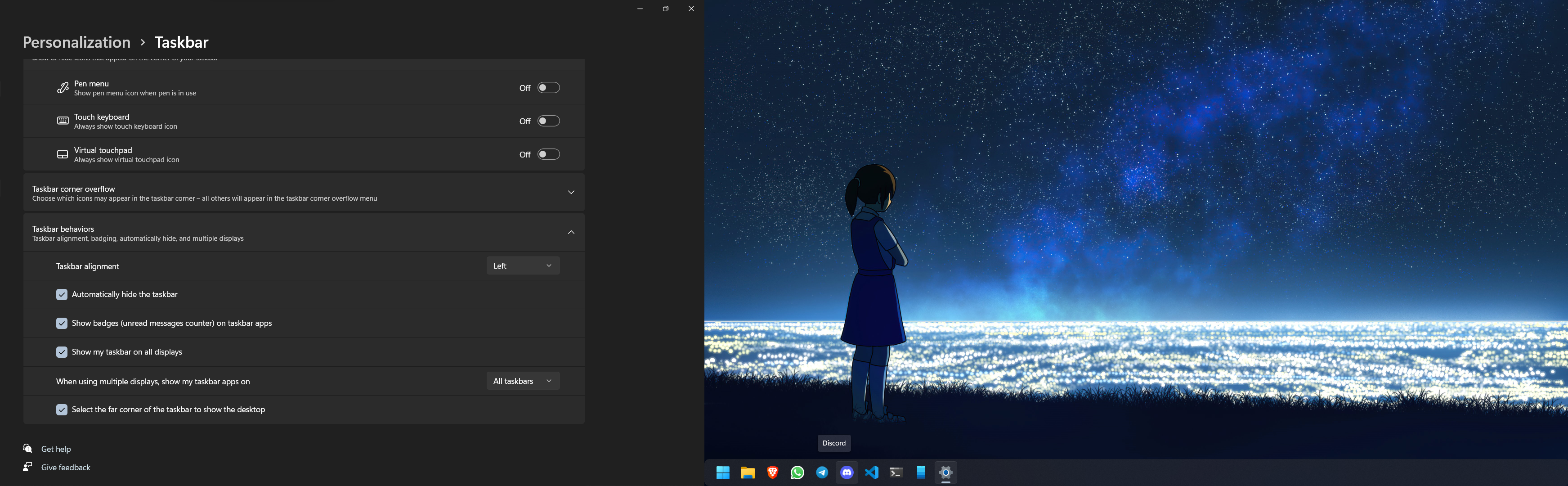 Its the same
This has been an issue from start but its far better now. Check for the setting in #279 for getting the hover option working properly
Did you try downloading from ms store? This happened to me once when i downloaded from github. But this got fixed when I download the same from MS Store.
Try checking with the following settings..  Here I have been using the same settings for last 1.5 years.
I'm using the same version of windows.
First of all check your border settings and try changing to center alignment and then applying the roundedTB for it to take effect. **(My opinion) Remove the search box so...