
Malcolm Burtt

Malcolm Burtt
I worked around this problem by giving all my custom fields a prefix (given my time again I might have used a suffix) that should ensure that they're always unique....
I think you'd need to do that as a 2 step process. Trigger the extension on the Epic to create the two features and then highlight both of the new...
Yes. In the template, set the value for the title field to be "Dev - {System.Title}" or "Tests - {System.Title}", etc.
Support for tags in the template is explicitly not supported in the code, unfortunately... [Link to code](https://github.com/figueiredorui/1-click-child-links/blob/5f2623f7295e7d638f89b1a7689df98a99acf8ba/src/scripts/app.js#L46)
As I understand it, the Tags condition functions as a "contains one of" type test so, since your user stories both have "M-CITA", they both match. Try just... User Story...
I've noticed this happening today if I have changed the templates in another browser tab. Did Ctrl Refresh in the tab where I'm using 1-Click and it worked without that...
That's because the add-on only works for backlog work items. My process definition has these backlog work items... 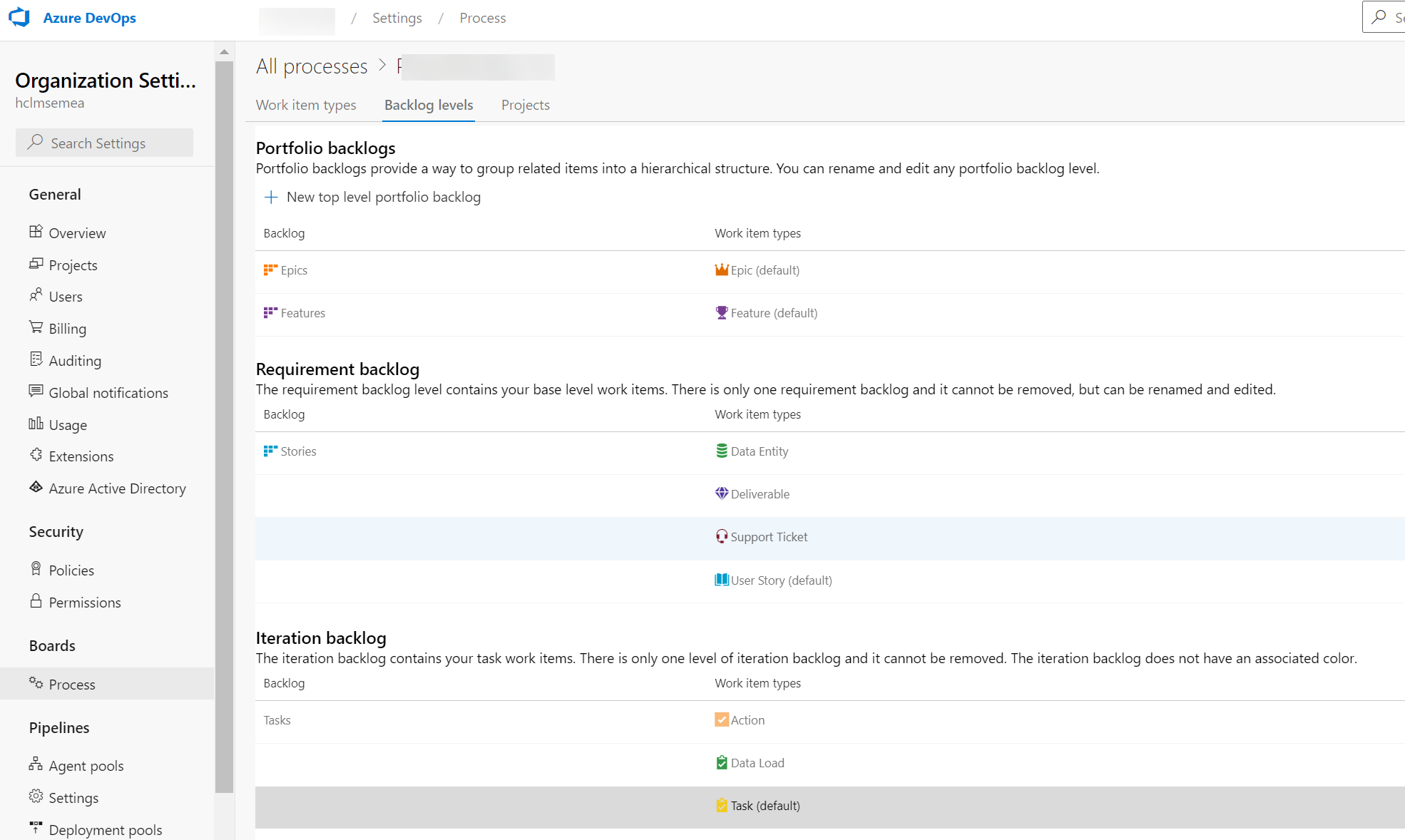 The add-on works fine for these, including the custom work item...
I have it working using {System.Title}. Maybe a screenshot of your template definition would help someone point you in the right direction.