
mores

mores
Would you like some help in getting this published to a maven repo ?
@niemilkm - Which version of the sensor are you using ? 
> 4\. open up the sensors and document the chips Here is what the inside of a GEN 3 door sensor looks like: 
> Additionally we did spot a counter, but there won't be any chance to decode the AES payload. It looks like someone has: https://github.com/tenable/poc/blob/983dcf94577b1a041f304c8e0537b670c0c18655/SimpliSafe/packet_decoder.py#L110
I do not have a usb radio receiver yet ( my order is in process ). From the comments in the code "# this one I got from my entry...
Results not very promising: > 16a3bc2c04013ea26bd41e019a2ef5f05739b7be716dfe78713e8bda000000000 === PACKET DISSECTION === Packet : 16a3bc2c04013ea26bd41e019a2ef5f05739b7be716dfe78713e8bda Length : 16 (22) Serial : bc2c0401 Counter : 3ea26b CMAC: : d41e019a Encrypted Data : 2ef5f05739b7be716dfe...
There is another tool in the toolbox: https://crmchartguy.com/power-query-builder/ https://github.com/ITLec/PowerQueryBuilder that does convert the fetchXML into PowerQuery but it just feels clunky jumping from tool to tool and would be better...
I found out the canvas size is 1280 x 720. I can make a 1280x720 image and set that as background image - and place my logo in a corner...
This has also been an issue in 10.x and 11.x
Fullcalendar documentation: https://fullcalendar.io/docs/event-parsing  Their example: week-numbers.html  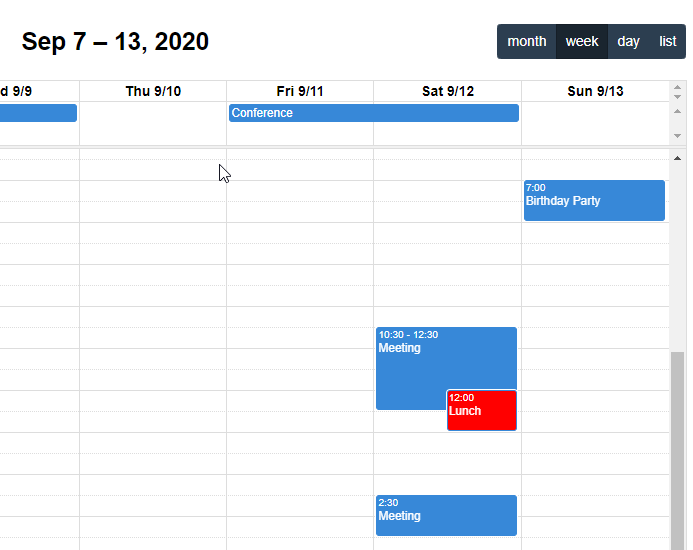 Fullcalendar allows it.