
Achmad Mahardi



Achmad Mahardi
You can use windows' emoji dialog to input emoji on the chatbar by right-clicking the chatbar, then select **Input Methods** > **Windows IME**:  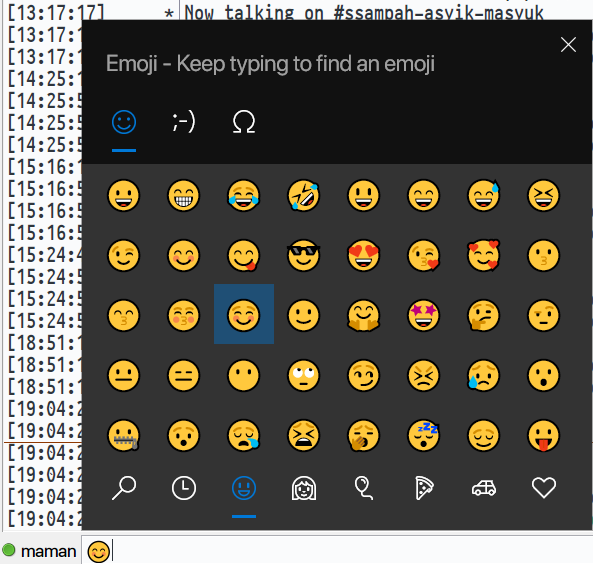 Hexchat didn't seem to save...
it seems that android 4.2 webview (I'm assuming that by 'in-app browser', you means the webview component) doesn't support blur and/or keyup events, so jvfloat won't work on the environment...
disable IO_URING usage in libuv by adding `UV_USE_IO_URING=0` when running webpack build command solves the hang for me - I'm using node 18.18.0, which uses libuv 1.46.
@dependabot rebase
@dependabot squash and merge
ada satu approach lagi – reuse og endpoint: ``` download image ``` ato bisa jg kasih queryparam "download=1" di og-endpointmu, kalo ada return header `content-disposition` semacam: ``` 'Content-Disposition': `attachment; filename=.png`,...
just stumbled to this issue myself – the correct form to use is the last one: ```ts const message = t(i18n)`${plural(count, { one: `${name} has # friend`, other: `${name} has...