
ljmatan

ljmatan
Hey @darshankawar replicable steps are: 1. Implement FCM to Flutter (code examples can be found [here](https://pub.dev/packages/firebase_messaging). 2. App is in background, notification arrives, user clicks on notification. This was confirmed...
Please see https://github.com/rikulo/socket.io-client-dart/issues/258#issuecomment-1049585853
Another example, even though both the title and the table are placed into Column they get split in separate pages. 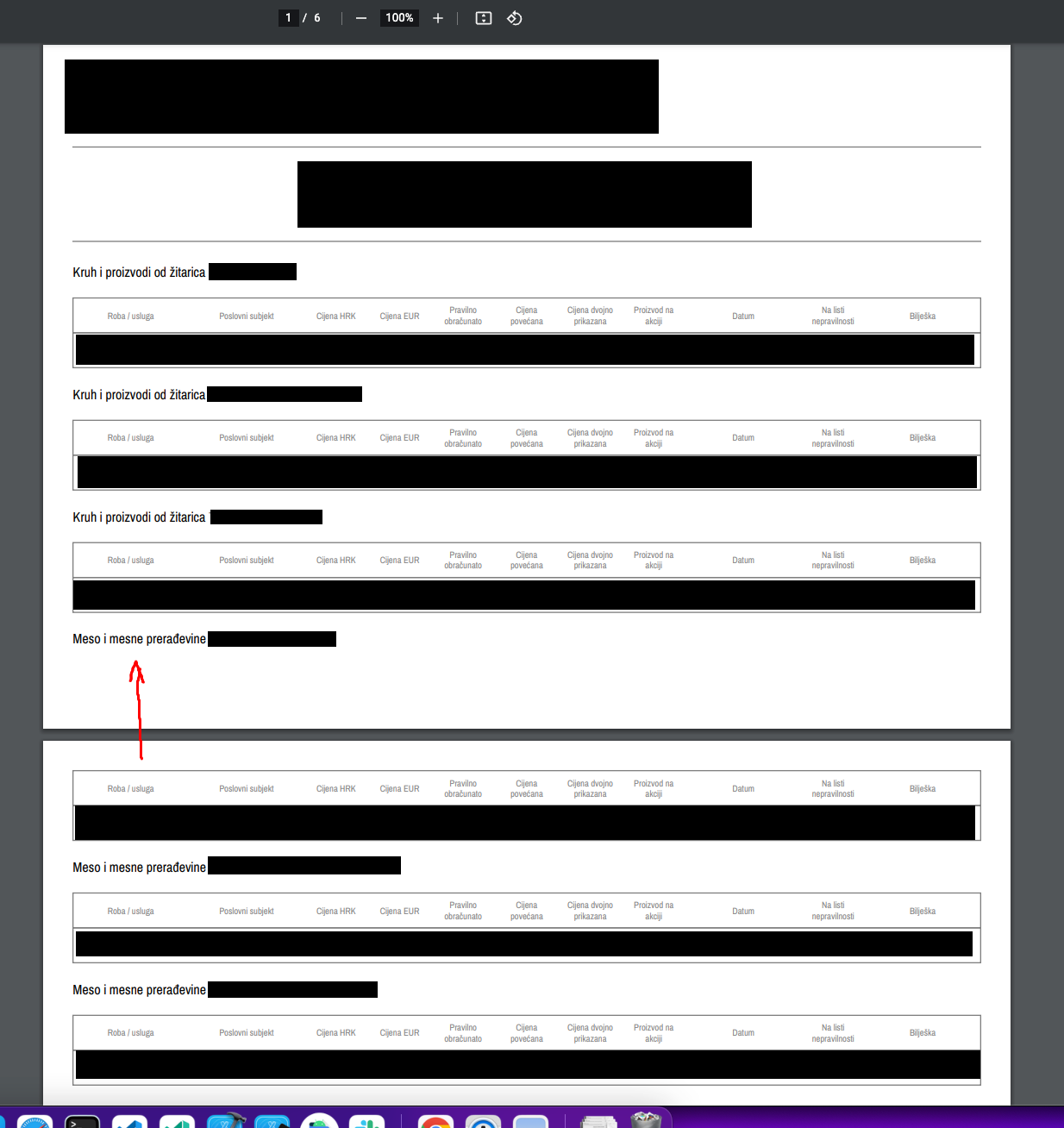
Same issue here, release mode, debug works fine, error attached. 
This can be recreated by running the build in profile mode with --verbose flag
Hi Gerard, you should be able to do this entirely on the FE side, using Firebase is too complicated.
@hongfeiyang you could probably set a timer to run periodically every 500ms (for example) and cancel and set it via video player controller listener. If timer successfully ran show buffering...
Listen to duration, if duration had not been updated for more than `n` ms show buffering indicator.
Hopefully this will come in my lifetime. Good luck!
On that note, I've managed to run the snippet tool as such: `export FLUTTER_LIBRARY="some_library"` `dart run ./packages/snippets/bin.dart --output-directory=./docs/snippets_out/ --type=snippet --input=some_dart_file.dart` This indeed generates the snippet `HTML` code and the related...