
DocQuantum



DocQuantum
This was discussed in other open source projects such as GIMP. [The easy work around](https://gitlab.gnome.org/GNOME/gimp/-/issues/3710#note_630890) is to give /bin/sh "Full Disk Access" since this is a console application. This is...
How are you connecting to each other? Are you using Himatchi to make a vpn tunnel, or are you doing straight port forwarding and IP? Please give us more information...
As reference, here's what the default gnome gdm theme looks like: 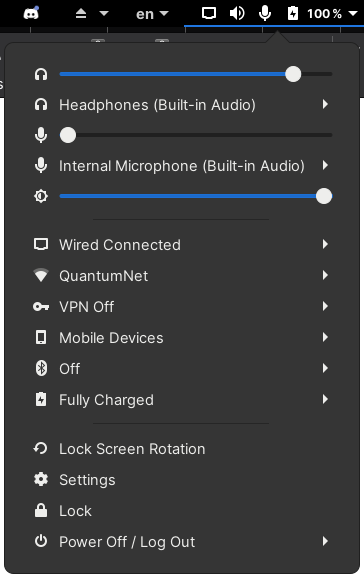 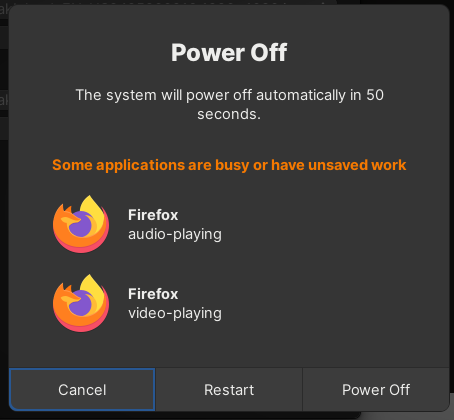 The panel is actually pretty similar in spacing, but the line...
It looks like a new update made visible markers inside the separators, so it looks more pleasant. The padding for some of the panels still looks a little large however,...
You need to set it as your theme using something like the gnome tweak tool.
The same happens using gnome and Wayland under Arch (same gdm version).
I get the same error ``` Usage of object.actor is deprecated for WorkspacesToDock_ShortcutButton get@resource:///org/gnome/shell/ui/environment.js:285:29 _createIcon@/home/dshchur/.local/share/gnome-shell/extensions/[email protected]/shortcutsPanel.js:262:13 _createIconTexture@resource:///org/gnome/shell/ui/iconGrid.js:104:26 setIconSize@resource:///org/gnome/shell/ui/iconGrid.js:97:14 _init@/home/dshchur/.local/share/gnome-shell/extensions/[email protected]/shortcutsPanel.js:153:19 _populate@/home/dshchur/.local/share/gnome-shell/extensions/[email protected]/shortcutsPanel.js:1292:38 WorkspacesToDock_ShortcutsPanel@/home/dshchur/.local/share/gnome-shell/extensions/[email protected]/shortcutsPanel.js:951:14 WorkspacesToDock_DockedWorkspaces@/home/dshchur/.local/share/gnome-shell/extensions/[email protected]/dockedWorkspaces.js:298:32 enable@/home/dshchur/.local/share/gnome-shell/extensions/[email protected]/extension.js:97:12 _callExtensionEnable@resource:///org/gnome/shell/ui/extensionSystem.js:160:32 _onEnabledExtensionsChanged/
I had to also disable gnome-flashback's built-in screenshot: ``` gsettings set org.gnome.gnome-flashback screenshot false ```