Rick Gao

Results 8 issues of Rick Gao

查询单词的页面能否添加音标的显示呢?

> I'm sorry, please forgive me, my English is not very good Hello, first thank you for your plugin, is wonderful, helps me a lot. So i like to suggest...

enhancement

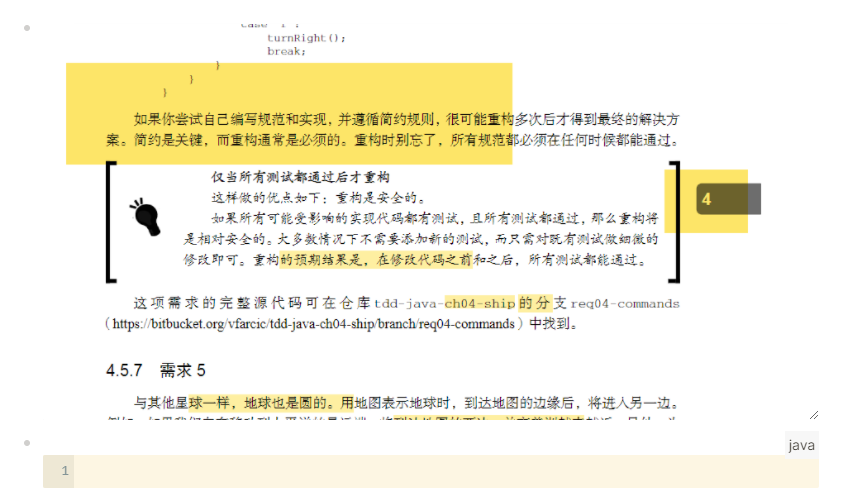
# 预期 ## 代码块 ![image](https://user-images.githubusercontent.com/25494875/163761575-68732c99-d0c3-41f6-8716-58f6cf4d9e86.png) > 用户使用 ` 符号时,自动成对出现 > 即 完成上图所示效果时,用户只需要依次输入 ```java > 输入```java后,用户点击回车,有下图所示代码块 ![image](https://user-images.githubusercontent.com/25494875/163761586-65ba973b-94cb-4901-8548-ccdb9b4e2ec3.png) ## 图片展示 ![image](https://user-images.githubusercontent.com/25494875/163761653-1d285495-7acf-40eb-b383-0fbb2d2b6a83.png) ![image](https://user-images.githubusercontent.com/25494875/163761785-d0a7f871-4d87-401c-84ad-bcb1dea07183.png) # 建议 具体实现可以参考 https://github.com/logseq/logseq

enhancement

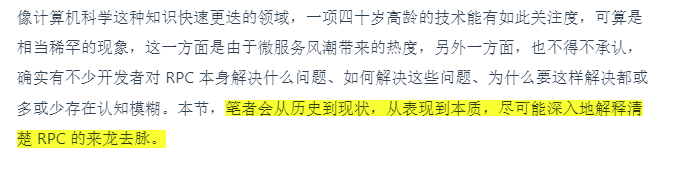
## 非高亮模式时 1. 选中需要高亮的文本 ![image](https://user-images.githubusercontent.com/25494875/163758995-dacfd076-80d7-4602-a246-a1c6cdc2f35f.png) 2. 选择高亮的颜色 ![image](https://user-images.githubusercontent.com/25494875/163759003-830e1d66-c53e-40f3-95c8-24329b7c3a76.png) 3. 点击已高亮的文本,获取回链地址 ![image](https://user-images.githubusercontent.com/25494875/163759018-6cc210ae-5aec-41aa-92e1-f7d086ac829a.png) 4. 在文本区域粘贴回链地址 ![image](https://user-images.githubusercontent.com/25494875/163759043-07f5ba07-8588-4e9c-8a92-bd2998718311.png) ## 开启高亮模式 1. 启动高亮模式 ![image](https://user-images.githubusercontent.com/25494875/163759821-ef947950-62f9-40ac-b0bc-5f886de6e70d.png) 2. 选中文本 ![image](https://user-images.githubusercontent.com/25494875/163759987-50ed4eae-c2c0-4775-bc01-b82f3cb396fb.png) 3. 松开鼠标左键 > 注意:松开后,自动复制了回链地址 ![image](https://user-images.githubusercontent.com/25494875/163760060-2a51ae47-8e51-40dc-9f9e-bc9123077e22.png) 4.. 在文本区域粘贴回链地址 ![image](https://user-images.githubusercontent.com/25494875/163760119-8dcd550a-c7b5-4212-8541-fe8deecfe61d.png)...

enhancement

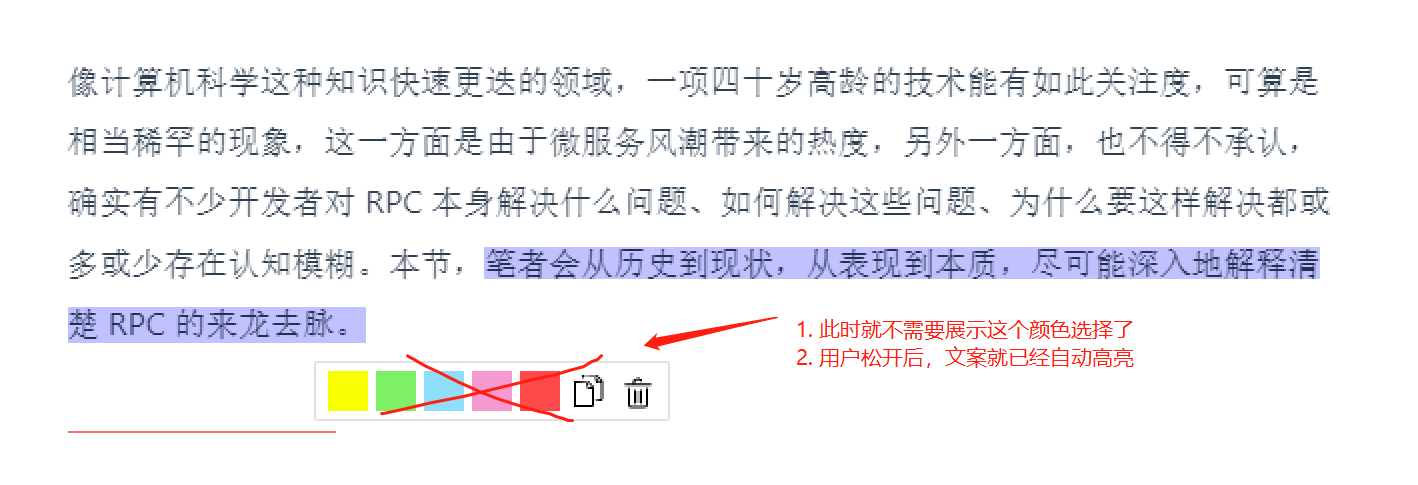
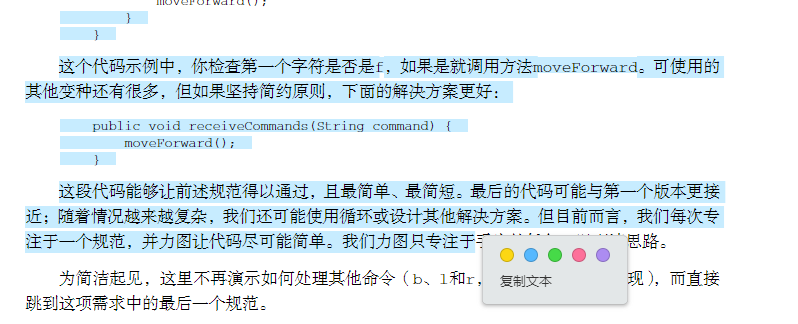
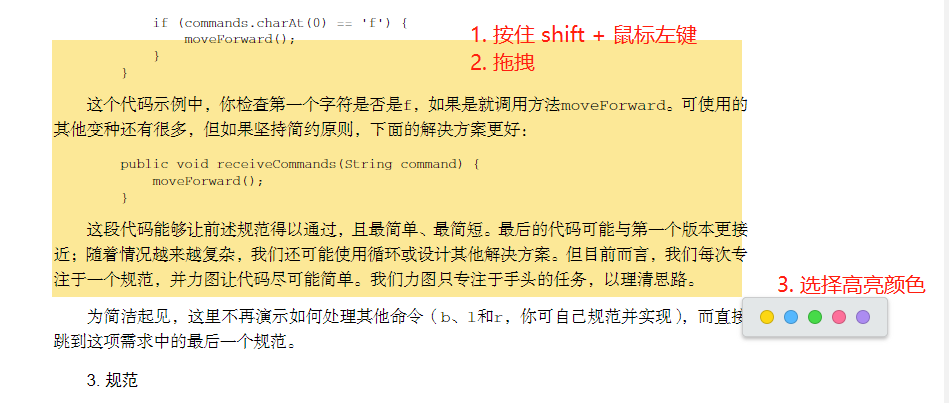
## 正常拖拽(文字选中) ![image](https://user-images.githubusercontent.com/25494875/163757660-eb9e14b8-86eb-4973-9552-ec82a21cbe17.png) ## 截图拖拽(图片选中) win环境下,按住 shift mac环境下,按住CMD > mac环境下 仍忘记添加截图快捷径键 ![image](https://user-images.githubusercontent.com/25494875/163757785-2d46ab8e-8016-40f9-9f00-4b9f60be063f.png) 1. 如不选中颜色高亮,失焦后(点击颜色弹层),拖拽区域消失 2. 点击颜色高亮后,自动粘贴回链地址,用户在文本区域进行粘贴即可
enhancement

Please answer these questions before submitting a pull request, **or your PR will get closed**. **Why submit this pull request?** - [ ] Bugfix - [x] New feature provided -...

# Feature request The logic of enable/unenable and add/delete plugins in the plugins module (`/plugin/list`) is confusing. eg: the following two states cannot be effectively distinguished under the current interaction:...

**Summary** ![image](https://github.com/user-attachments/assets/0ed536b9-cbc9-4fd8-bdea-4b0e6c7dc3ab) When I use searchkit, even if I report a fixed format containing hits, I still encounter this situation where hits are missing. Therefore, I think a judgment can...