
MattTree
MattTree
Edit --> Project Settings --> Player --> Scripting Define Symbols --> Append the following to whatever is in the text box: `;UNITY_INPUT_SYSTEM_EXISTS` 
Good tips. I'm stuck on: > Library\PackageCache\[email protected]\Runtime\Utilities\HDTextureUtilities.cs(17,33): error CS1061: 'Texture2D' does not contain a definition for 'EncodeToEXR' and no accessible extension method 'EncodeToEXR' accepting a first argument of type 'Texture2D'...
It worked. The key was deleting ProjectSettings and UserSettings to prevent the outdated Library folder from being generated. This got me to a new but easy error which required me...
If I comment out ENABLE_TRACE_DISTANCE_LIMITED in VolumeStandard.shader, the cloud stops disappearing up close, but now the background turns black when you get close. Below is an animation of the camera...
I looked for "SendMessage" in the mentioned files but found nothing: 
When I double click on the error message, HDAdditionalLightData.cs opens, though it's not mentioned in the error text: 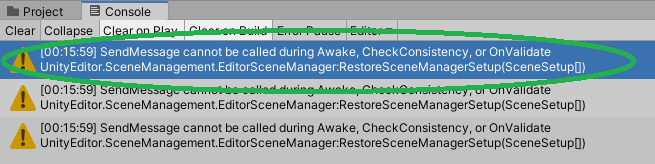 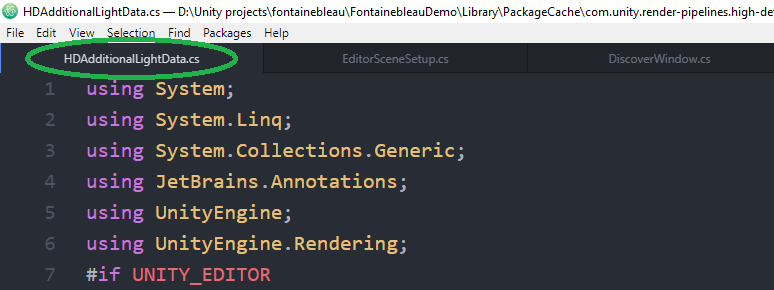 No "SendMessage" in this file either: 
More exploring:    Error text: `ArgumentException: The Object you want to instantiate is null. UnityEngine.Object.CheckNullArgument (System.Object arg, System.String message) (at :0) UnityEngine.Object.Instantiate[T] (T original) (at :0) SamplePlayFromHere.PlayFromHere_OnPlayFromHere (UnityEngine.Vector3...
The guide will avoid moments like, "Wait do I have to use a lua interpreter?" and "What's openal32.dll?"
heya - Yeah it complained about missing openal32.dll for me. - I think it's better to embed the gif. It communicates the essence faster. If you think the gif is...