
GeT-RiGhTTT
GeT-RiGhTTT
md文档

## 在fastdeply/docs/cn/quick_start/models/cpp.md中第三步准备CmakeList.txt和第四步中的目录结构不太明白 3. 准备CMakeList.txt FastDeploy中包含多个依赖库,直接采用g++或编译器编译较为繁杂,推荐使用cmake进行编译配置。示例配置如下, 假设下载或准备的FastDeploy C++ SDK在/Paddle/Download目录下,且目录名为fastdeploy_cpp_sdk,在开发者的项目中只需添加如下代码,即可引入FASTDEPLOY_INCS和FASTDEPLOY_LIBS两个变量,分别表示依赖的头文件和库文件 include(/Paddle/Download/fastdeploy_cpp_sdk/FastDeploy.cmake) PROJECT(infer_demo C CXX) CMAKE_MINIMUM_REQUIRED (VERSION 3.10) include(/Path/to/fastdeploy_cpp_sdk/FastDeploy.cmake) include_directories(${FASTDEPLOY_INCS}) add_executable(infer_demo ${PROJECT_SOURCE_DIR}/infer_demo.cc) target_link_libraries(infer_demo ${FASTDEPLOY_LIBS}) 4. 编译可执行程序 假设当前目录已经准备好infer_demo.cc和CMakeLists.txt两个文件,目录结构如下所示,即可进行编译 这里目录结构文档中没有显示
视频文件读取失败
这是.cc文件 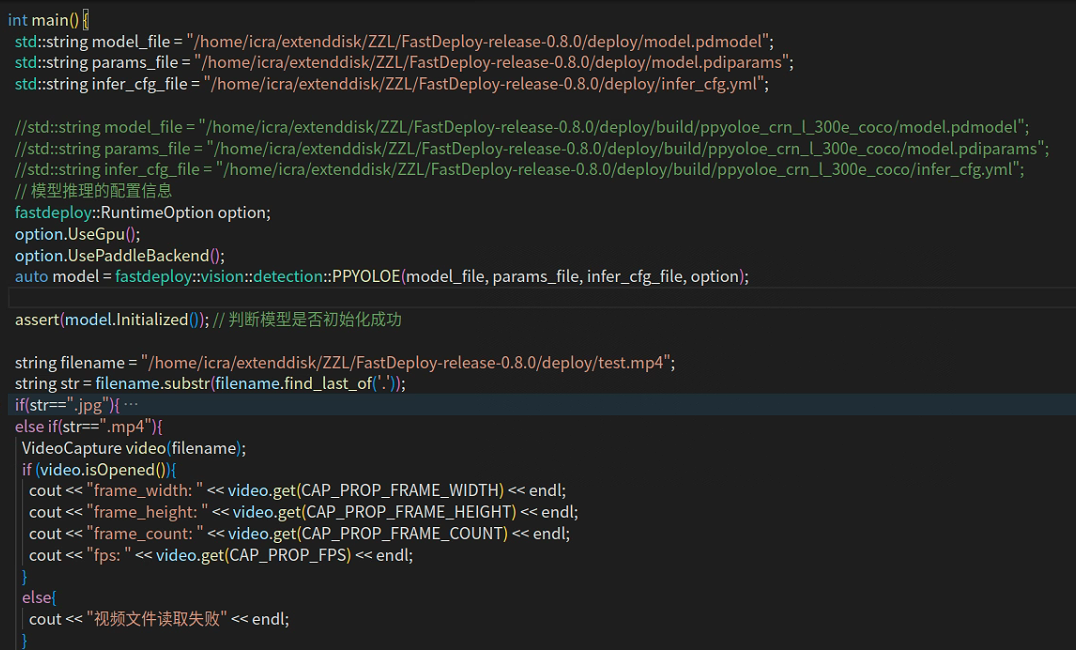 下面是报错情况 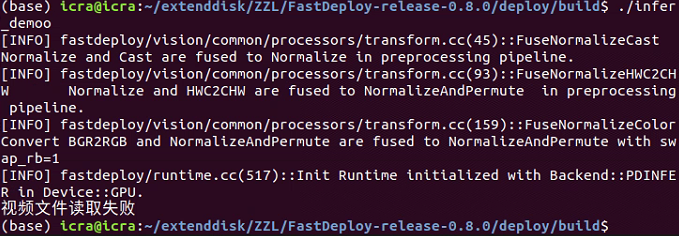
能读取视频,但是帧为空 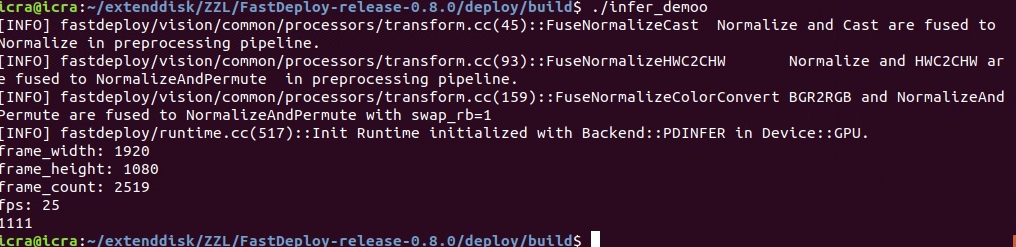 
## ❔Question hello, how can I train my own dataset, for example, dog, or other things with joints, how to set the labels, thanks. ## Additional context
No ppyolo in config folder