
Moritz



Moritz
You can scale the canvas with css: ``` canvas { background-color: #ffffff; display: block; position: absolute; width: 100%; height: 100%; } ``` Its not perfect since you will have issues...
Ok so i tampered a bit and found a solution. Put this into your css: ``` canvas { background-color: #ffffff; display: block; position: fixed; } ``` And into your index.html...
Such a json file would be a nice addition. Perhaps it could even include fields for different ISO notations like ISO 639-2/B and ISO 639-3.
Hey, actually yes thats very possible! I did some testing a while ago: The actual processing and recognition only takes 230ms. (Have a look [here ](https://github.com/RatScanner/RatEye/blob/26caed0eb7f4dbee5e447fc921745f733404178a/RatEyeTest/InventoryTest.cs#L31)for the implementation). But here...
It looks like you just copied the RatScanner.exe onto your desktop but you need to copy the whole folder since RatScanner needs those other files.
I believe there might still be a previous bug in existence which makes a changed hotkey only take effect after a restart. Is that perhaps the case? Please try to...
Is the minimal ui to obtrusive for you? It's usually the way to go if you want all the information which is important to you on the same screen as...
You can enable the minimal ui like this: 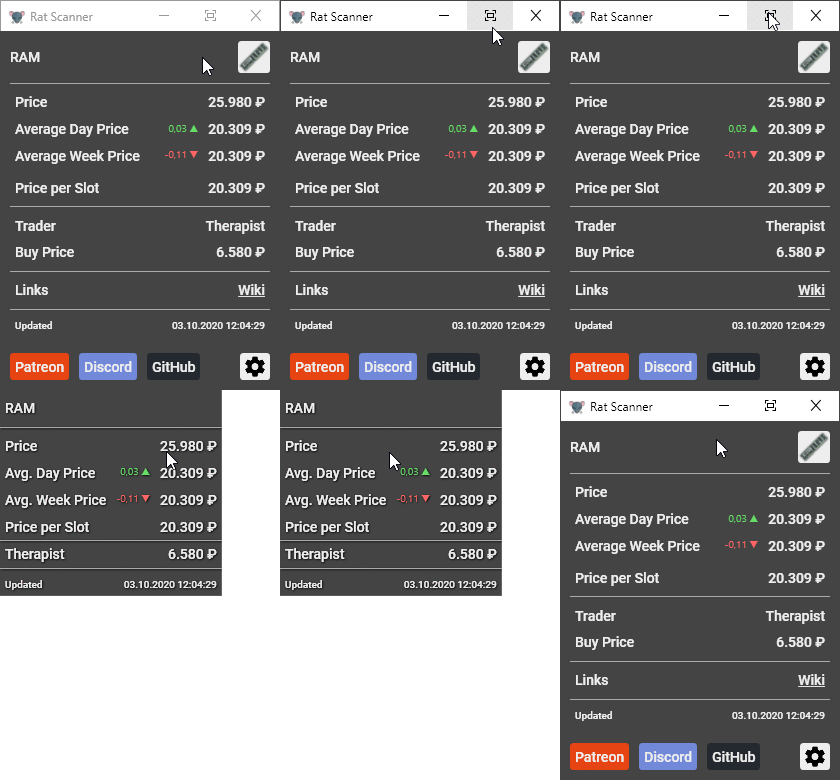 and configure what it displays and the background transparancy here: 
Related to [this card](https://github.com/Blightbuster/RatScanner/projects/1#card-46675784). What do you think of just making a configurable timer which hides the window x-seconds after a item was scanned? It seems to me that it...
From my experience when fidling with detecting if the inventory is open or not, its quite hard to do so without template matching for known pixels in the inventory ui....