
AutisticShark



AutisticShark
https://github.com/oneinstack/oneinstack/pull/420
主要是RHEL,有關系統自帶的包 RH 自己有個列表 ( https://access.redhat.com/documentation/en-us/red_hat_enterprise_linux/8/html/package_manifest/baseos-repository ) 當然你在每個系統的判斷裏面都檢測一次 epel 是否安裝也是可以,不過我是覺得那樣顯得過於冗餘就沒有那樣寫
另外就是這樣用檢測文件是否存在的方式有個問題就是像 Oracle 這種本身預裝了一個 Oracle 自己編譯的 EPEL (https://yum.oracle.com/repo/OracleLinux/OL8/developer/EPEL/aarch64/index.html ) 配置文件但是又默認沒有啓用的話,就會導致那些 EPEL 源的包裝不上去
> Since RHEL 9 has been [released](https://www.redhat.com/en/about/press-releases/red-hat-defines-new-epicenter-innovation-red-hat-enterprise-linux-9), having an official package would be extra nice. +1 this, we have planned and tested migrations for RHEL 8 to RHEL 9 in...
Thank you for the update.
Can confirm the same issue still exists in the latest release of fpm. OS: RHEL 9 x86_64 Python: 3.9.10 pip: 21.2.3 fpm: 1.14.2
這個看起來是因爲 Ubuntu 22.04 默認用 OpenSSL v3 導致的。 `#openssl version` `OpenSSL 3.0.2 15 Mar 2022 (Library: OpenSSL 3.0.2 15 Mar 2022)` https://stackoverflow.com/questions/72533210/cant-build-php-8-0-15-with-openssl
看了一下 include/php-8.0.sh https://github.com/oneinstack/oneinstack/blob/8c3b9d3c2d39e126256827be7754fe658e782ce1/include/php-8.0.sh#L123 openssl 本身已經安裝到 /usr/local/openssl 了,不知道爲什麽吃不到這個指定的 openssl 目錄,而是用系統内置的 OpenSSL。
找到原因了,如果要指定 openssl 目錄就必須用 --with-openssl-dir= ,如果只是用系統内置的 openssl lib 則是 --with-openssl,而這個參數是不吃 path 的,這也意味著之前版本的所有編譯時引用的 OpenSSL 庫版本都是錯誤的,只不過 Ubuntu 22.04 版本去掉了 OpenSSL v1 支持所以才會開始報錯。 修正方法 把 include/php-*.sh 裏面的 `--with-openssl=${openssl_install_dir}` 改成 `--with-openssl-dir=${openssl_install_dir}` 這樣就可以裝了 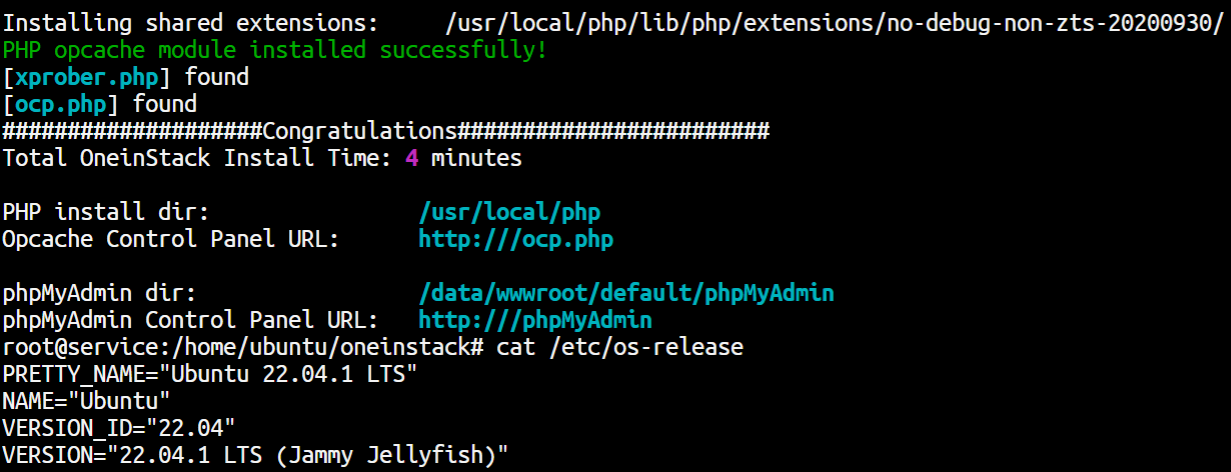 https://serverfault.com/questions/660501/compile-php-with-latest-openssl-and-curl
https://github.com/oneinstack/oneinstack/pull/455