

 zignd
zignd
Request new features : Go to Definition
Make the extension more productive by adding the functionality "Go to definition" using "Ctrl + click" or "Ctrl + alt + click"
Thank you!

Pretty good idea! So you think about something like: Right click on class in HTML or CSS -> Menu shows Go to class definition?

Yes , when you press ["Ctrl" + Mouse "Click"] on a name of CSS class , this extension automatically open and show corresponding CSS file and highlight line of clicked CSS class, or you can show in a contextual menu "Go to definition" when cursor is placed in class attribute (or both options).
Hi,
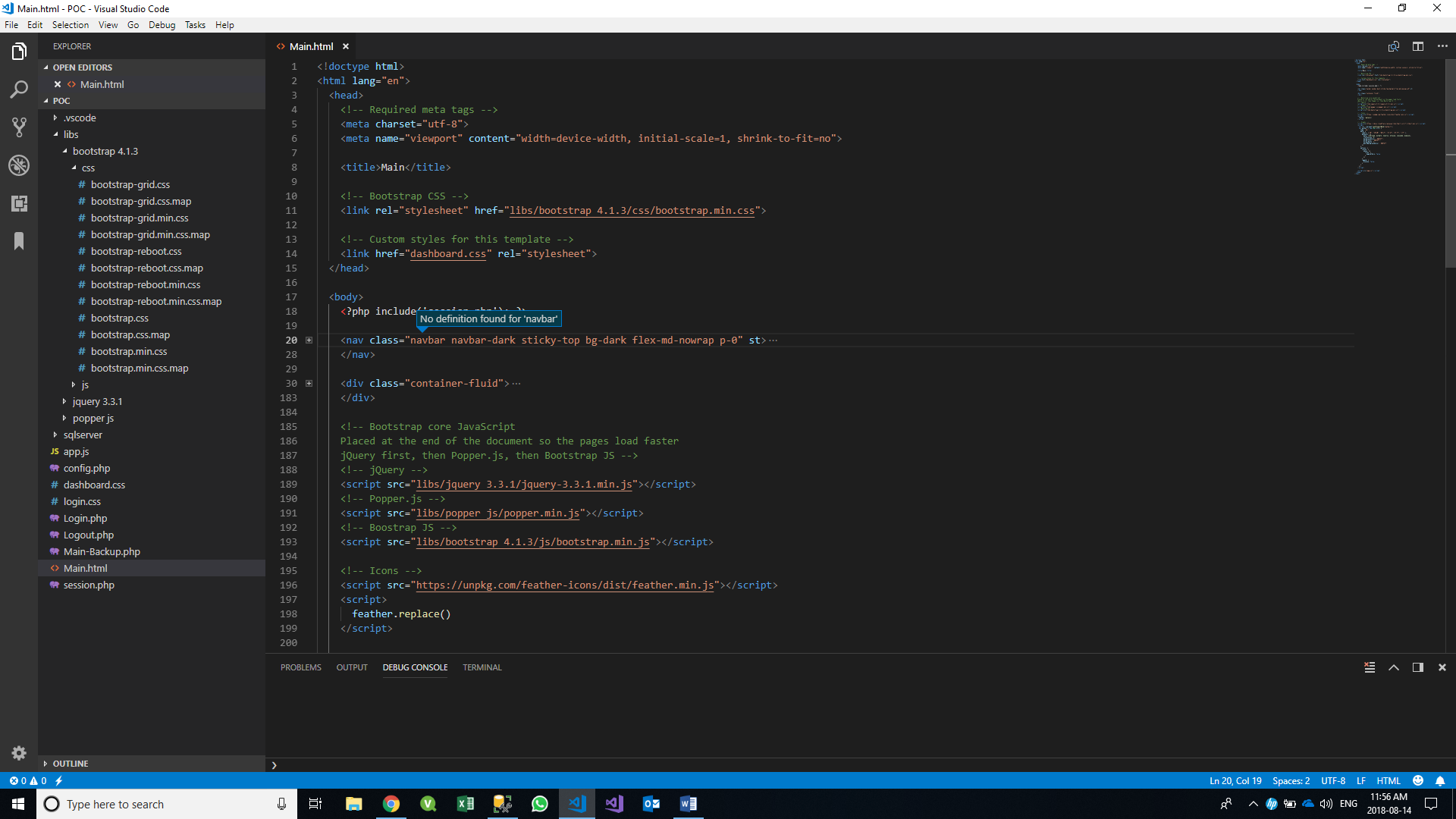
I'm working on a web app on Visual Studio Code. I have referenced a local bootstrap CSS file in the attribute. I am benefiting from the auto-complete, however, I am receiving a "No definition found for .." error when trying to "Go To Definition". Kindly advise
Note: I have tried the cache command.
Thanks in advance
Here is a snapshot:

@bryandandan yes, because we are discussing here about to implementing this feature. Currently there is no support to go to class definition.
Anyway just a tip: if you are going to build a bigger project look at webpack to bundle your js files and use async to load it in the head. There is also npm to handle your libs better with versions and good update functionality
Sent with GitHawk
@muuvmuuv We are looking forward to the new feature. Many thanks for your advice, I will be sure to look into them. They seem very useful.