

 ysfchn
The label color is not showing in the app
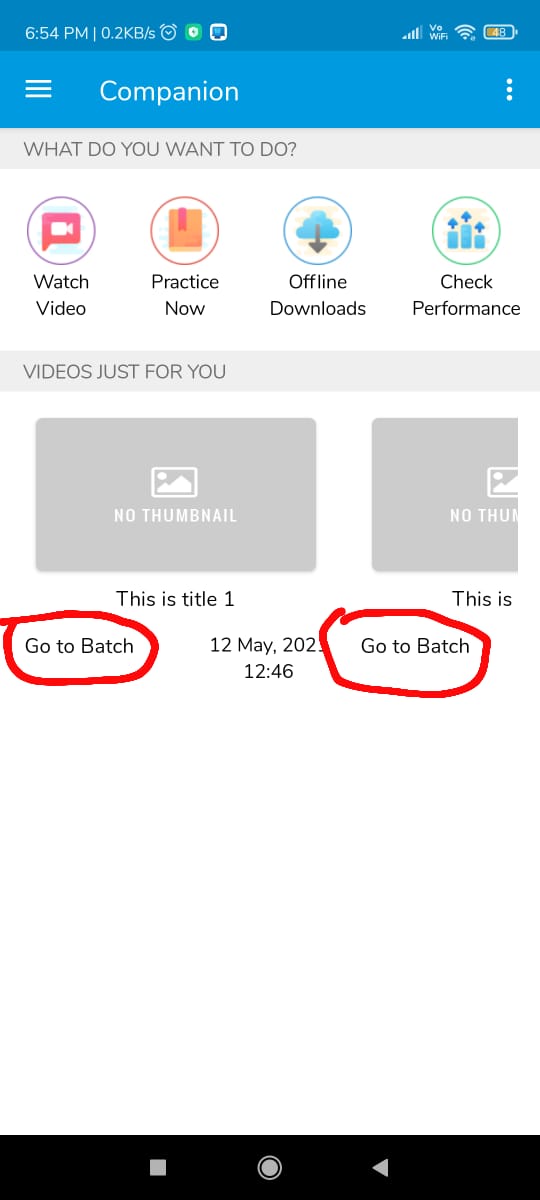 The below json code is for the circled label in the above image. However I am not getting the color which I set in the .ais and got from the template creator, its not showing.
I have created a design and exported it as .ais and using templatecreator , I created a template in json format where I get the following code for label
{ "id": "VideoGoToBatchLbl{id}", "type": "Label", "properties": { "Clickable": true, "FontSize": 15, "Text": "Go to Batch", "TextColor": 4281290929 }
but the color is not showing. However, if I try -26977853 instead of the original value , I get the purple color. But the color that I generated first ( 4281290929) is not showing. Please help!


Similar Problem. I think App Inventor has changed their color representation.

All color information in generated template is wrong. Every Color becomes None.
To break the long silence, I am already aware of this issue since when you created the issue, and I will take a look one more time when Kodular + App Inventor migration has started.
https://community.kodular.io/t/some-color-not-working-in-json/215410/7?u=yusufcihan
Yeah, I’m aware of the issue, sorry about that. I don’t have time to fix it and even worse, I don’t know how can I resolve this without breaking compatibility for AI2.
Apparently AI2 uses #AARRGGBB and Kodular uses #RRGGBBAA color format (or vice versa, or something else completely, I’m not sure), and I’m saying that because when I fix that issue for Kodular, colors no longer display properly in AI2, and when I fix for AI2, colors no longer display properly in Kodular. Yeah, a basic setting (like selecting between Kodular and AI2) is probably a workaround, but I’m still not sure about other AI2 distributions, so you need to deal with color conversions like in the above post, until I resolve the issue.
I'm currently closing this issue as "not planned" for now.
