

 yaofly2012
搞清clientHeight、offsetHeight、scrollHeight、offsetTop、scrollTop?
傻傻分弄不清
-
clientHeight/clientWidth/clientTop/clientLeft -
offsetHeight/offsetWidth/offsetTop/offsetLeft -
scrollHeight/scrollWidth/scrollTop/scrollLeft
一、基本概念
1.1 xxxHeight/Width
xxxHeight/Width表述元素的尺寸。
| 属性 | 描述 |
|---|---|
offsetHeight/offsetWidth |
|
clientHeight/clientWidth |
|
scrollHeight/scrollWidth |
1. clientHeight/clientWidth
表示的是元素展示内容的可视区矩形尺寸
子元素的在父元素的padding区域也是可见的,所以clientHeight/Width的尺寸包含padding区域,但不包含border,margin,滚动条区域。
- clientHeight = padding-top + content-height + padding-bottom;
- clientWidth = padding-left + content-width + padding-right;
注意:
- 整型数据,小数位会进行四舍五入。
2. offsetHeight/offsetWidth
表示的是元素本身占据的尺寸
因为margin不属于元素本身,所以不包含margin区域。
- offsetHeight = border-top + clientHeight + border-bottom + 水平滚动条高度;
- offsetWidth = border-left + clientWidth + border-right + 垂直滚动条宽度;
注意:
- 整型数据,小数位会进行四舍五入。
3. scrollHeight/scrollWidth:
如果原始的内容尺寸大于元素的content尺寸,则会造成元素overflow。并且当元素的overflow=scroll则超出的内容可以通过滚动的方式查看,此时scrollHeight/scrollWidth表示滚动内容的尺寸。
- scrollHeight = 子元素offsetHeight + 子元素margin-top + 子元素margin-top/bottom;
- scrollWidth = 子元素offsetWidth + 子元素margin-left + 子元素margin-left/right;
注意:
- 父元素
overflow=scroll时,父子元素相邻的marginTop/Bottom是不会发生重叠。 -
scrollHeight/scrollWidth的值是整型,小数位会被四舍五入。
xxxLeft/Top
xxxHeight/Width表述元素的尺寸,而xxxLeft/Top则表示元素的位置。了解xxxWidht/Heigt矩形编辑后就很容易理解xxxLeft/Top属性了。
1. scrollTop/Left
get/setscrollWidth/Top矩形在垂直/水平方向已滚动的距离。某种程度也是表示scrollWidth/Top矩形的位置。
- 可读写属性;
- 有小数位。
2. clientTop/Left
表示clientWidth/Top矩形的位置,即其左上角距离父容器的Top/Left Padding矩形边距离。
影响因素:
- border宽度,
- 是否有滚动条。
3. offsetTop/Left
表示offsetHeight/Width矩形的位置,即其左上角距离offsetParent的Top/Left Padding矩形边距离。
二、CSS中width/height指的是什么?
- box-sizing=content-box时
- width = content-width + 垂直滚动条宽度 即: content-width = width - 垂直滚动条宽度
- height = content-height + 水平滚动条高度 即: content-height = height - 水平滚动条高度
- box-sizing=border-box时
- width = border矩形的宽度
- height = border矩形的高度
三、$(selector).height(val)/width(val)的具体在操作什么?
3.1 set操作
从源码可以看到是操作element.style.height/width属性
3.2 get操作
返回的是getBoundingClientRect方法获取的宽高值。
DOMReact.widht/height的值等于元素的offsetWidth/Height.
四、viewport尺寸和html的尺寸区别
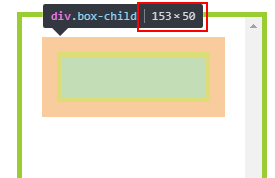
window.innerWidth/innerHeight和document.documentElement.clientWidth/clientHeight区别。
-
window.innerWidth/innerHeight返回布局视口(Layout viewport)的宽高; 包含滚动条 -
document.documentElement.clientWidth/clientHeight则是html元素的内容可视区域。 但是跟其他元素的clientWidth/clientHeight属性不同的是,document.documentElement.clientWidth/clientHeight包含border ,margin区域。
所以经常看到把document.documentElement.clientWidth/clientHeight作为获取window.innerWidth/innerHeight的兜底方案。
参考
- 搞清clientHeight、offsetHeight、scrollHeight、offsetTop、scrollTop
- JS中offsetTop、clientTop、scrollTop、offsetTop各位置属性详解(含示例图)
- Element size and scrolling

getBoundingClientRect() & getClientRects()
getBoundingClientRect()
The returned value is a DOMRect object which is the smallest rectangle which contains the entire element, including its padding and border-width
返回值是一个DOMRect对象,它是包含整个元素(包括其内边距和边框宽度)的最小矩形(即offsetWidth/Height)。
- 返回DOM元素盒模型的尺寸和位置;
- 位置是相对ViewPort坐标的位置;
- 尺寸
width/height就是offsetWidth/Height。
Issues/conern:
-
display: none的元素各个属性都是0;
计算两个元素之间的Offset
利用getBoundingClientRect() 计算两个元素之间的Offset。
const offsetY = eleA.getBoundingClientRect().top - eleB.getBoundingClientRect().top;
getClientRects()
返回元素的所有边界矩形列表。大部分元素只有一个边界矩形,但对于多行行内元素会有多个边界矩形。
getBoundingClientRect() 和getClientRects()关系
getBoundingClientRect() 是getClientRects()的汇总。