

 xunit
xunit
InlineData attribute with a string with certain symbols breaks VS Test Explorer with badly grouped entries
Creating a Theory with an InlineData attribute with a string with certain symbols breaks VS Test Explorer.
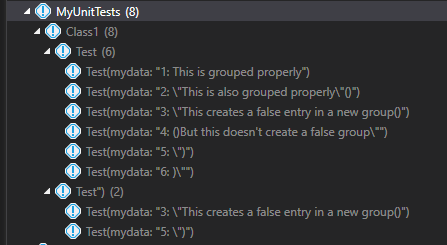
Seems recreatable with a string containing one escaped quotation mark character, followed later by a right parenthesis. Does not occur when there are two escaped quotation mark characters before the parenthesis, or where the parenthesis comes before the quotation mark.
The result is false entries in VS Test explorer, alongside correctly grouped ones. If you try to run any group of tests containing the false entries, then the tests appear to run but then do not return a result - only previous stale results are shown. This makes VS Test Explorer difficult to use for common tasks (i.e. "Run All Tests").
Code to reproduce:
using Xunit;

namespace MyUnitTests
{
    public class Class1
    {
        [Theory(DisplayName = "Test")]
        [InlineData("1: This is grouped properly")]
        [InlineData("2: \"This is also grouped properly\"()")]
        [InlineData("3: \"This creates a false entry in a new group()")]
        [InlineData("4: ()But this doesn't create a false group\"")]
        [InlineData("5: \")")]
        [InlineData("6: )\"")]
        public void Test(string mydata)
        {
            Assert.DoesNotContain(")", mydata);
        }
    }
}
Resulting entries in test explorer in a cleaned project are incorrectly grouped:

Resulting entries in test explorer after building the project shows all test cases in the Test group, but the false entries in Test" remain:
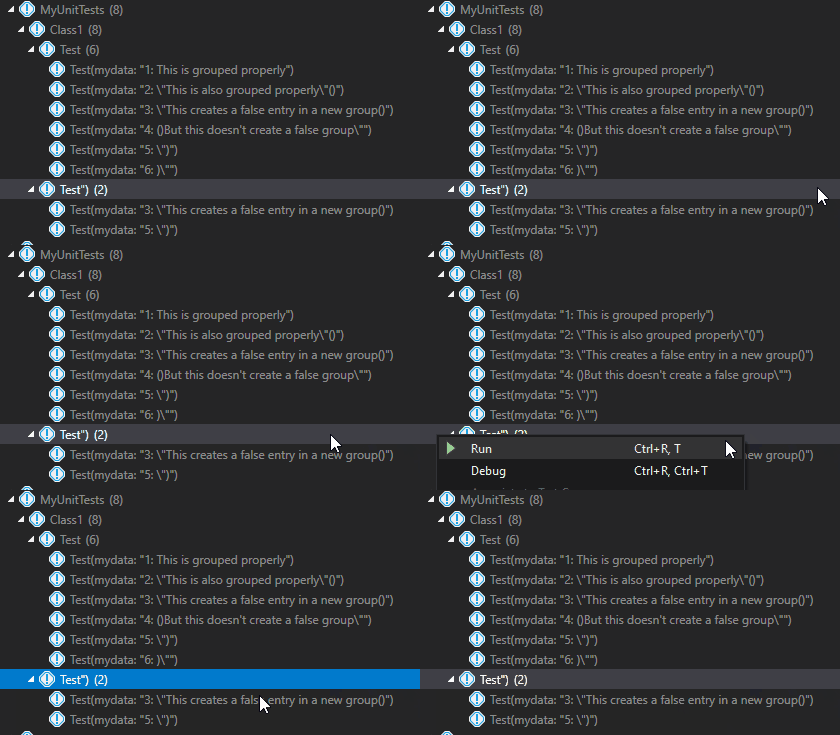
Test run results below. Note, I'm cleaning and rebuilding the project between each run to clear existing results.
Trying to run the Test group returns results as expected:

Trying to run the false Test") group looks like it tries to run, but then doesn't return results:
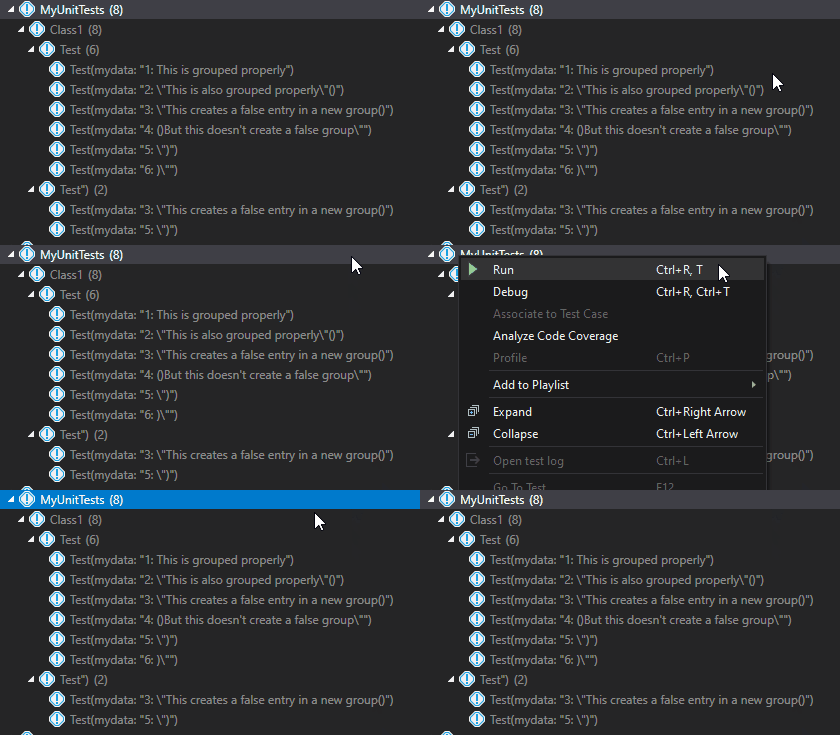
Trying to run all tests, or all test in the namespace or class, again it looks like it tries to run something, but doesn't return results - even for valid entries. The same behaviour is seen for "Run All Tests".

Versions of software this issue has been seen with:
- xunit 2.4.1
- xunit.runner.visualstudio 2.4.1, and 2.4.3
- Visual Studio 2019 (16.11.7)
Colleague also reports seeing the same issue in VS 2022, but I don't know what build.
Same issue in Microsoft Visual Studio Community 2022 (64-bit) - Preview Version 17.2.0 Preview 1.0

Can confirm this with
- xunit 2.4.1
- xunit.runner.visualstudio 2.4.3
- Visual Studio Professional 2022 (64bit) 17.1.5

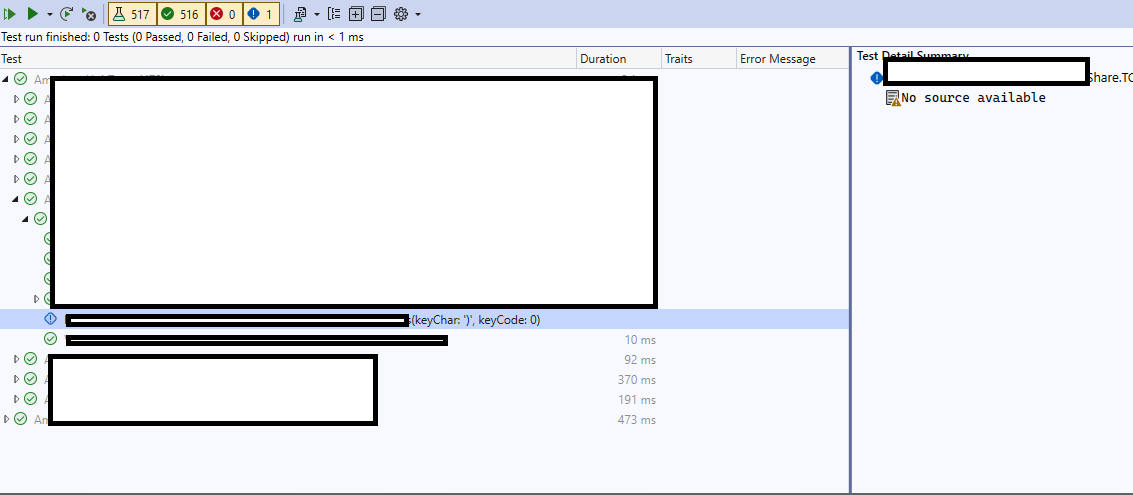
Same issue here with char parameter ')'
<PackageReference Include="xunit" Version="2.4.2" />
<PackageReference Include="xunit.runner.visualstudio" Version="2.4.5">
VS community 2022 x64 17.3.6

