

 xunit
xunit
VS Code - Run All Tests hangs
Visual Studio Code user... When trying to run all tests, the test run begins (see below), but never returns. Nothing ever appears in the log and the tests never indicate success or failure.
Starting extension
Finding projects for pattern c:/Users\...\cdmrest.api.tests\cdmrest.api.tests.csproj
Found 1 matches for pattern in folder c:\Users\...
Evaluating match c:/Users/.../cdmrest.api.tests/cdmrest.api.tests.csproj
Adding directory c:/Users/.../cdmrest/cdmrest.api.tests
Executing dotnet test -t -v=q in c:/Users/.../cdmrest/cdmrest.api.tests
Discovered tests with xunit. Found 34 in 1 directories
Test run for upmc, expecting 1 test results file(s) in total
Executing dotnet build in c:/Users/.../cdmrest/cdmrest.api.tests
Executing dotnet test --no-build --logger "trx;LogFileName=C:\Users\...\Temp\test-explorer-jfEqbw\0.trx" --filter "FullyQualifiedName~upmc" in c:/Users/.../cdmrest/cdmrest.api.tests
Process 10308 started
I looked in all the console screens in VS Code and the above is the only thing I can find. I looked in the Temp folder referenced above but it was empty (as were others with a similar name). I'm at a loss as to why this has stopped working - and we've only just begun development so the number of tests that we have (30 at this point) isn't all that many.
I'm usnig the following... XUnit version 2.4.1 XUnit.VisualStudio version 2.4.1 .Net Core version 3.0.1
Visual Studio Code Info Version: 1.40.2 (user setup) Commit: f359dd69833dd8800b54d458f6d37ab7c78df520 Date: 2019-11-25T14:54:45.096Z Electron: 6.1.5 Chrome: 76.0.3809.146 Node.js: 12.4.0 V8: 7.6.303.31-electron.0 OS: Windows_NT x64 10.0.17763

Does the project run correctly outside of VS Code? If so, then I would open an issue with the Omnisharp perfect as they are responsible for the VS Code runner.

Are you asking if it runs in regular Visual Studio (this is a webapi so it has no executable)? It does run as a debug process where I can hit the RESTful API via Postman. And if this is an Omnisharp issue, wouldn't I see something in their log (their log is below which doesn't show anything)? BTW - the test run has been running for 12+ hours; no changes in the logs and it is still "running".
Starting OmniSharp server at 11/26/2019, 6:25:55 PM
    Target: c:\Users\...\cdmrest\cdmrest.sln

OmniSharp server started.
    Path: C:\Users\...\ms-vscode.csharp-1.21.8\.omnisharp\1.34.8\OmniSharp.exe
    PID: 8376
That doesn't seem to work either...it has been sitting here for 10 minutes (running from Powershell outside of VS Code) and never returns.
PS C:\Users\...\cdmrest\cdmrest.api.tests> dotnet test
Test run for C:\Users\...\cdmrest\cdmrest.api.tests\bin\Debug\netcoreapp3.0\cdmrest.api.tests.dll(.NETCoreApp,Version=v3.0)
Microsoft (R) Test Execution Command Line Tool Version 16.3.0
Copyright (c) Microsoft Corporation.  All rights reserved.

Starting test execution, please wait...

A total of 1 test files matched the specified pattern.
Probably related, but I started running my tests one-by-one and it got stuck on the 5 remaining on the bottom although as shown it says that the processes finishes, but it never shows the result on the left test window. It ran one of the tests in that file, but the other 5 it just sits there and never returns (similar to the "Run All" issue originally described above):
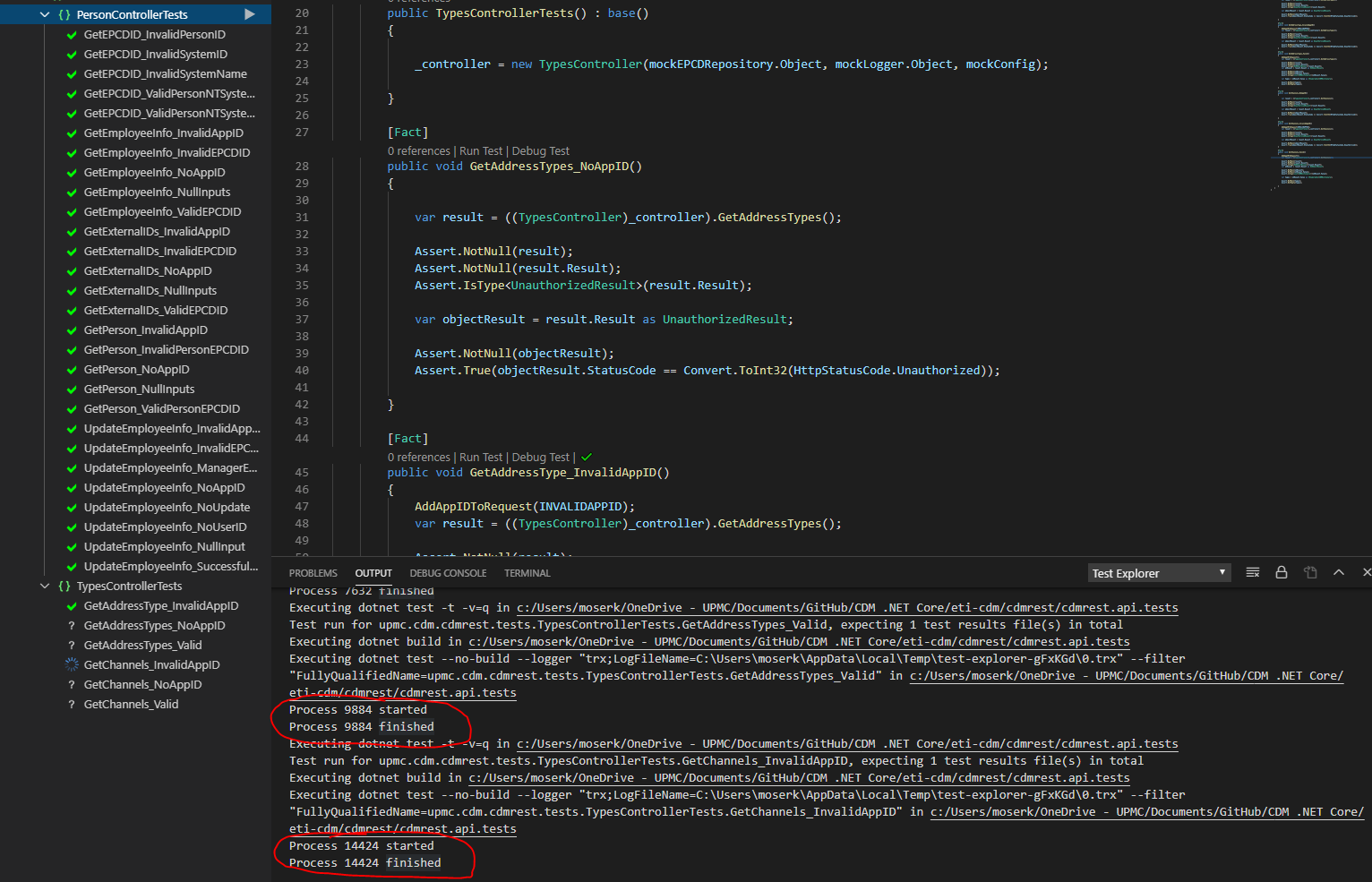
At this point I have to assume the tests themselves are broken, and we'll need a repro project to help understand why.
Ok; I can do that (let me know how to do that as our repo is not public; it is a corporate GIT instance) - but here are the tests from the file that isn't working (there's only 6 tests in here). I marked the one that is working...see code at end.
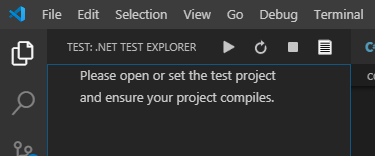
I also wanted to show that periodically, the test explorer shows this error as if the tests no longer exist - no idea if this is related or something completely different:
    public class TypesControllerTests : BaseControllerTests

    {
        public TypesControllerTests() : base()
        {

            _controller = new TypesController(mockEPCDRepository.Object, mockLogger.Object, mockConfig);

        }

        [Fact]
        public void GetAddressTypes_NoAppID()
        {

            var result = ((TypesController)_controller).GetAddressTypes();

            Assert.NotNull(result);
            Assert.NotNull(result.Result);
            Assert.IsType<UnauthorizedResult>(result.Result);

            var objectResult = result.Result as UnauthorizedResult;

            Assert.NotNull(objectResult);
            Assert.True(objectResult.StatusCode == Convert.ToInt32(HttpStatusCode.Unauthorized));

        }

// THIS TEST IS THE ONLY ONE WORKING
        [Fact]
        public void GetAddressType_InvalidAppID()
        {
            AddAppIDToRequest(INVALIDAPPID);
            var result = ((TypesController)_controller).GetAddressTypes();

            Assert.NotNull(result);
            Assert.NotNull(result.Result);
            Assert.IsType<UnauthorizedResult>(result.Result);

            var objectResult = result.Result as UnauthorizedResult;

            Assert.NotNull(objectResult);
            Assert.True(objectResult.StatusCode == Convert.ToInt32(HttpStatusCode.Unauthorized));
        }

        [Fact]
        public void GetAddressTypes_Valid()
        {
            AddAppIDToRequest();
            var result = ((TypesController)_controller).GetAddressTypes();

            Assert.NotNull(result);
            Assert.NotNull(result.Result);
            Assert.IsType<OkObjectResult>(result.Result);
            var okResult = result.Result as OkObjectResult;

            Assert.NotNull(okResult);
            Assert.NotNull(okResult.Value);
            Assert.IsType<List<CDMDictionary>>(okResult.Value);

            var types = okResult.Value as IEnumerable<CDMDictionary>;

            Assert.NotNull(types);
            Assert.NotEmpty(types);

        }

        [Fact]
        public void GetChannels_NoAppID()
        {

            var result = ((TypesController)_controller).GetChannels();

            Assert.NotNull(result);
            Assert.NotNull(result.Result);
            Assert.IsType<UnauthorizedResult>(result.Result);

            var objectResult = result.Result as UnauthorizedResult;

            Assert.NotNull(objectResult);
            Assert.True(objectResult.StatusCode == Convert.ToInt32(HttpStatusCode.Unauthorized));

        }

        [Fact]
        public void GetChannels_InvalidAppID()
        {
            AddAppIDToRequest(INVALIDAPPID);
            var result = ((TypesController)_controller).GetChannels();

            Assert.NotNull(result);
            Assert.NotNull(result.Result);
            Assert.IsType<UnauthorizedResult>(result.Result);

            var objectResult = result.Result as UnauthorizedResult;

            Assert.NotNull(objectResult);
            Assert.True(objectResult.StatusCode == Convert.ToInt32(HttpStatusCode.Unauthorized));
        }

        [Fact]
        public void GetChannels_Valid()
        {
            AddAppIDToRequest();
            var result = ((TypesController)_controller).GetChannels();

            Assert.NotNull(result);
            Assert.NotNull(result.Result);
            Assert.IsType<OkObjectResult>(result.Result);
            var okResult = result.Result as OkObjectResult;

            Assert.NotNull(okResult);
            Assert.NotNull(okResult.Value);
            Assert.IsType<List<CDMDictionary>>(okResult.Value);

            var types = okResult.Value as IEnumerable<CDMDictionary>;

            Assert.NotNull(types);
            Assert.NotEmpty(types);

        }
    }
Quick update - I completely rebooted my VM - the tests started working one by one, but then got hung up as before. I did a rebuild of the entire project (I have an API, Model and DAL project within this group that I'm trying to test against). The rebuild worked on the project (this doesn't build the tests).
However, since the tests have been "stuck" and never returns as explained above, when I do a dotnet test from with VS Code, I get a series of errors like the one below. I also get these errors if I do a build against the test project:
C:\Program Files\dotnet\sdk\3.0.101\Microsoft.Common.CurrentVersion.targets(4377,5): error MSB3021: Unable to copy file "C:\Users\...\cdmrest\cdmrest.api\bin\Debug\netcoreapp3.0\cdmrest.api.dll" to "bin\Debug\netcoreapp3.0\cdmrest.api.dll". The process cannot access the file 'C:\Users\...\cdmrest\cdmrest.api.tests\bin\Debug\netcoreapp3.0\cdmrest.api.dll' because it is being used by another process. [C:\Users\...\cdmrest\cdmrest.api.tests\cdmrest.api.tests.csproj]
Now, I'm assuming the "to" location is the bin folder located under the test project folder. So something - and it has to be xunit - is holding onto these DLLs in a "stuck" state.
That is expected behavior, if the tests are still running. The DLLs are locked on disk, so they can't be deleted or re-built until the tests have finished (or you've manually stopped the dotnet.exe process).
I'm having the same issue as @motor75, when I run all test from either visual studio 2019 or from the command line using dotnet test.
In VS 2019 I can see some tests run and then the rest just indicate they're running indefinitely. I am able to run batches of tests to completion and by doing this all tests complete without issue.
All of the tests run without issue/hanging if the tests are converted to using the MStest framework instead.
I'm using the latest verison of VS 2019 and the following packages in the test project.
 <PackageReference Include="Microsoft.NET.Test.Sdk" Version="16.4.0" />
 <PackageReference Include="xunit" Version="2.4.1" />
 <PackageReference Include="xunit.runner.visualstudio" Version="2.4.1">

Closed due to lack of repro project. Please open a new issue with a repro project if this is still occurring.