

 xebia
xebia
VisualReview generates invalid PNGs
I'm running VisualReview on a Mac (MacOS 10.13). I've send some screenshots to the screenshot endpoint, but it seems, VisualReview is generating invalid PNG files. When I search for them on my system, I can find, but not open them. On the localhost I see the the icon for a missing image:

The files on the system have sizes of about 1.8 MB, so they're not empty. Is there any way to fix this? What information do you need?
I seem to get a valid response from the server:
2019-05-17 10:06:20.285 INFO com.xebia.visualreview.middleware - Response: # headers: Vary: Accept Content-Type: application/json;charset=UTF-8 # body: {"id":15,"size":1786783,"properties":{"browser":"android","resolution":"1080\u2006\u00d7\u20061920"},"meta":{"component":"login"},"screenshotName":"screenshot","imageId":43}
When I open http://localhost:7000/api/runs/60/screenshots, the file paths seem to be messed up though:
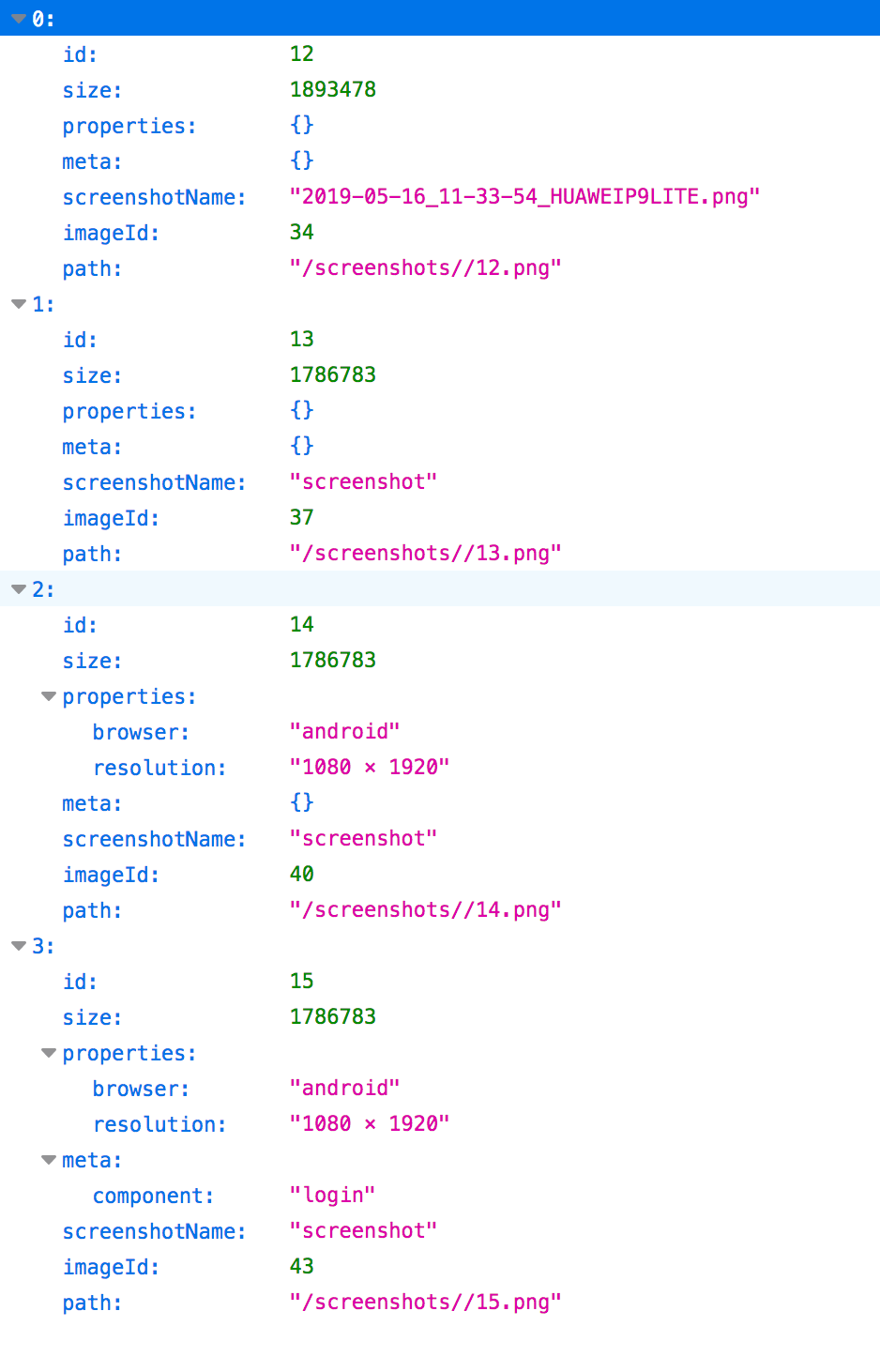

How are you sending the screenshots? The file size shouldn't be an issue and the double slash in the path is unrelated.
What happens if you visit: http://localhost:7000/api/image/43?

I send the screenshots synchronously as multipart objects (see code below). When I visit http://localhost:7000/api/image/43 it says "the image ... can't be displayed, because it's faulty".
`private void sendToVisualReview(String fileName) { Run run = new Run("joyce-ui-test", "test");
   // get file and create RequestBody from it
    File screenshotFile = FileUtils.getFile(fileName);
    RequestBody filePart = RequestBody.create(
            MediaType.parse("image/png"),
            screenshotFile
    );

    // create MultipartBody object
    RequestBody namePart = createPartFromString(screenshotFile.getName());
    RequestBody metaPart = createPartFromString("{}");
    RequestBody propertiesPart = createPartFromString("{}")
    MultipartBody.Part uploadFile = MultipartBody.Part.createFormData("file", screenshotFile.getName(), filePart);

    // get client
    VisualReviewClient client = ServiceGenerator.createService(VisualReviewClient.class);

    // start run (synchronous)
    Call<Run> runCall = client.createRun(run);
    try {
        run = runCall.execute().body();
        System.out.println("RESPONSE: " + run.toString());
        System.out.println("RUN-ID = " + run.getId());
    } catch (IOException e) {
        e.printStackTrace();
    }

    // execute request
    Call <ResponseBody> call = client.uploadScreenshot(
            namePart,
            uploadFile,
            metaPart,
            propertiesPart,
            run.getId()
    );

    try {
        ResponseBody responseBody = call.execute().body();
        System.out.println("RUN-ID = " + run.getId());
    } catch (IOException e) {
        System.out.println("ERROR uploading screenshot");
        e.printStackTrace();
    }
}`
My guess it something in the way the request is formed in the client. I'm not familiar with the client code used above. Do you have a minimal reproducible setup you can share?
I would look at the HTTP body to see how it's formed.
The following POST request using postman works fine for me. If it works for you as well, it's certainly something in the HTTP request.
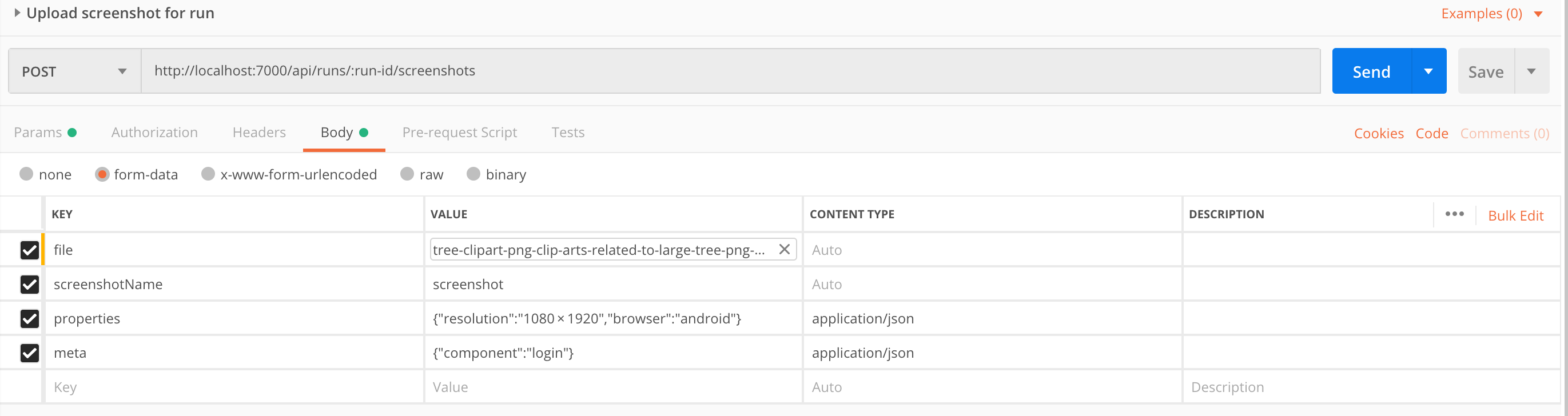
Dear @dmarjenburgh, thanks for your reply! When I use postman to send the same request, it still seems like I can't display the images:

I've tried different files to make sure there's nothing wrong with the PNG, but to no avail. When I open the files that visualreview produces with finder, they seem to be invalid and can't be opened.
@dmarjenburgh, @nemue I have this behaviour too. It happens only when http-logging is enabled in config.

@nemue, Open file config.edn and check that :enable-http-logging is false. Actually it is the default value, so you probably have some other error.