

 wpbones
Activation and Deactivation does not work
I want to check for Woocommerce while activating my plugin. How can I put this check in activation hook? I tried to tweak the activation.php file but it does not return anything.
I tried this as well
function activate()
{
	if (!class_exists('woocommerce')) {
		deactivate_plugins(plugin_basename(__FILE__));
		wp_die(__('Please install and activate WooCommerce first. Click the Back button in your browser to continue.'));
	}
}
Is there a way that I can check this via my controllers and call those functions in my activation.php and deactivation.php files?


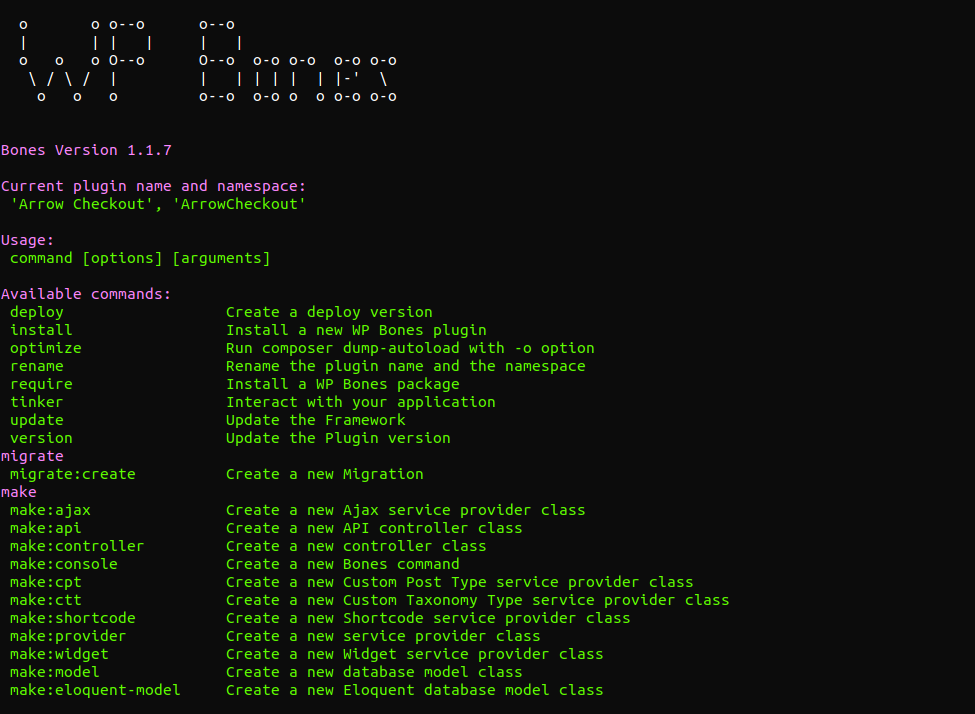
@baig772 Hi, you have the right version. 👍
The activation.php file is just included in the framework and no functions are called.
The right way to set up the activation.php file is:
<?php

/*
|--------------------------------------------------------------------------
| Plugin activation
|--------------------------------------------------------------------------
|
| This file is included when the plugin is activated the first time.
| Usually you will use this file to register your custom post types or
| to perform some db delta process.
|
*/

if ( ! function_exists( 'arrow_checkout_activation' ) ) {

  function arrow_checkout_activation()
  {
	if (!class_exists('woocommerce')) {
		deactivate_plugins(plugin_basename(__FILE__));
		wp_die(__('Please install and activate WooCommerce first. Click the Back button in your browser to continue.'));
	}
  }

  arrow_checkout_activation();
}
The above code will work.
Thanks @gfazioli Is there a way that I could call the functions in activation and deactivation files from my controllers?
@baig772 wp bones uses
register_activation_hook($this->file, [$this, 'activation']);

...
    public function activation()
    {
        // include your own activation
        $activation = include_once "{$this->basePath}/plugin/activation.php";
      ...
   }
to include the activation.php file. This means that you should be able to use anything in your activation.php file.
For example, you may "use" any controller
<?php

/*
|--------------------------------------------------------------------------
| Plugin activation
|--------------------------------------------------------------------------
|
| This file is included when the plugin is activated the first time.
| Usually you will use this file to register your custom post types or
| to perform some db delta process.
|
*/

use YourNamespace\YourController;

if ( ! function_exists( 'arrow_checkout_activation' ) ) {

  function arrow_checkout_activation()
  {
        // for example
       YourController::your_method();

       // or
      (new YourController)->your_method();
  }

  arrow_checkout_activation();
}
@baig772 of course, you may also use
<?php

/*
|--------------------------------------------------------------------------
| Plugin activation
|--------------------------------------------------------------------------
|
| This file is included when the plugin is activated the first time.
| Usually you will use this file to register your custom post types or
| to perform some db delta process.
|
*/

use YourNamespace\YourController;

YourController::init();
Hi @gfazioli I tried with this and I still don't see any thing.
<?php

/*
|--------------------------------------------------------------------------
| Plugin activation
|--------------------------------------------------------------------------
|
| This file is included when the plugin is activated the first time.
| Usually you will use this file to register your custom post types or
| to perform some db delta process.
|
*/

use MyPlugin\Http\Controllers\Dashboard\DashboardController;

if ( ! function_exists( 'activate' ) ) {
	function activate() {
		( new DashboardController() )->activate();
	}

	activate();
}
My DashboardController.php looks like this
<?php

namespace MyPlugin\Http\Controllers\Dashboard;

use MyPlugin\Http\Controllers\Controller;

class DashboardController extends Controller {

	public function activate() {
		if ( ! class_exists( 'woocommerce' ) ) {
			deactivate_plugins( __FILE__ );
			wp_die( __( 'Please install and activate WooCommerce first. Click the Back button in your browser to continue.' ) );
		}
	}
}
The name spaces paths are correct in the use
@baig772 in the activation.php file, I'd try
<?php

/*
|--------------------------------------------------------------------------
| Plugin activation
|--------------------------------------------------------------------------
|
| This file is included when the plugin is activated the first time.
| Usually you will use this file to register your custom post types or
| to perform some db delta process.
|
*/

use MyPlugin\Http\Controllers\Dashboard\DashboardController;

( new DashboardController() )->activate();
next, I'd try to add some log, just to be sure that everything is working fine, in your Controller you may use
<?php

namespace MyPlugin\Http\Controllers\Dashboard;

use MyPlugin\Http\Controllers\Controller;

class DashboardController extends Controller {

	public function activate() {
                 error_log('activate method called');
		if ( ! class_exists( 'woocommerce' ) ) {
                         error_log('find woocommerc class); // are you sure that this one will work?
			deactivate_plugins( __FILE__ );
			wp_die( __( 'Please install and activate WooCommerce first. Click the Back button in your browser to continue.' ) );
		}
	}
}
Hi @gfazioli , I tried the same thing and it is not working. Do I have to run a command like grunt or grunt watch so that my changes are reflected ?
I tried with
public function activate() {

		wp_die('in here');

		error_log( 'activate method called' );
		if ( ! class_exists( 'woocommerce' ) ) {
			error_log( 'find woocommerc class' ); // are you sure that this one will work?
			deactivate_plugins( __FILE__ );
			wp_die( __( 'Please install and activate WooCommerce first . Click the Back button in your browser to continue.' ) );
		}
	}
My activation.php looks like this
<?php

/*
|--------------------------------------------------------------------------
| Plugin activation
|--------------------------------------------------------------------------
|
| This file is included when the plugin is activated the first time.
| Usually you will use this file to register your custom post types or
| to perform some db delta process.
|
*/

use MyPlugin\Http\Controllers\Dashboard\DashboardController;

( new DashboardController() )->activate();
@baig772 did you see anything on the debug.log file in the wp-content folder?
try to add the following lines in your wp-config.php file; after define('WPLANG', ''); and before if (!defined('ABSPATH')) {
define('WPLANG', '');

/**
 * For developers: WordPress debugging mode.
 *
 * Change this to true to enable the display of notices during development.
 * It is strongly recommended that plugin and theme developers use WP_DEBUG
 * in their development environments.
 */
define('WP_DEBUG', true);
define('WP_DEBUG_LOG', true);
define('WP_DEBUG_DISPLAY', false);
ini_set('display_errors', 0);

/* That's all, stop editing! Happy blogging. */

/** Absolute path to the WordPress directory. */
if (!defined('ABSPATH')) {
    define('ABSPATH', dirname(__FILE__) . '/');
}
Hello @gfazioli , No file is being created. Could we do a google meet or zoom to work together on this issue?
@baig772 hey, there is a new release v1.2.4 which could fix any issue, try
$ php bones update
in your current plugin, or start a new one
I checked in deeper and for me the activation works fine, let me know if the new version fix the issue
@baig772 hello, try to download/update to the latest version and check the new docs here https://wpbones.vercel.app/
@baig772 To participate more actively in discussions and stay updated on proposals and latest releases, I would be pleased if you joined the WP Bones community on Discord.