

 wpbones
sidebar menu entries disappears by changing namaspace through php bones rename command
when we change namespace by php bones rename command the sidebar menu disappears once we undo the renaming (i.e. default namespace ) the menu appears again.
Steps to reproduce the behavior:
- install wp kirk demo version
- rename the plugin by php bones rename "some name"
- refresh the wp admin and menu is gone
- rename plugin back to default
- the menu appears again
Expected behavior rename commad should be fixed
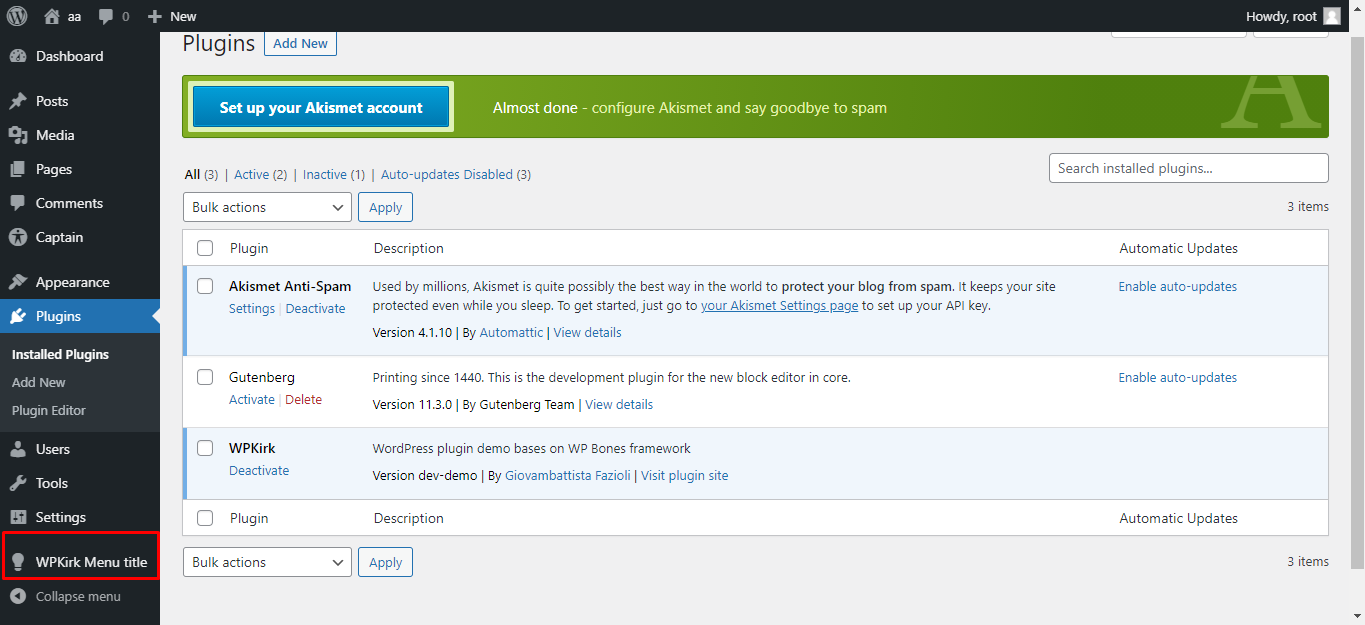


Appears like dumping autoload after changing namespace makes the menu items reappear.
composer dumpautoload -o

@dev-talha-anwar @abh1nash Hi there, please, could you retry with the latest version?
if you are able to download the new version of demo would be perfect. Otherwise run:
php bones update
and then retry the rename

I tried to run the command with latest version but now php bones command does not show any output
On Thu, Apr 14, 2022, 8:44 PM Giovambattista Fazioli < @.***> wrote:
maybe you have got an old version - did you try with the latest?
— Reply to this email directly, view it on GitHub https://github.com/wpbones/WPBones/issues/25#issuecomment-1099317118, or unsubscribe https://github.com/notifications/unsubscribe-auth/ANLO5DOVXQSYZGI7BHBB3JLVFA4OZANCNFSM5CRLKAFQ . You are receiving this because you were mentioned.Message ID: @.***>
Also bones commands are not working
On Thu, Apr 14, 2022, 9:21 PM Talha Anwar @.***> wrote:
I tried to run the command with latest version but now php bones command does not show any output
On Thu, Apr 14, 2022, 8:44 PM Giovambattista Fazioli < @.***> wrote:
maybe you have got an old version - did you try with the latest?
— Reply to this email directly, view it on GitHub https://github.com/wpbones/WPBones/issues/25#issuecomment-1099317118, or unsubscribe https://github.com/notifications/unsubscribe-auth/ANLO5DOVXQSYZGI7BHBB3JLVFA4OZANCNFSM5CRLKAFQ . You are receiving this because you were mentioned.Message ID: @.***>
command now works i am able to see the menu entries but changing the name does not change asset file name
what do you mean by "asset file name" exactly? could you provide me with a complete example?
@dev-talha-anwar hi, please, try to update to the latest version here https://wpbones.vercel.app/
@dev-talha-anwar To participate more actively in discussions and stay updated on proposals and latest releases, I would be pleased if you joined the WP Bones community on Discord.