

 wordpress-mobile
Sometimes when publishing a story post, images are uploaded but don't appear in the story.
While testing 16.9: on my first time adding a Story post, the images were uploaded (I can see them in my media library) but they don't appear in the story, either in the app when viewing the post, or in a web browser on my desktop. Out of four images, only the third actually appears when viewing the story.
The story is viewable here: https://mattkjhshhwjji999.code.blog/2021/03/11/snow/
In Chrome, I see a loading spinner on the story frames where the image isn't loading. In Safari, I only see a black background.
Tested on iPhone 12 Pro Max, iOS 14.4.1, WPiOS 16.9

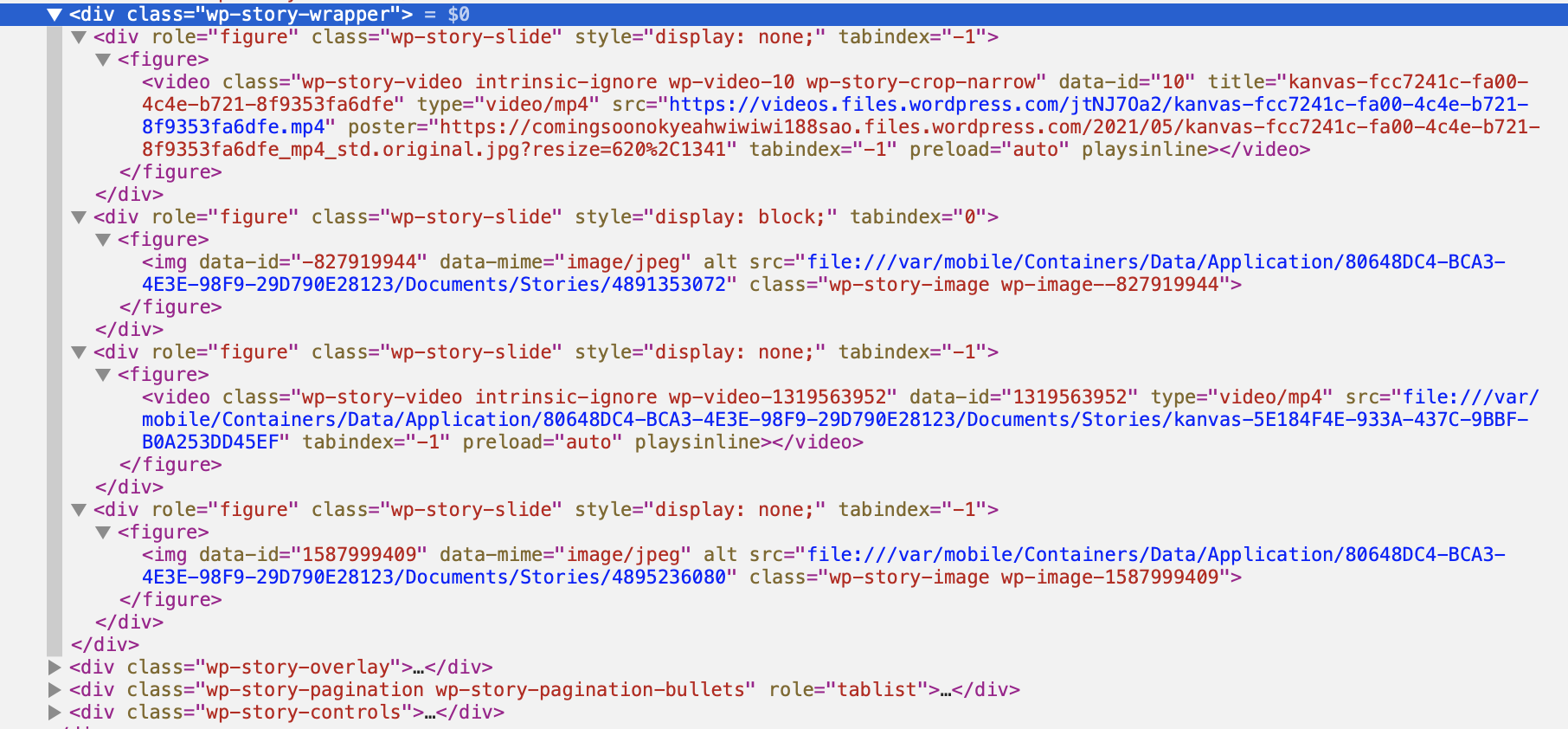
The post content includes the local URL for the media. It appears to have the upload ID for the media but has not updated to reference the remote URL.
file:///var/mobile/Containers/Data/Application/64E40147-73E3-4F12-B2F5-380275B4A832/Documents/Stories/5648966144
It seems like something probably went wrong with the upload observer. Some possibilities that come to mind which I'll check out for reproduction:
- Was the app backgrounded when the upload completed?
- Was the media upload failing at first and then successfully retried later?

Hey @bjtitus just in case it's useful --
Was the app backgrounded when the upload completed? Was the media upload failing at first and then successfully retried later?
In my case the answer to both of these is "no." I waited for the app to upload/publish, then attempted to view the story post by tapping the View button in the notice that popped up when it was published.
I believe this was fixed in https://github.com/wordpress-mobile/WordPress-iOS/pull/16445.
@mattmiklic Would you be able to retest on 17.4+ whenever you have a chance?
I believe this was fixed in #16445.
@mattmiklic Would you be able to retest on 17.4+ whenever you have a chance?
Unfortunately I was able to reproduce this bug on a WordPress.com blog when using version 17.4.0.2 of the app. One slide in the story worked (a video) but the three others (two images, one video) all still refer to the local URL for the media.
@bjtitus is this one something you are still working on or should I put it into Groundskeeping triage?

Reported in 5411140-zen.
Recommended editing the post within the app, selecting Media options in the top-right corner, and replacing these images with images from their media library.
Edit: Confirmed that the above workaround did the trick.

👋 Just wanted to highlight that some Kanvas fixes landed in 20.3 that could have a positive effect on this. 🤞
