

 wordpress-mobile
Removes: click on before every input event in login flow
While doing some work for screenshot testing, I found that the google autofill manager popup is not dismissed on devices with google Accounts and hence the screenshot tests are failing.
The google autofill manager pop up shown during screenshot testing
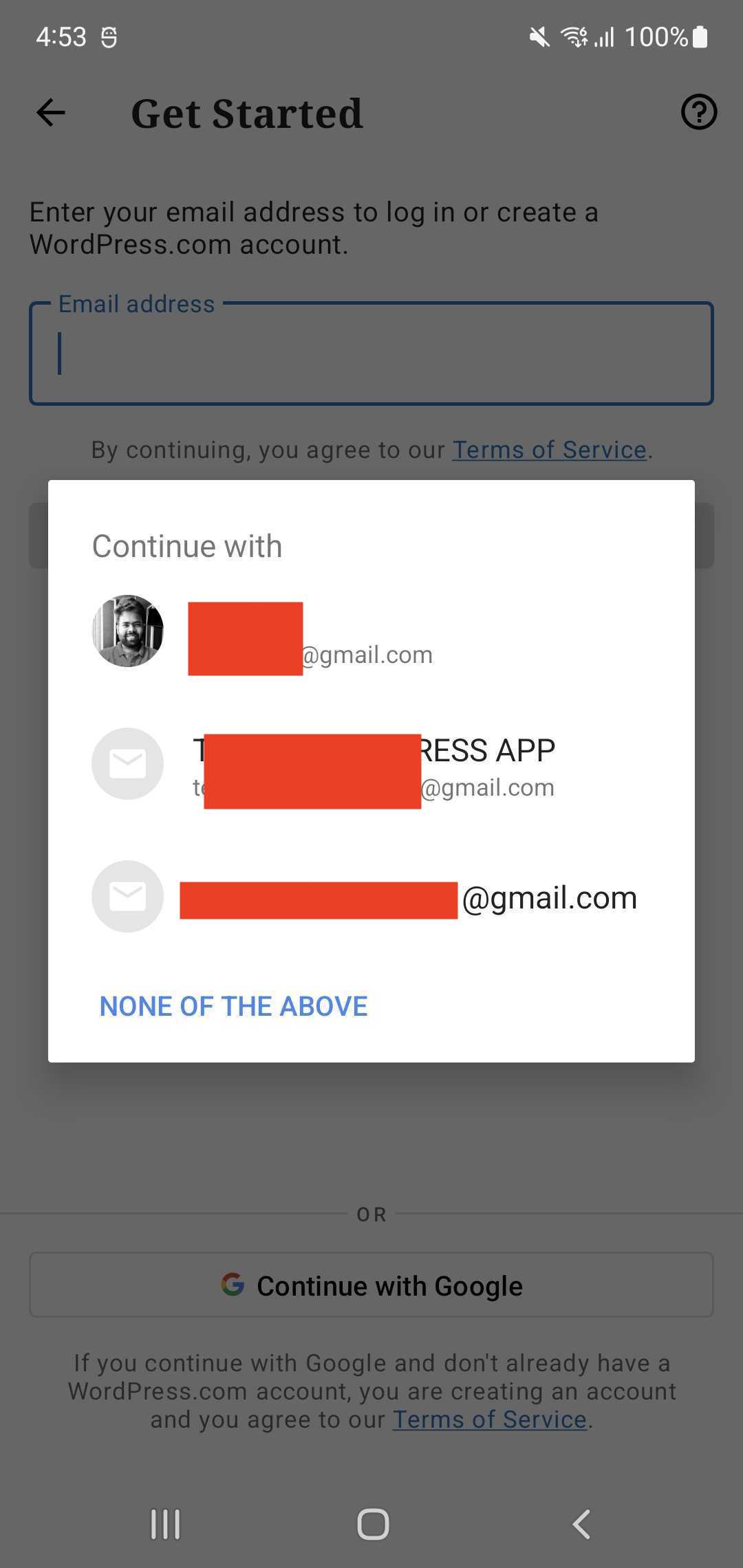
Some info about the two pop-ups shown in the Login flow
The behaviour of the Google authentication pop-up is that when the email address field has the focus/clicks on the email field, then the pop-up is shown. The pop-up visibility is handled by the code base and not google. This popup and the popup which is shown when clicking on the continue with google are different. The pop shown on clicking the email field is shown by the autofill manager present in the android os whereas the popup which is shown when clicking on continue with google button is through API integration(it shows only the google accounts signed in the device).
| Pop up shown when clicking on continue with google | Pop shown by Android OS Autofill manager |
|---|---|
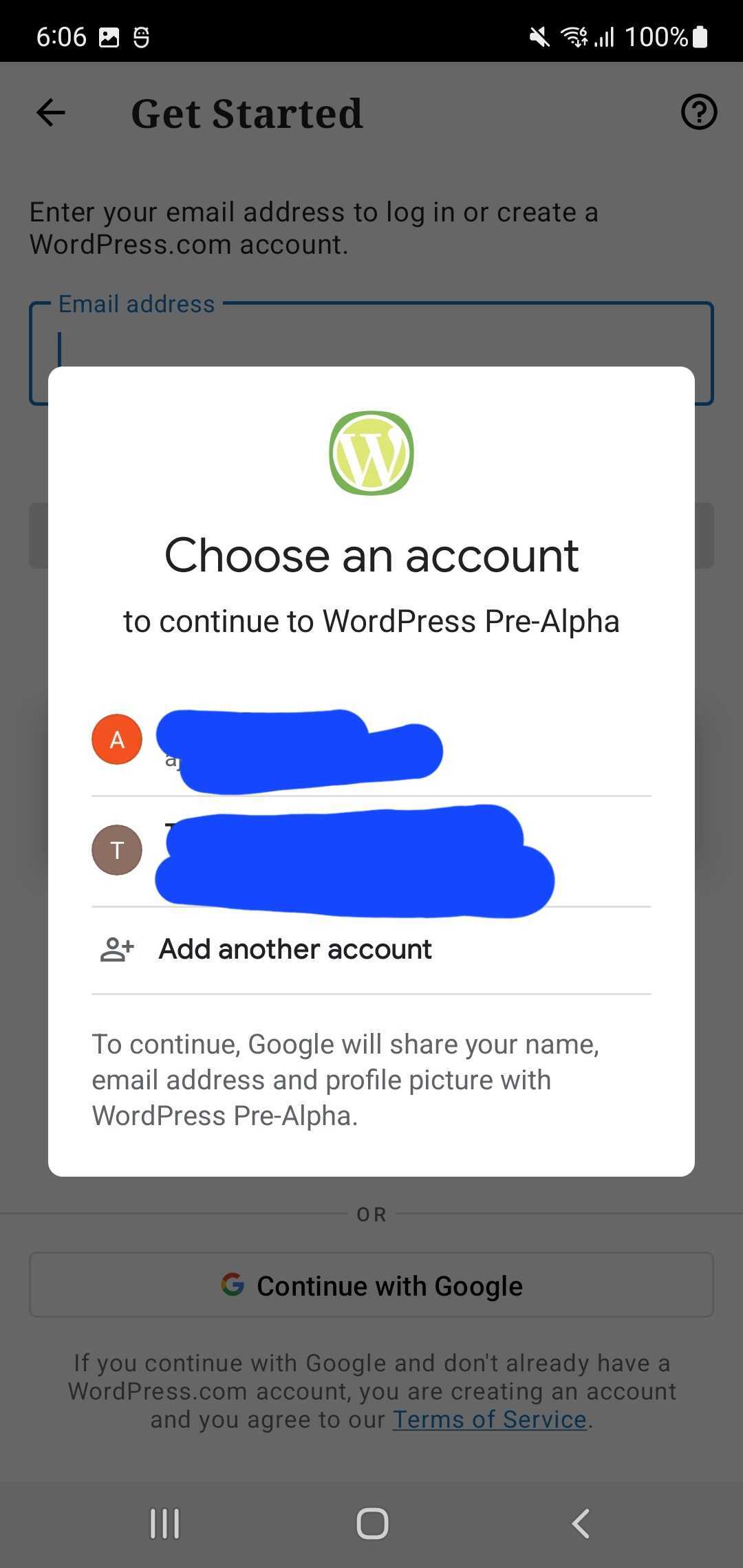 |
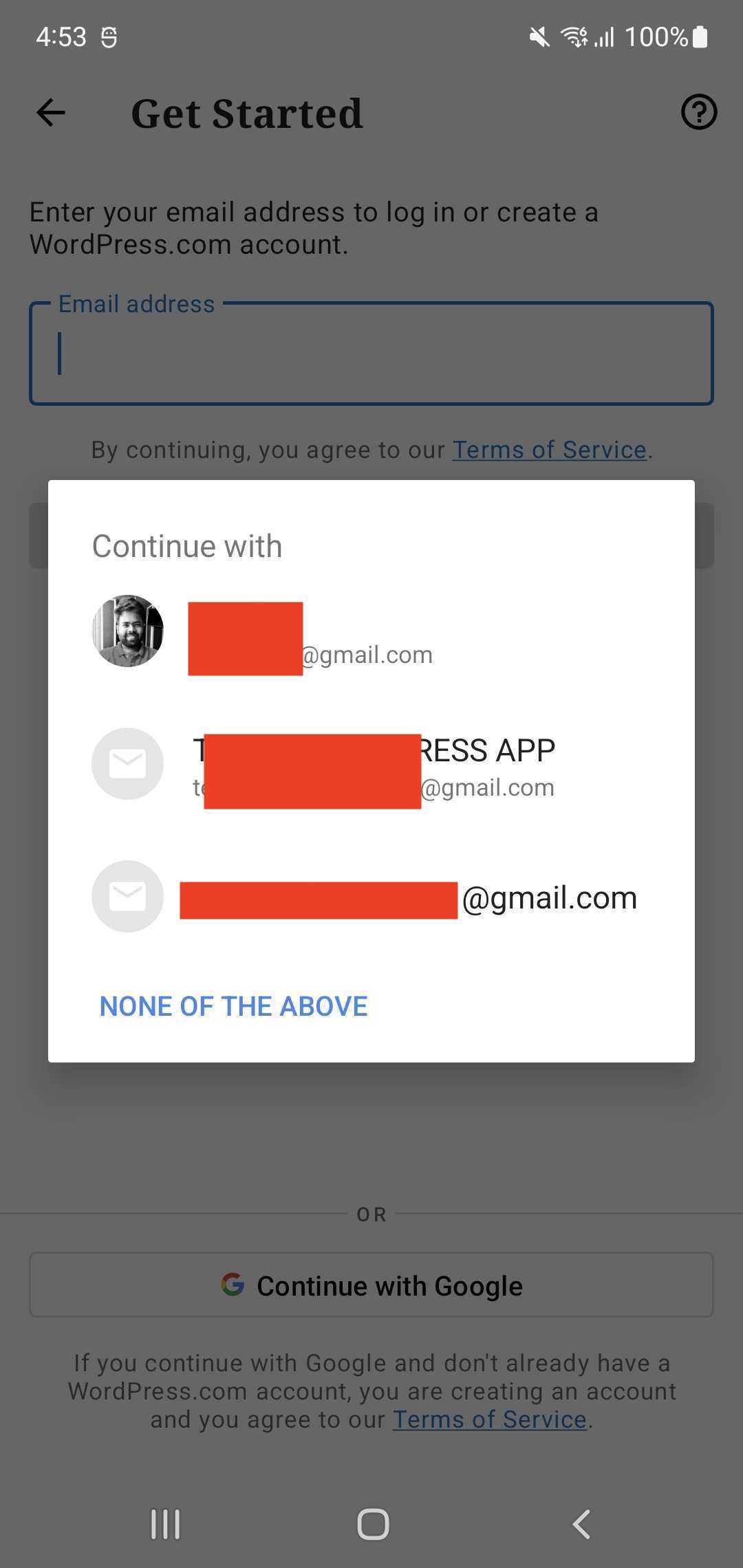 |
Issue
The click-on added before the populate text field committed on this PR triggers the autofill manager popup. This popup can't be dismissed in tests as the app doesn't have the reference of the view provided by Android OS. This causes the failure of the screenshot tests. So I re-ran the tests by removing the line click-on and found that the tests are getting succeeded.
I also found that the following code doesn’t trigger the email pop-up.
 populateTextField(R.id.input, password);
 clickOn(R.id.bottom_button);
 return this;
public static void populateTextField(Integer elementID, String text) {
        waitForElementToBeDisplayed(elementID);
        onView(withId(elementID))
                .perform(replaceText(text))
                .perform(closeSoftKeyboard());
    }
As such I have reverted the changes made in this commit Test: Added clickOn() before every input event in LoginFlow. · wordpress-mobile/WordPress-Android@3886e91 · GitHub , which was added for fixing this login issue. I believe all the clickOn() was added for fixing this issue, if not I will revert the ones that are not needed.
Am adding everyone involved in this PR as Reviewers.
cc: @AliSoftware for visibility
To test:
Test 1
- Run jPScreenshotTest/WpScreenshotTest on a device with google accounts
- Verify that the autofill manager is not shown and the test passes
Test 2
- Run jPScreenshotTest/WpScreenshotTest on a device without google accounts(tested this on an emulator)
- Verify that the autofill manager is not shown and the test passes
Regression Notes
-
Potential unintended areas of impact Screenshots tests failing
-
What I did to test those areas of impact (or what existing automated tests I relied on) Ran screenshot tests
-
What automated tests I added (or what prevented me from doing so) N/A
PR submission checklist:
- [x] I have completed the Regression Notes.
- [x] I have considered adding accessibility improvements for my changes.
- [x] I have considered if this change warrants user-facing release notes and have added them to
RELEASE-NOTES.txtif necessary.

You can test the WordPress changes on this Pull Request by downloading an installable build (wordpress-installable-build-pr17188-b816eb6.apk), or scanning this QR code:

You can test the Jetpack changes on this Pull Request by downloading an installable build (jetpack-installable-build-pr17188-b816eb6.apk), or scanning this QR code:
@pachlava Thanks for reviewing the PR 👍🏼
The pop-up that you mention in this PR (from the autofill manager) I have never seen before, most probably because I never executed the UI tests on an Emulator (or real device) with connected Google account.
I am sorry @pachlava , I was under the impression that this pop is shown on all devices. I test normally the changes on my Samsung testing devices(s20 note and s22), on both the devices this pop-up is shown. I just tested on pixel emulator and I cannot see the pop-up. But the screenshots tests still pass on the emulator as well as on the testing devices that I have.
However, out of the curiosity, I also tried running those tests with connected G. account and with clicks before populating the text fields still in place - and haven't seen the pop-up as well 🤔 So, I'm approving the PR, but I'd be really thankful if you could explain in more detail what exactly do you mean under a device with google accounts. Will it work with Emulator? What I did is used Pixel 3 API 31 Emulator, and logged into the Play store with my G. account.
For sure, @pachlava I will explain this once I have more clarity on why this pop up is not shown on the emulator(with or without google play store).
One mistake that I have made here is to call the pop-up being shown as the autofill manager from Android OS, I may be mistaken about it, On further investigation, I found that the pop-up shown when clicking on the email field is Smart Lock for Passwords on Android. I am looking into the behaviour of this feature and how to turn it on in Android OS. So far I have gone through these stack overflow questions(1,2) to reproduce it on an emulator but haven't had any luck. On the code in login, I can see the condition that pop-up should be shown only when the autofill is disabled and google API services is available. I did the same on my testing device(Samsung s20) and emulator (pixel API 31), but the pop-up is not shown on the pixel and is shown on Samsung s20. 🤔 .
One condition for the pop-up to be shown is the below autofill should be disabled and google account should be present. ⚠️ I am still looking into this behaviour so I am not sure.
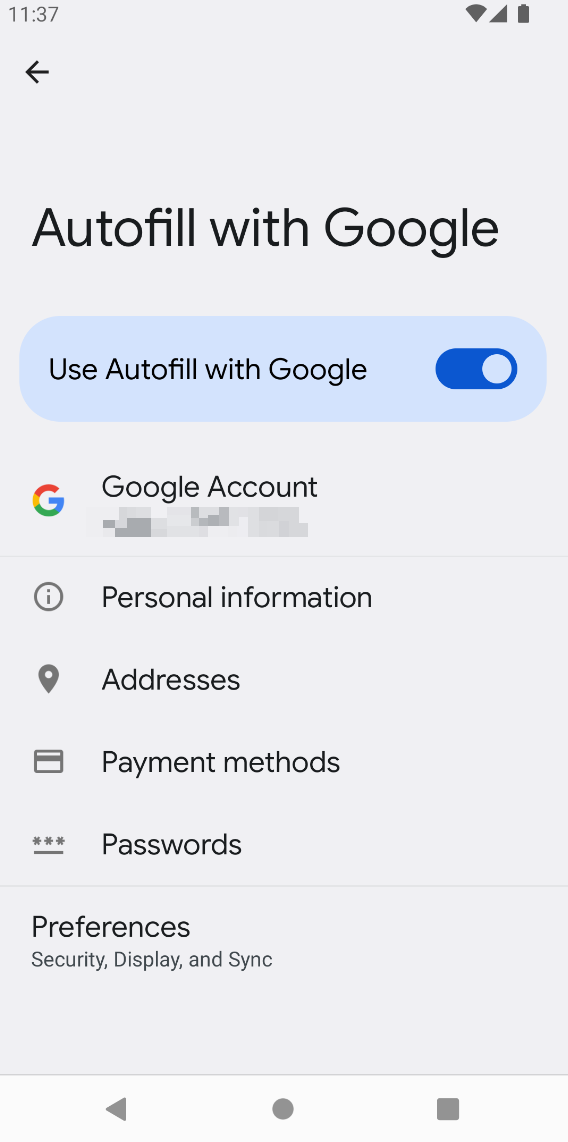
I will continue my research and update this PR soon for the steps to make the pop-up visible.
Thank you for the extended reply @AjeshRPai !
I'd say that in any case, the PR is good to go from my side - it doesn't cause any troubles for UI tests / Screenshots tests, and even though I can't see the pop-up in question - you know that the PR fixes the issue for your setup 👍

@pachlava Thanks for approving the PR and giving me the 👍🏼 for merging.
Reproduced the pop-up shown when clicking on email input in Pixel 6a(Android 13), Pixel 4a(Android 13), Samsung Note 10(Android 12), and One plus Nord(Android 11) by disabling Autofill from google. However, I cannot reproduce it on Emulator. I am not sure why. So I suggest testing it on a physical device. 🤔 .
I am merging this PR, and please let me know if you can reproduce it on a physical device.
@ParaskP7 I am assuming from your 👍🏼 reaction to @pachlava's message that you approve the merge.
👋 @AjeshRPai !
@ParaskP7 I am assuming from your 👍🏼 reaction to @pachlava's message that you approve the merge.
Of course, but also, you don't need my approval to merge, I was just following your conversations in this PR because I was somehow involved with the work @pachlava did before and I am also kind of helping a bit with the screenshots effort, at least testing wise. That's why I am here, just making sure that I am up-to-date on both sides, UI test bug fixing and screenshot automation.
