
AztecEditor-Android

AztecEditor-Android copied to clipboard
 wordpress-mobile
Removing a List introduces a BR tag that could be hard to remove in Visual mode
- Load an editor with the following content
<ul>
 <li>item 1 in list One</li>
 <li>item 2 list One</li>
</ul>
<ul>
 <li>item 1 in list two</li>
<li>item 2 in list two</li>
</ul>
- Switch to visual mode
- Put the cursor at the end of last item in first list
- Erase all the content of the first list
- There is now a blank line at the beginning of the editor (a
brtag actually) that's hard to remove in visual mode
You can try to remove it by moving the cursor at the beginning of the 2nd list, but in this case you're going to remove the first item of the second list and it's hard to put it back in place later.
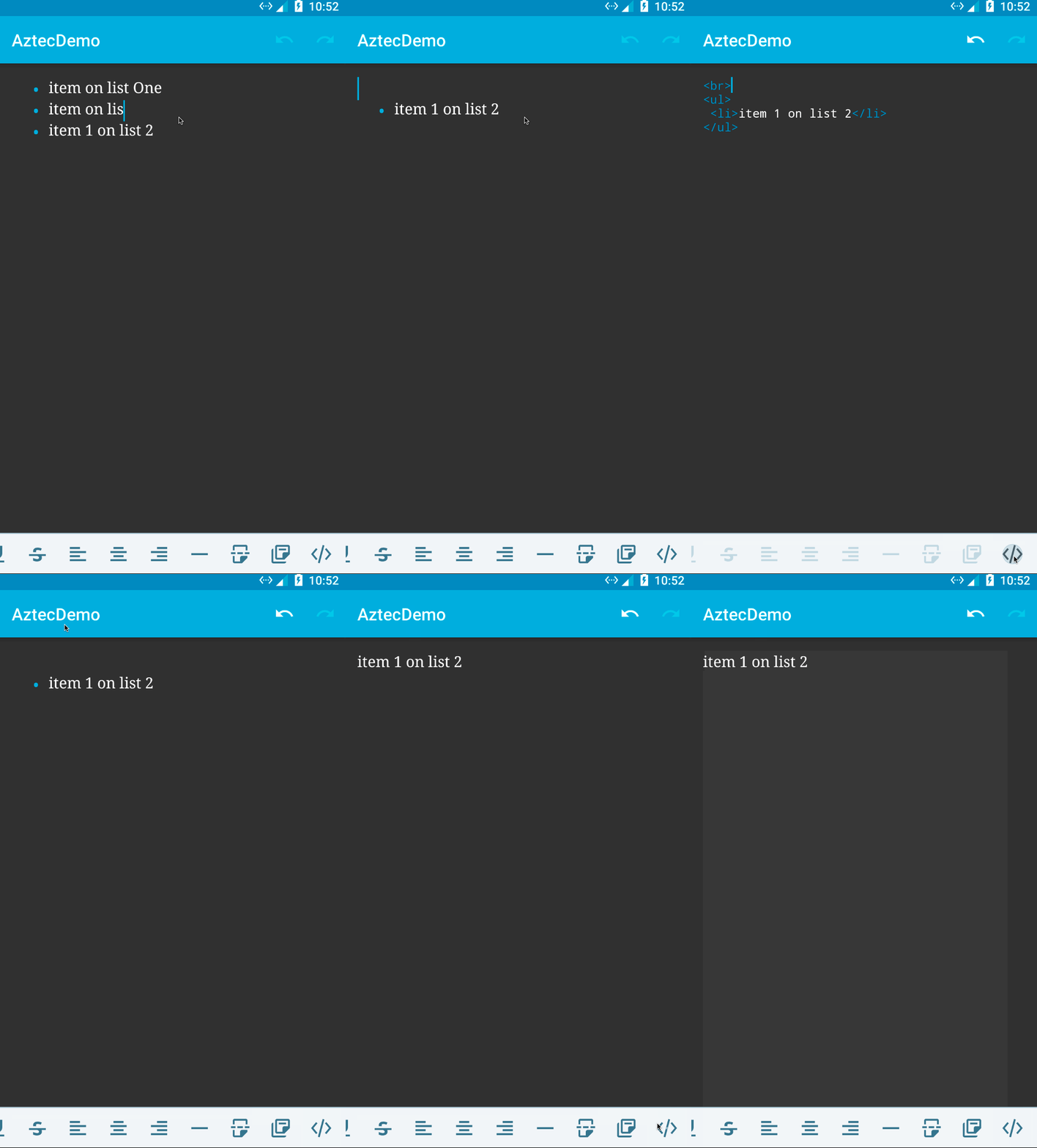
Is it also possible to reproduce the issue by placing any other block instead of a 2nd list in the editor.
I tried with blockquote with the same result.
<ul>
 <li>item 1 in list One</li>
 <li>item 2 list One</li>
</ul>
<blockquote>
Your quote here
</blockquote>
Also notice there is no space between adjacent blocks, as already reported in https://github.com/wordpress-mobile/AztecEditor-Android/issues/565 and it seems weird.
