wmjordan
VS Live Share - Codist doesn't function on participant computers
We are using Codist with Visual Studio 15.8.0 and VS Live Share v0.3.535.25078.
Codist works fine in Visual Studio of the computer "Sharing" the solution, but any participants who joins the "Sharing Session" and is running Codist on their computer does not get any of the syntax highlighting, quick info, smart bar, or any other features of Codist. The Codist extension is enabled and configured correctly because it works fine for stand alone solutions (without VS Live Share).
I don't know if this is an issue with VS Live Share, or if there is some kind of change in Codist which will make it work? Any insight or help is very much appreciated.


Hi WMJordan, I heard back from VS Studio Devs. I don't know if this reason affects Codist, but it would make sense why some extensions are not working.
"Thanks for reporting this! Unfortunately, many extensions in Visual Studio rely on the presence of local files and other state in order to function, which prevents them from fully working in the context of a Live Share guest (where nothing is local)."
Thanks.
Thank you for the reply. Yep, they did tell something which confirmed my assumption: Codist saves its settings to the Local user settings folder, which might not be on the peer computers.
Could you please make sure that all instances of Codist on each peer computer configured with the same settings?
Thanks, I made sure all setting were the same and even exported the settings from Codist on the primary computer to the Codist.json file and imported the Codist.json file into Codist on each peer computer. Same problems. Some formatting works on each peer computer, such as Common Syntax->Comment, but most do not. Not sure why that happens. None of the Comment Tags work, which is such a helpful feature of Codist. Nor does the Smart Bar or Super Quick Info, also extremely helpful.
Edit: One other thing I might not have mentioned. Once the peer leaves the VS Live Share session and loads a C# file or solution, all the Codist formatting and features work fine, so it seems the trouble is from some "access restrictions" while participating in a VS Live Share session.
I'm not sure there is a way to fix this until VS Live Share allows local file access on peers. Same problem with CodeMaid. It won't work either from a peer VS Live Share Session. We become so dependent on these great 3rd party extensions! ;-)
Thanks for taking the time to troubleshoot this issue! I was going crazy trying every option I could think of.
That's weird. There's a "Screenshot code window" command in the File menu. Could you execute that command and do the same thing simultaneously on the peer computers? If it works, could you post those screenshots and let me see what are on them?
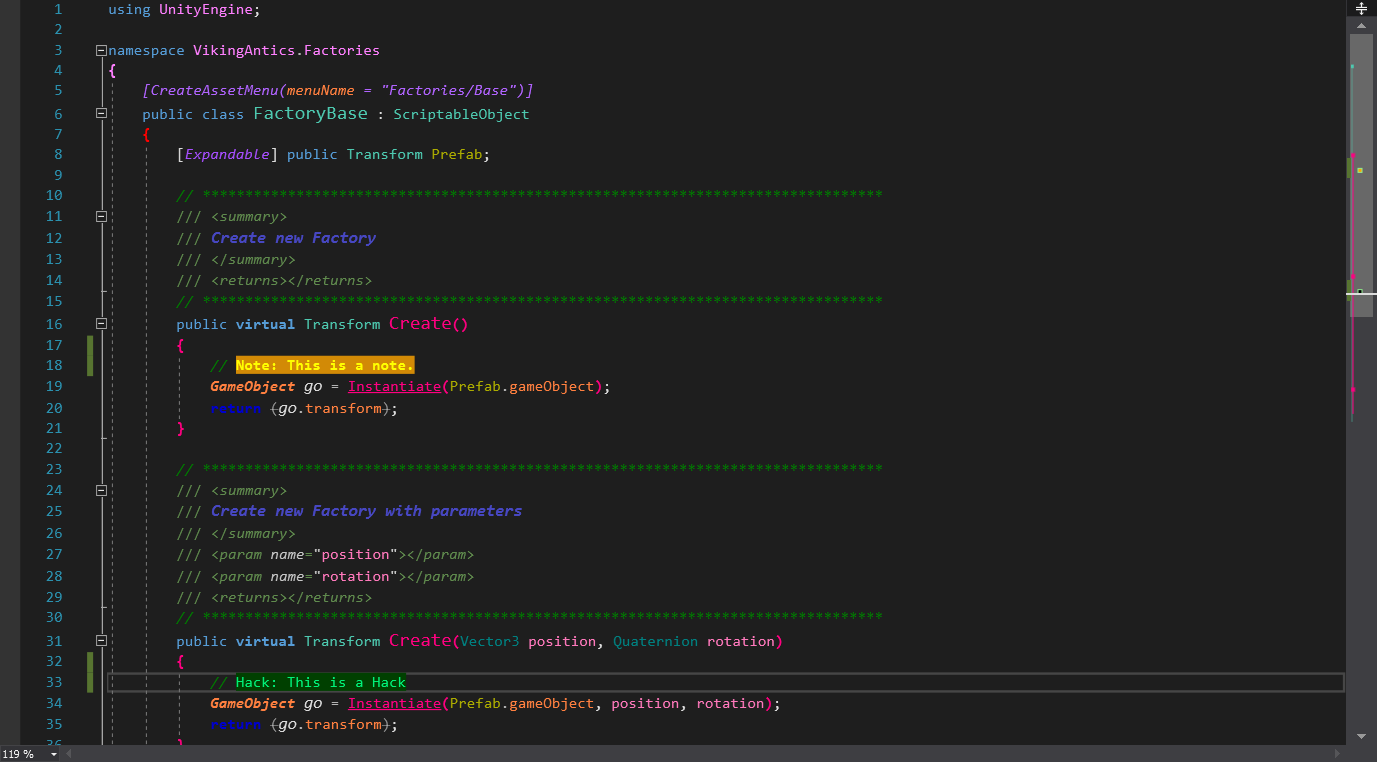
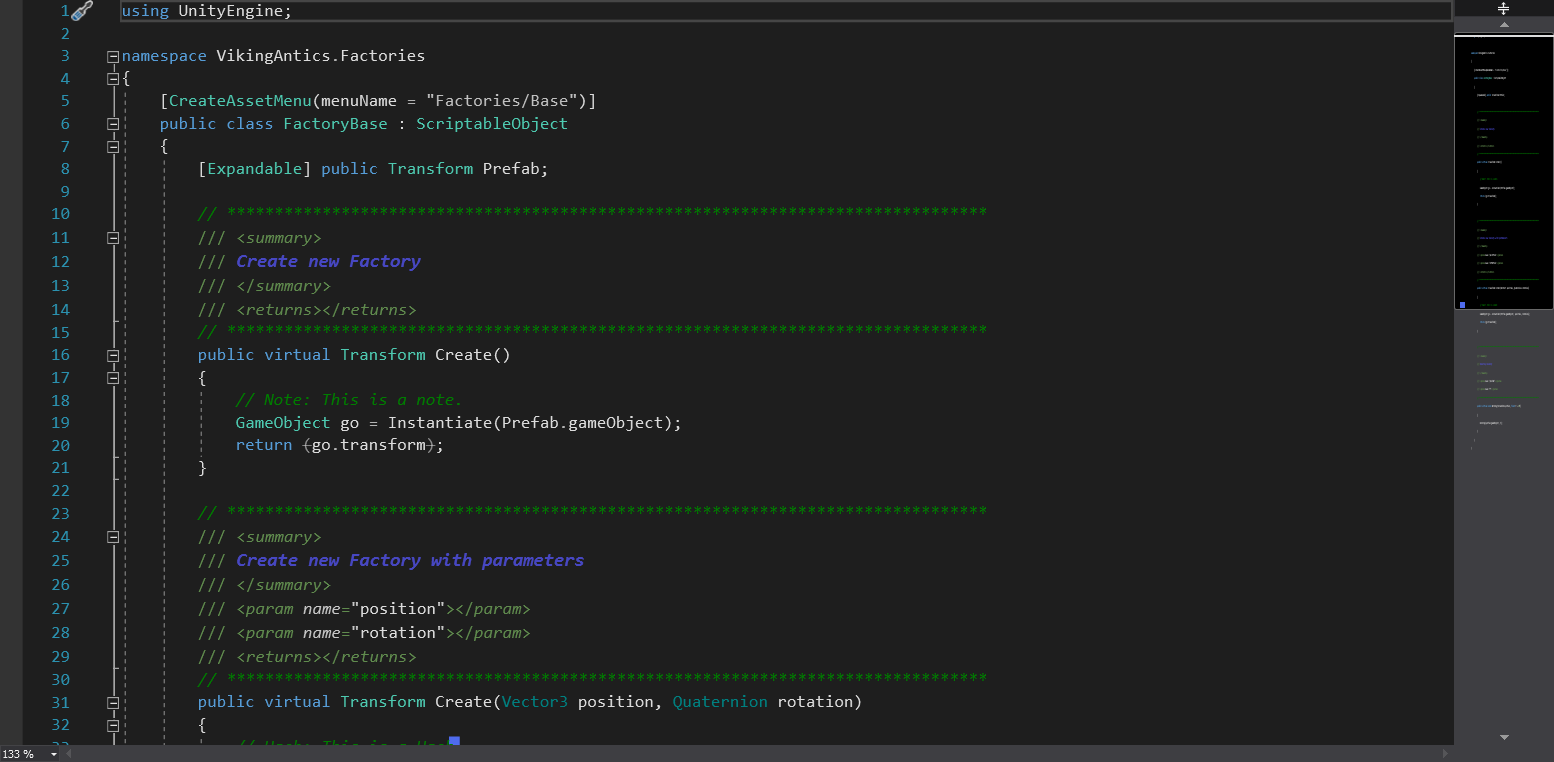
These both have the exact same settings in Codist. One is the Master code window and the other is the Peer Code window. Both computer's Visual Studio are set to the Dark Theme.
Please forgive the "formatting" on the Master code window, LOL, I have been getting creative trying to get it to work. ;)