

 withfig
Personal shortcuts don't work anymore.
Description:
Hi.
I've been using fig for some months. For me, one of the most useful features is the Personal Shortcuts.
I've used them since day 1, but, for the last couple of weeks they have stopped working for me.
I didn't make any changes to my shortcuts file, but just incase, I've followed the instructions in: https://fig.io/docs/guides/personal-shortcuts#create-personal-shortcuts-with-fig and generated a new clean and simple shortcuts file and it does not work either.
When I'm in the Personal Shortcuts dev mode, I can see the autocomplete menu, but sometimes it just hides before I make any selection. As for compiled mode, the autocomplete menu doesn't show at all.
I made a short video:
https://user-images.githubusercontent.com/929038/174349770-3296bc55-2418-411e-a4fe-c0decc9077fb.mp4
Also, fig doctor does not show any issues:
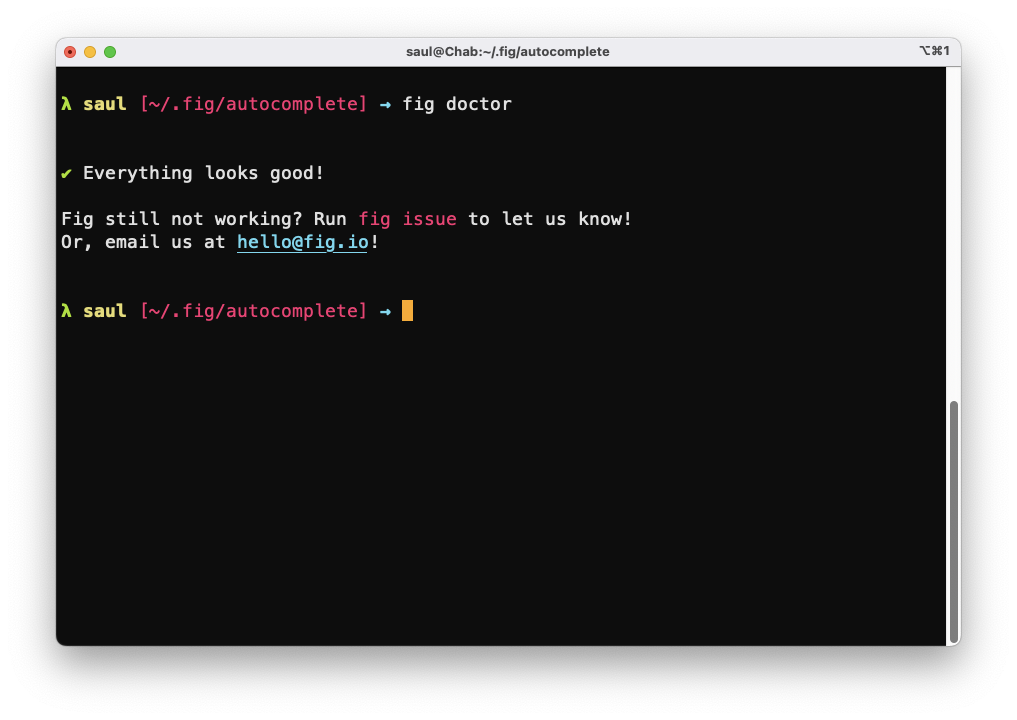
Any ideas?
Details:
| OS | Fig | Shell |
|---|---|---|
| macOS 12.4.0 (21F79) | 1.0.57 | /bin/zsh |
fig diagnostic
Fig Diagnostics
Fig details:
- Fig version: Version 1.0.57 (B450) [Dev] [Latin American]
- Bundle path: /Applications/Fig.app
- Autocomplete: true
- Settings.json: true
- Accessibility: true
- Number of specs: 1
- Symlinked dotfiles: false
- Only insert on tab: false
- Keybindings path:
- Installation Script: true
- PseudoTerminal Path: /Users/saul/.volta/bin:/opt/homebrew/bin:/opt/homebrew/sbin:/usr/local/bin:/usr/bin:/bin:/usr/sbin:/sbin:/Users/saul/.fig/bin:/Users/saul/.local/bin
- SecureKeyboardInput: false
- SecureKeyboardProcess:
Hardware Info:
- Model Name: MacBook Pro
- Model Identifier: MacBookPro17,1
- Chip: Apple M1
- Cores: 8 (4 performance and 4 efficiency)
- Memory: 16 GB
OS Info:
- macOS 12.4.0 (21F79)
Environment:
- User Shell: /bin/zsh
- Current Directory: /Users/saul
- CLI Installed: true
- Executable Location: /Users/saul/.fig/bin/fig
- Current Window ID: 77352/% (com.googlecode.iterm2)
- Active Process: zsh (51411) - /dev/ttys007
- Environment Variables:
- TERM_SESSION_ID=w1t0p0:B0F51860-179F-40A9-8473-77248AF353FA
- PATH=/Users/saul/.volta/bin:/opt/homebrew/bin:/opt/homebrew/sbin:/usr/local/bin:/usr/bin:/bin:/usr/sbin:/sbin:/Users/saul/.fig/bin:/Users/saul/.local/bin
- TERM=xterm-256color
- FIG_INTEGRATION_VERSION=8
- FIG_TERM=1
- FIG_TERM_VERSION=4.4.0
- FIG_PID=51411
Integrations:
- SSH: false
- TMUX: false
- iTerm: installed!
- Hyper: application is not present.
- Visual Studio Code: application is not present.
- Docker: false

Almost the same here for me. the popup doesn't shown until i do npm run dev + npm run build. After that everything begins to work until mac goes to sleep for a long time.

Almost the same here for me. the popup doesn't shown until i do
npm run dev+npm run build. After that everything begins to work until mac goes to sleep for a long time.
That would be a great workaround for me! Even a full reboot doesn't fix the problem for me.
I want to clarify that the only problem is with the personal shortcuts. The autocomplete menu shows ok for things like command parameters for ls, git, etc.
I'm experiencing the same.
Usefulness of Fig just dropped significantly without this feature.

@saul-lopez @dmaslov @dreamorosi So sorry about delay getting back. This is really poor communication on our end.
We are entirely revamping the personal / team shortcuts experience. As part of that we are switching to hosting specs rather than have them local. We think this experience is much better as 1. your specs work everywhere you are logged into Fig and 2. you can set up a git repo for all of your fig specs rather than having many autocomplete tools repos spread out throughout the codebase.
To deploy your current autocomplete spec, follow these docs: https://fig.io/docs/guides/autocomplete-for-internal-tools
Note: rather than deploying to a team, you deploy directly to your own personal namespace (which we will launch soon)
e.g. --team <namespace>
You all have autogenerated namespaces. Could you please email me the email address you used to sign into Fig and I will respond asap with your username?
Sorry again for significant delay. -B

Just found each of your emails and emailed you your username. Please let me know if any issues.
If anyone else faces this issue please email me asking for your username and I will help!
Hi @brendanfalk, thanks for responding and being proactive.
While I appreciate the fact that you shared an username & all with me, I have to say that I'm not thrilled about this new direction. Given that these are specs for internal tools I'm not comfortable with having them hosted somewhere that I have no control nor info about.
I respect the direction that you're going with your product and appreciate that it makes sense from a business perspective, but it's just not for me anymore.
I really wish private specs could stay private, that's also why I disabled telemetry right after installing.
Hi @brendanfalk, thank you for your response.
I have to agree with @dreamorosi in this. Frequently the routes in the shortcuts involve private data that, in the sake of convenience, shouldn't be put in a repository somewhere.
It would be great if you keep as an option to have the specs stored locally only. The personal shortcuts were something that "just worked" and were very useful for my daily workflow.