

 will-stone
Safari: Double pop up of Browserosaurus
On macos big sur 11.1 with safari version 14.0.2, if safari is not initially opened and when try to open link in safari through browserosaurus, browserosaurus pops up twice.

Hi. Thanks for reporting. Can you please confirm this isn’t a general issue with Safari: does it do this when you set Safari as your default browser?
If that worked fine, please add a little more context:
- Which app did you open a link from?
- What was the link (if not private)?
- Did you click The Safari icon or use a hotkey?
Thanks.

@will-stone, I set Safari as the default browser and repeat the process but it seems fine. Safari didn't open multiple tab or window.
-
Which app did you open a link from? Previously, I opened a link from the mail app but looks like every link I open from any app is causing an issue. Again, this only happens when the safari app was not initially opened.
-
What was the link (if not private)? Any link is causing the issue.
-
Did you click The Safari icon or use a hotkey? Both click and hotkey behaving the same.
Thanks @maharjanaman I can confirm I'm seeing this too. It's weird that it's only started happening on macOS 11.1.0 (I tested with 11.0.1 and it worked fine) and only with Safari. B should hide on blur so it's weird it's being reactivated. I'm not really sure where to start with this one other than hope a future version of macOS or Electron fixes the issue.
Hi @will-stone, actually, this started happening a little while back (based on my tests v9.4.0 did not have this bug but subsequent versions from v10.0.0 did) and is happening currently with the latest v13.0.1 on macOS 10.15.7. See the following video: https://vimeo.com/496466621
Additionally, there is a related issue I noticed when using other browsers. For Firefox and Tor the behaviour is slightly different in that it pops up two windows in the target browser, one blank and another with the desired content. See the following video: https://vimeo.com/496467632
Edit: This related issue seems to have been happening for much longer since I was able to replicate it going back to v5.0.0. Then I wondered if it was a Browserosaurus issue in the first place. Changing my default browser in System Preferences > General to either Firefox or Tor yielded the same issue so this may be an issue with the browsers themselves or the way that the macOS launches them.

Thanks @houndtt Great to have video evidence of bugs.
so this may be an issue with the browsers themselves or the way that the macOS launches them
Indeed. I think there's a macOS bug going on here. I haven't found anything on my Googling travels but if anyone finds any logged tickets out there, please post a link to them here 😘
@will-stone just found out a similar kind of problem with the firefox developer edition. Where it is browserosaurus being poped up twice in case of safari, it is the firefox that opens two windows instead of one.
Upgrading to latest Electron and macOS 12 hasn't helped with this issue 😭
Hello! I see this thread here and I want to add a comment on this issue. It is normal and I do not think there is a work around.
I have used MultiBrowser for years (https://www.macupdate.com/app/mac/33861/multibrowser) until a couple of months back when Apple required the devs to validate the certificate for their apps. MultiBrowser will now not install and run because of that certificate so this what led me to find Browserosaurus.
Anyway, long story short, since the release of macOS Big Sur, Safari is just popping twice when selected.
It's annoying at first but I discard the second popup and keep working....
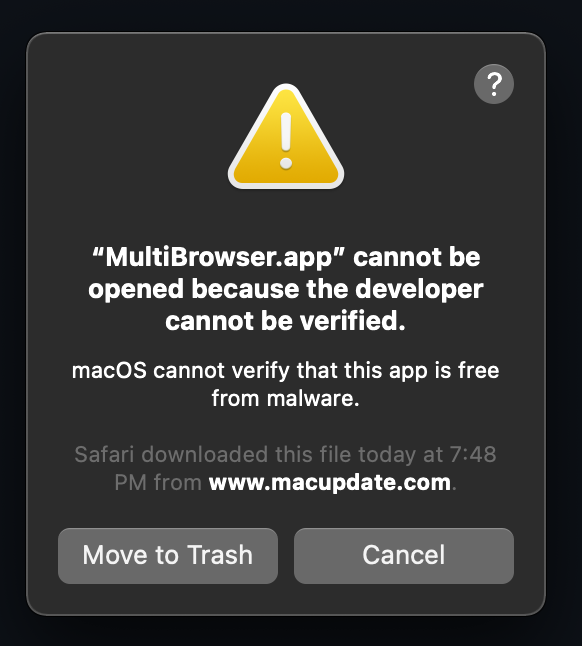
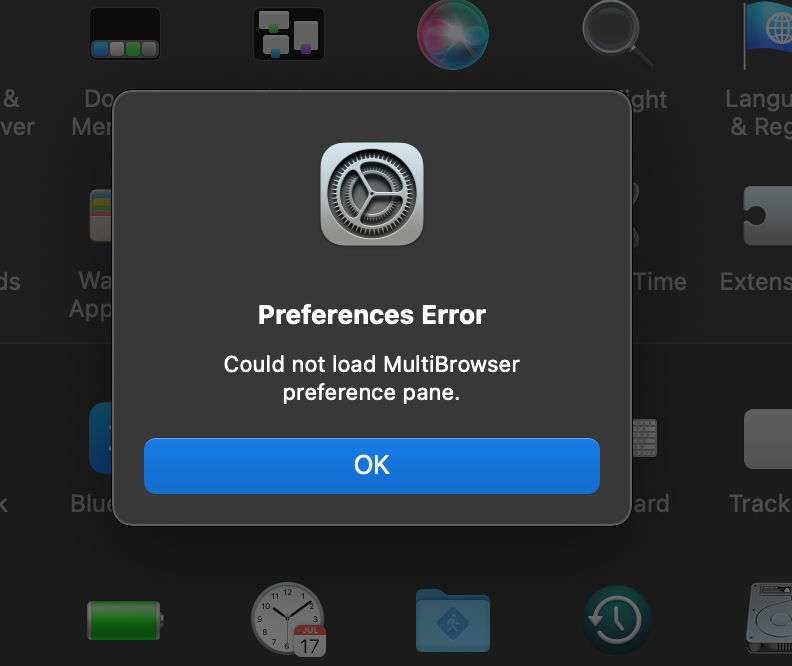
(and yes, using "Open Anyway" in Security and Privacy will not work)

Several Electron and macOS updates later and this doesn't look to be fixed upstream 😭 Keep yer fingers crossed that it gets fixed in Ventura 🤞
(and yes, using "Open Anyway" in Security and Privacy will not work)
Yep, this is why I gave in a few years ago and started paying for the Apple Developer license; otherwise I can't notarize the app, and then Apple slows it down, making it more or less unusable 🙄

and then Apple slows it down, making it more or less unusable 🙄
That's a.....d*** move!
