
stlite

stlite copied to clipboard
 whitphx
AgGrid doesn't work
Hi,
AgGrid is a dataframe library which helps in providing a bettr table visualisation for streamlit.
It seems there is some styling issues preventing it to work with stlite. Here is the code:
<!DOCTYPE html>
<html>
<head>
  <meta charset="UTF-8">
  <meta http-equiv="X-UA-Compatible" content="IE=edge">
  <meta name="viewport" content="width=device-width, initial-scale=1, shrink-to-fit=no">
  <title>Serverless STLite App</title>
  <meta name="description" content="A Serverless Streamlit application with OpenCV image processing that completely works on your browser">
  <link rel="stylesheet" href="https://cdn.jsdelivr.net/npm/@stlite/[email protected]/build/stlite.css"/>

  <script src="https://unpkg.com/ml5@latest/dist/ml5.min.js"></script>

</head>
<body>
  <div id="root"></div>
  <script src="https://cdn.jsdelivr.net/npm/@stlite/[email protected]/build/stlite.js"></script>
  <script>
    const loadPythonSource = async () => {


        stlite.mount({
        requirements: [ "streamlit-aggrid"],
        entrypoint: "streamlit_app.py",  // The target file of the `streamlit run` command
        files: {
          "streamlit_app.py": `

import streamlit as st, pandas as pd, pyodide.http
from st_aggrid import AgGrid

df = pd.read_csv(pyodide.http.open_url("https://raw.githubusercontent.com/codeforamerica/ohana-api/master/data/sample-csv/contacts.csv"))

AgGrid(df)

`
        }
      }
        ,document.getElementById("root")
        )
    }
    window.onload = loadPythonSource

  </script>
</body>
</html>
, and here is (part of) the output:
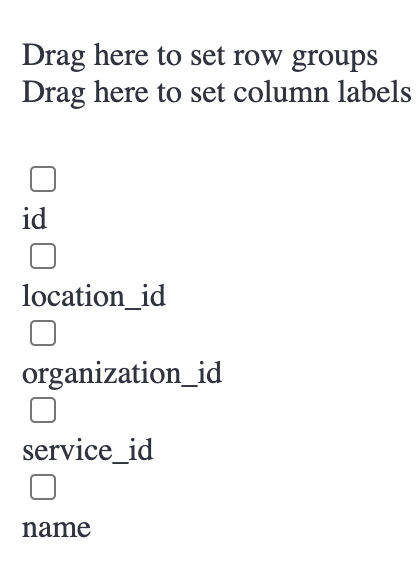
Would be great if we can make it work.
Thanks Best
