

 weecology
Google Colab example errors with `ImportError: cannot import name 'functional' from 'albumentations'`
Describe the bug
Trying to run the colab linked to in README errors with: ImportError: cannot import name 'functional' from 'albumentations'
To Reproduce
- Open https://colab.research.google.com/drive/1gKUiocwfCvcvVfiKzAaf6voiUVL2KK_r?usp=sharing in your browser
- Select
runtime>change runtime type> GPU - Select
runtime>run all
Environment (please complete the following information): Google colab
Screenshots
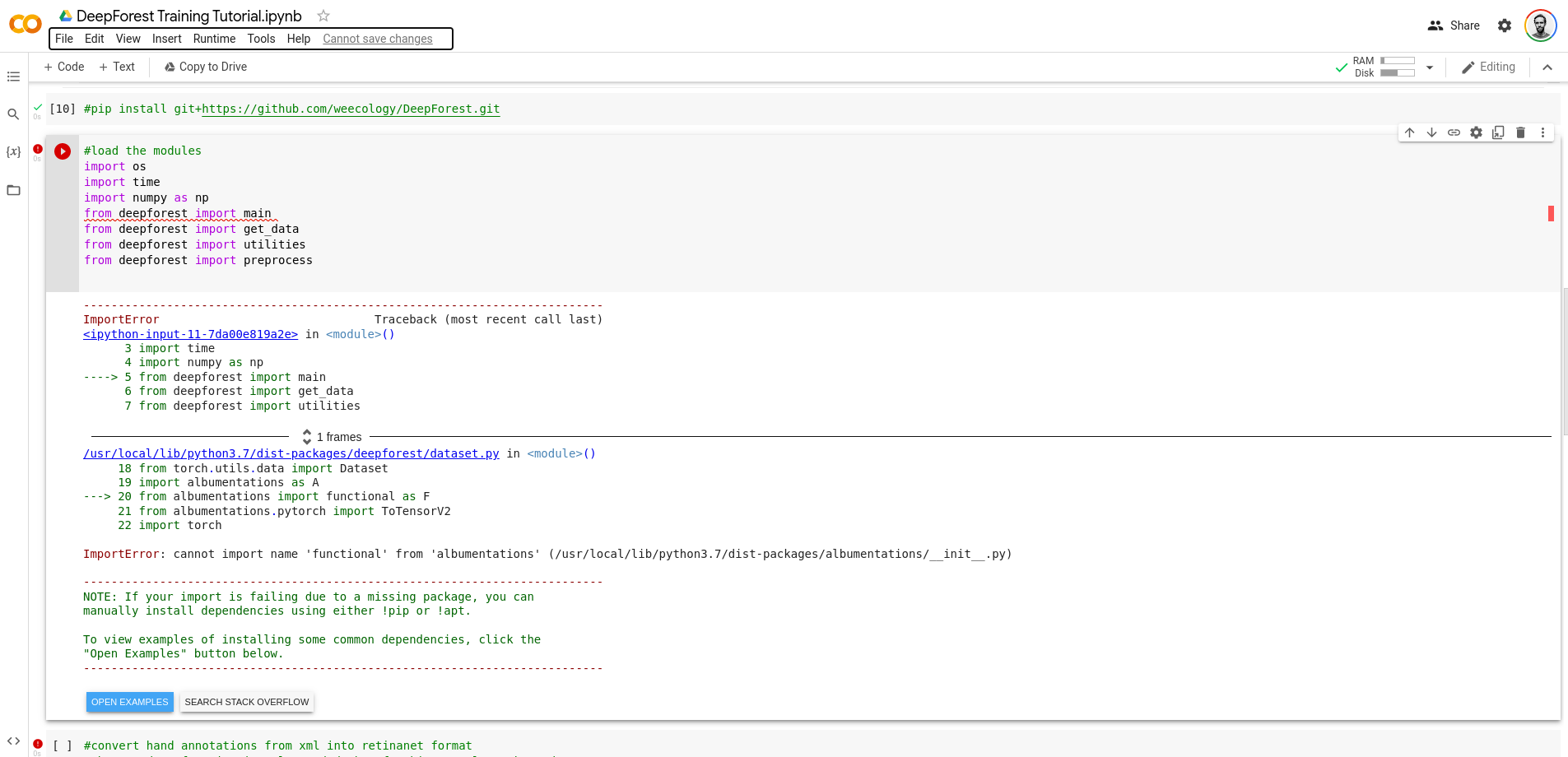
Additional context Add any other context about the problem here.

the installed albumentations is too old.
I have tried albumentations version 1.0.0 (and btw a newer opencv like 4.6.0 is also necessary) and it works
probably a careful environment.yml can avoid such problem.

Thanks, yep, if you have a pinned set of dependencies, that would be a great help!
@ivyleavedtoadflax is there an update to conda env we should make? I think this only a case on colab which has a version of things pre-installed, but which are old. I haven't heard of this other than that case.

It would be good if you could pin the requirements so that there is a specific version for each package listed in https://github.com/weecology/DeepForest/blob/main/environment.yml, or add a pinned set of dependencies with something like pip freeze > requirements.txt (I don't use conda, so I don't know the conda equivalent, but i'm sure there is one). Otherwise a user will end up with a different environment if they install the dependencies today and then do it again next week, solely due to the changes in the dependencies.
I've submitted a PR with the noted minimum version updates. I don't think we generally want to force the use of specific versions of packages unless necessary because it can make working with other packages more challenging.
