webcompat
Launch Dropbox Website fails with Snap Firefox
URL: https://tmp/dbxlcge_zf79.html
Browser / Version: Firefox 105.0 Operating System: Ubuntu Tested Another Browser: No
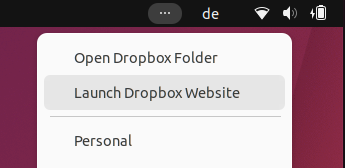
Problem type: Something else Description: Lauch DropBox from Linux desktop fails Steps to Reproduce: Since the conversion to the Snap install of Firefox, the generated DropBox link (created when clicking the Launch DropBox Website menu item in the dropbox menu in the linux desktop menu - upper right) fails.
The process writes an HTML file in Linux /tmp directory and tries to open the browser with that file and a URL parameter which is an encoded key. An example is below:
/tmp/dbxlcge_zf89.html#b79cd8eb6e518cac62a7ebe5ba9b8b7ac93fed89f75c1b10abe1d0d609eafd07015d0aecf28f6dc2d025ec
Browser Configuration
- None
From webcompat.com with ❤️
Steps to reproduce:
- Install Firefox Snap
- Install DropBox desktop nautilus-dropbox/jammy,now 2019.02.14-1ubuntu1 amd64 [installed]
- Click the Launch Dropbox Website menu item