

 webcompat
www.amtrak.com - site is not usable
URL: https://www.amtrak.com/home.html
Browser / Version: Firefox 103.0 Operating System: Linux Tested Another Browser: Yes Chrome
Problem type: Site is not usable Description: Unable to login Steps to Reproduce: Logging in works in Google Chrome, but does not work in Mozilla Firefox. The layout of the login page is quite broken (probably CSS not loading), and after I submit the two-step authentication code, Google Chrome accepts but Mozilla Firefox stays on the verification page.
Browser Configuration
- None
From webcompat.com with ❤️

Thanks for the report, unfortunately a special account is needed to sign in. The "Login" page is displayed correctly for me similar to Chrome.
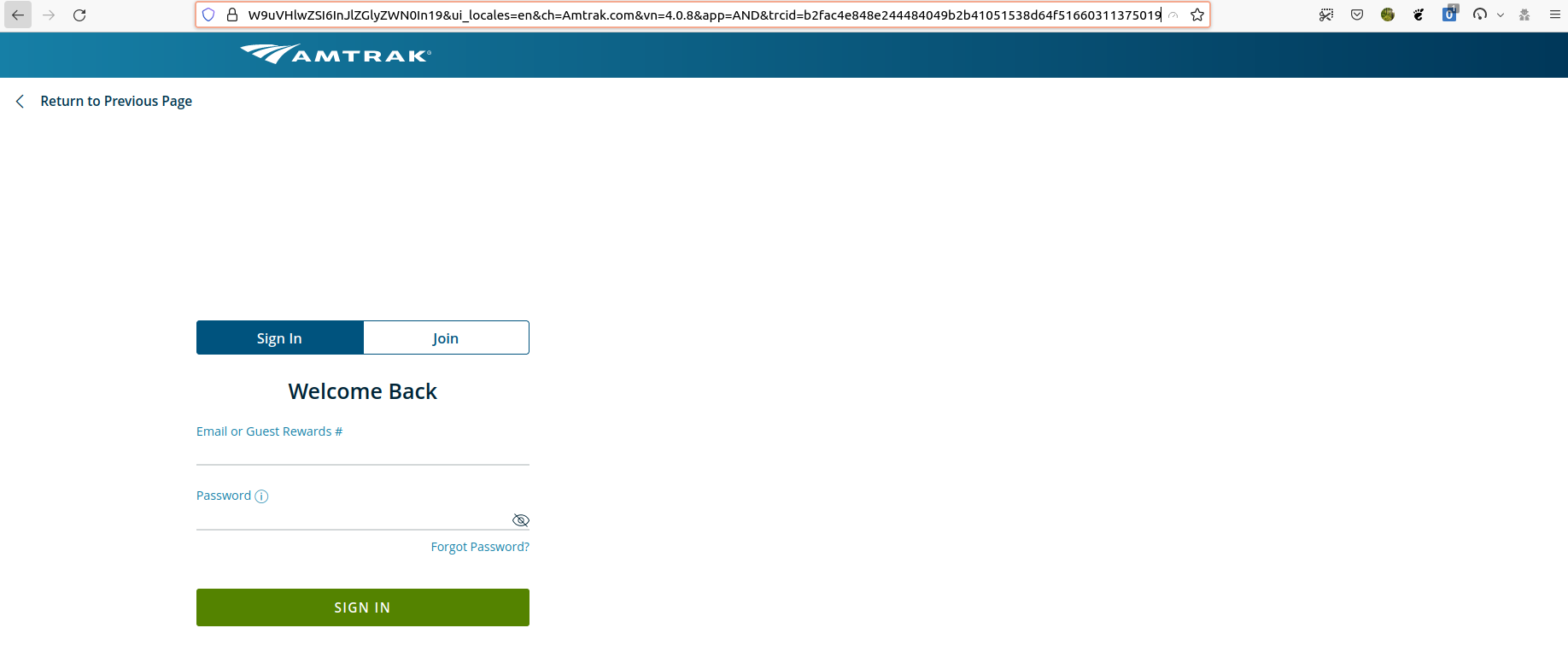
Note: Creating an account requires a valid US/Canada phone number.
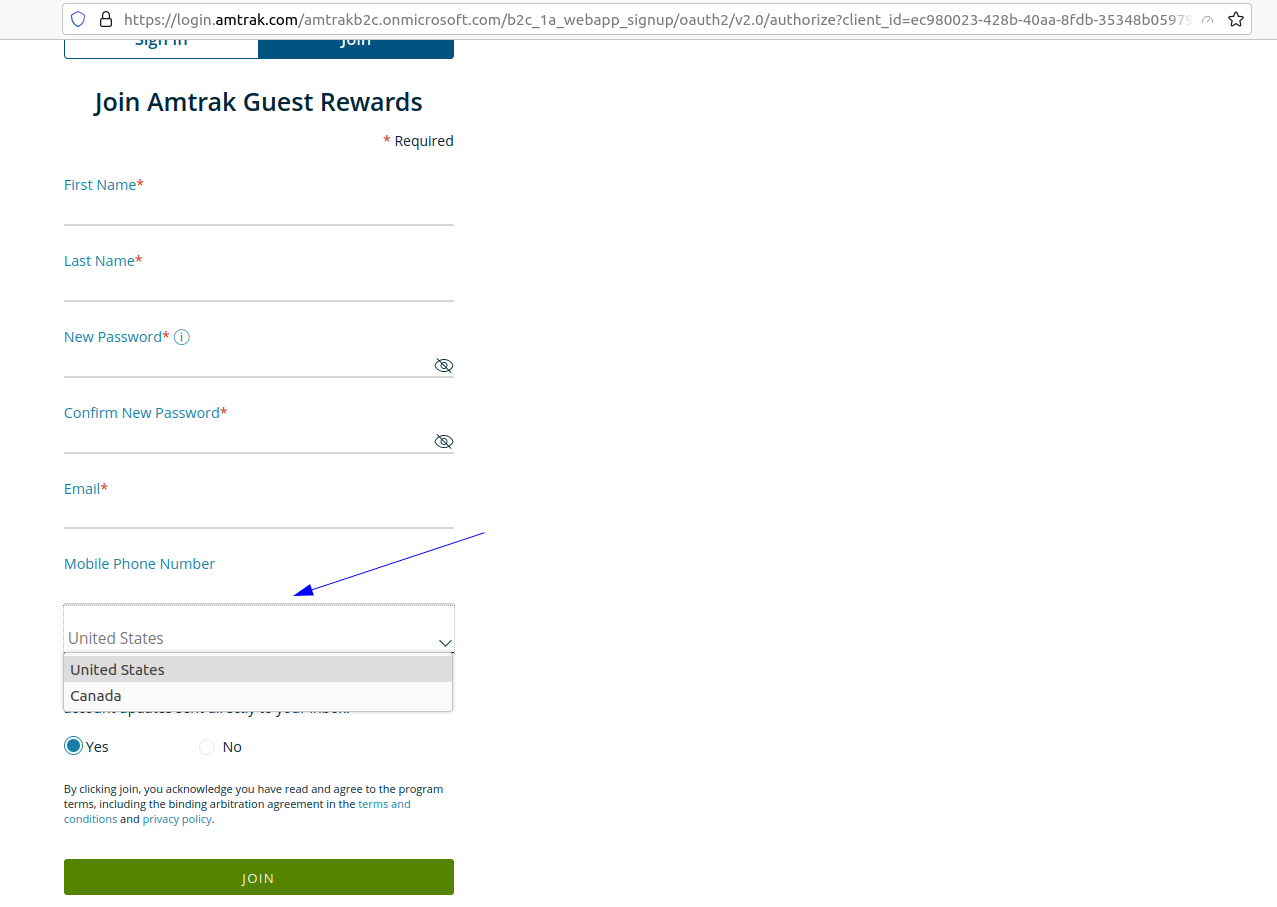
Tested with: Browser / Version: Firefox Nightly 105.0a1 (2022-08-11), Firefox Release 103.0.2 Operating System: Ubuntu 20.04.2
@ajvincent , could you try clearing cache/data/cookies, disable Ad-blocker (if available), or use a clean profile, and check again? Also if there are any changes made to the default settings of the browser (e.g. in about:config) please revert to the default settings. Also could you add a screenshot with the console when you try to login?
@ksy36 are you able to create an account and reproduce the issue on your side?
[qa_32/2022]

I'm having a similar problem, the login/join page looks horrible. I'm on Ubuntu 22.04.4 with Firefox 103.0
Also, @softvision-oana-arbuzov a phone number is only optional to create the account, it's not required, so you can still test it. You can see on the screenshot that the phone field doesn't have a red asterisk. Here's a screenshot of the Join page, which looks the same for the sign-in page.
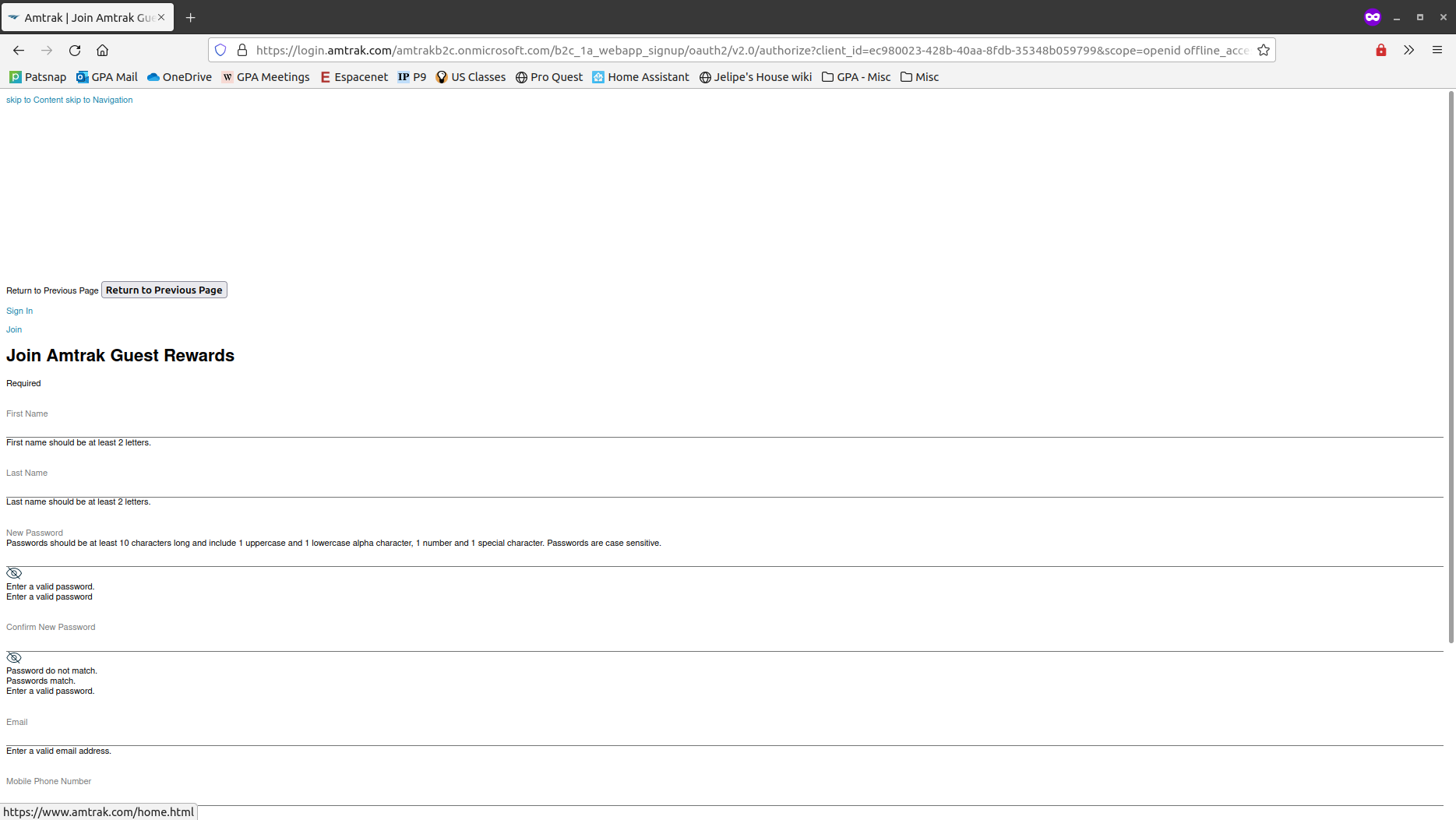

I can reproduce on all platforms, but the issue is pretty random. For example it's broken in Firefox release on Linux, but works in Firefox release and Nightly on MacOS (but broken in dev edition). On Windows, broken in Nightly, works in release. Also sometimes it just starts working if I open the page in a new tab in the same browser.
I'm getting this error for b2c_rwd__libs.css and rwd__libs.css files and yeah, it looks like since they're not loaded, the content is broken.
Cross-Origin Request Blocked: The Same Origin Policy disallows reading the remote resource at https://www.amtrak.com/etc/designs/dotcom-assets/rwd__libs.css. (Reason: CORS header ‘Access-Control-Allow-Origin’ missing). Status code: 200.
In cases when it's broken, access-control-allow-origin header is indeed missing in the response headers:
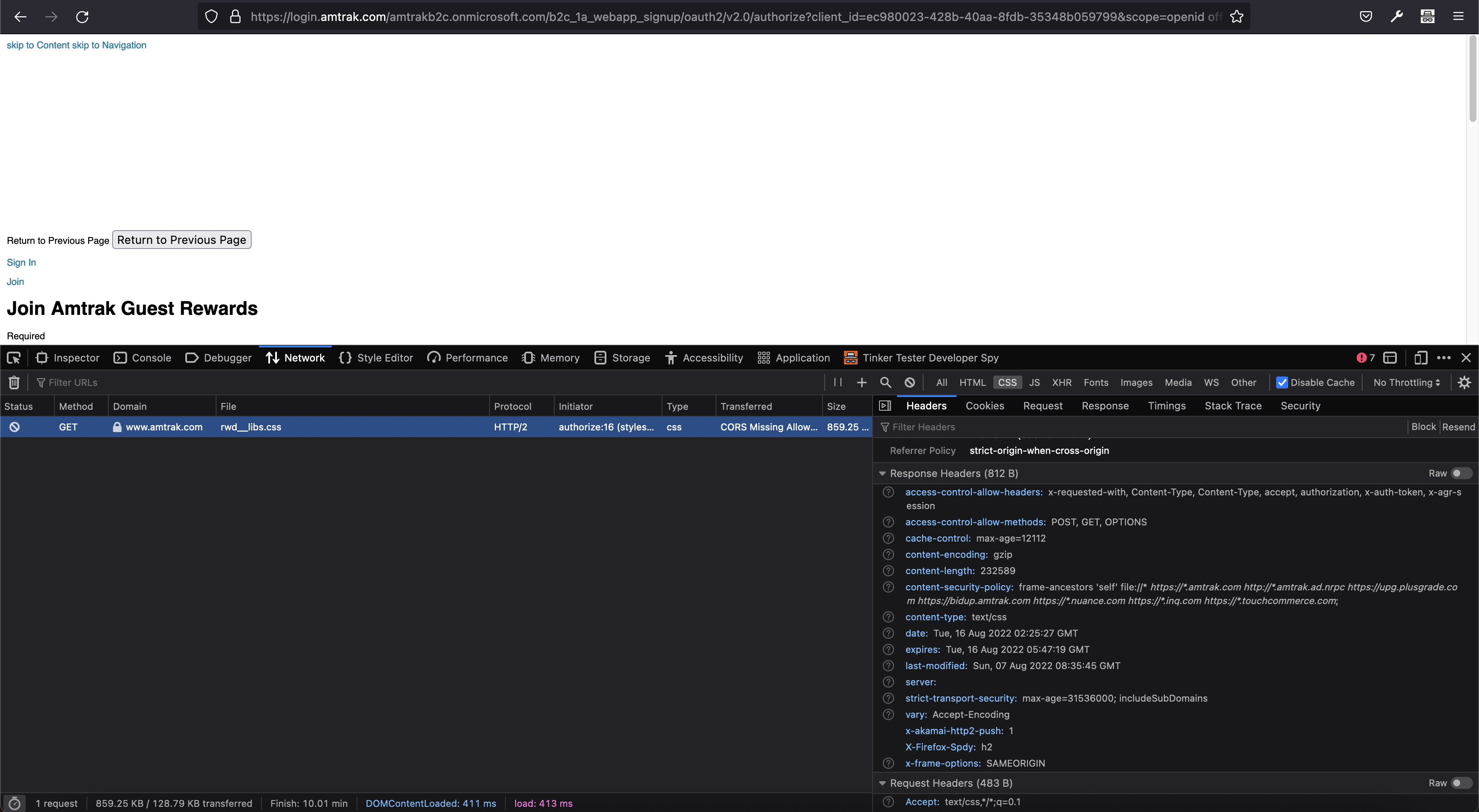
And it is present in cases where css does successfully load:
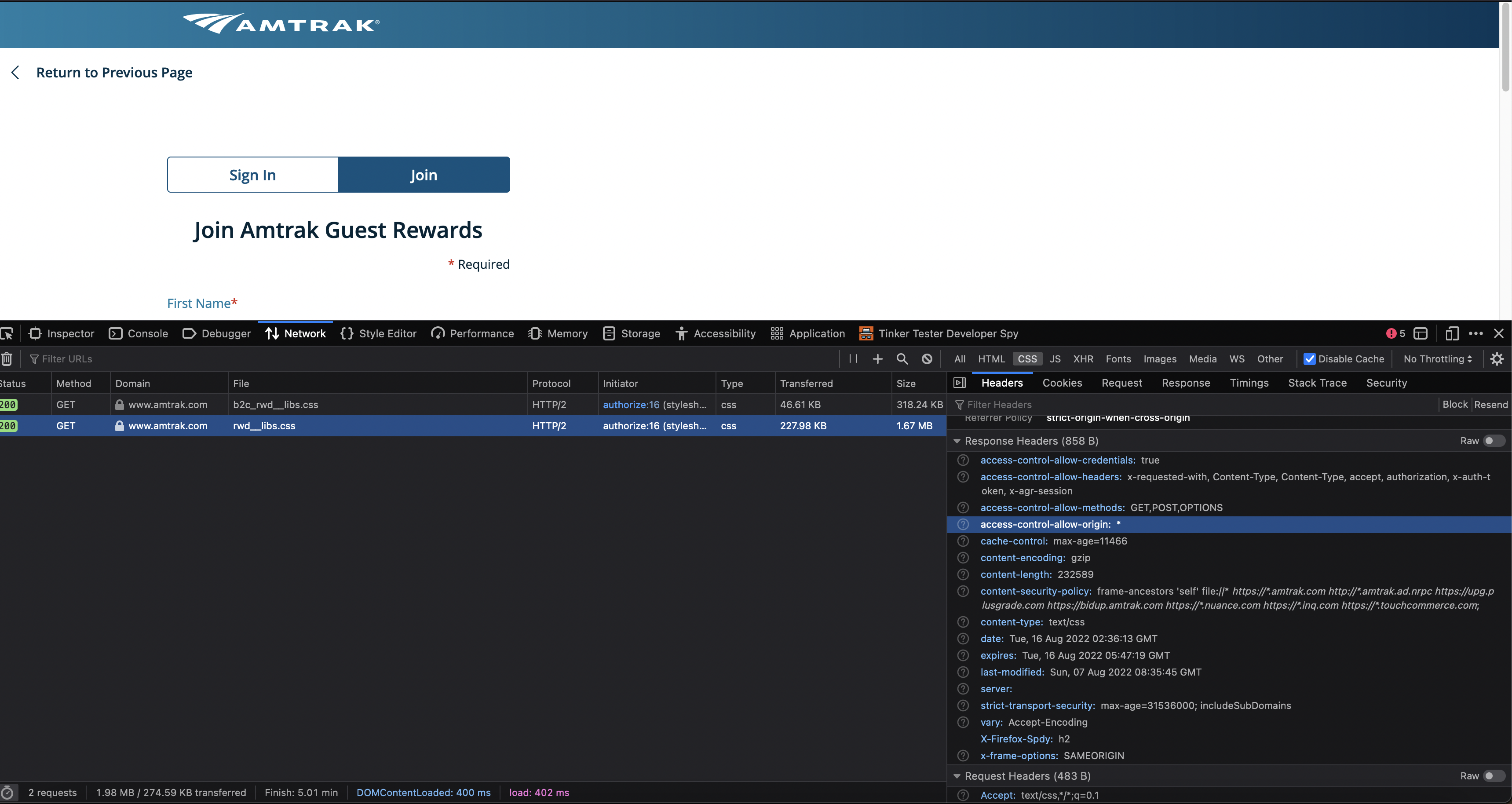
The only other difference I see is that x-akamai-http2-push header is present when access-control-allow-origin is missing and css is not loading.
Given random results, it looks like a server misconfiguration, and it only affects Firefox (could be that they have a load balancer that sends some requests to a server that responds with a missing access-control-allow-origin header).
The best course of action would be to contact Amtrak to see if they can address this. I'll try to reach out to them tomorrow.


Contacted via https://www.amtrak.com/contact-us/email.html, got a reference number #06112991