

 webcompat
codepen.io - Unable to use "UP/Down" arrow keyboard keys after reaching last slide
URL: https://codepen.io/joeKingtheThird/pen/QWmxvxX
Browser / Version: Firefox 103.0 Operating System: Windows 7 Tested Another Browser: Yes Chrome
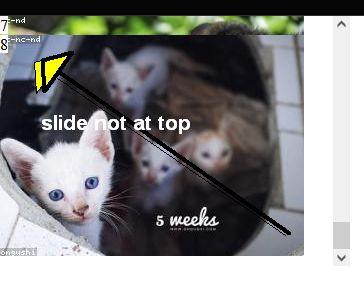
Problem type: Site is not usable Description: Buttons or links not working Steps to Reproduce: The last item (.slide2) with counter text 8 in left hand top corner doesn't seem to go to the top position. I have position:sticky and top:0px on each slide. The first few act correctly but the last one seems to not go to the top of the div.slide-container2 scroll container. In firefox I can arrow down with the keyboard but if after going to the last item, I cannot seem to arrow backup or arrowing backup seems to get stuck going from 7 to 6. This is a bit flaky and hard to test. The scroll mouse on firefox seems to scroll back up but also gets stuck from 7 to 6. In chrome browser this keyboard and mouse scrolling seems to be okay. But in chrome it still shows the last item not at the top of the div scroll container at position 0px.
View the screenshot
Browser Configuration
- None
From webcompat.com with ❤️

Thanks for the report, but I get the same behavior both on Firefox and Chrome. Slide 8 does not fully overlap slide 7.
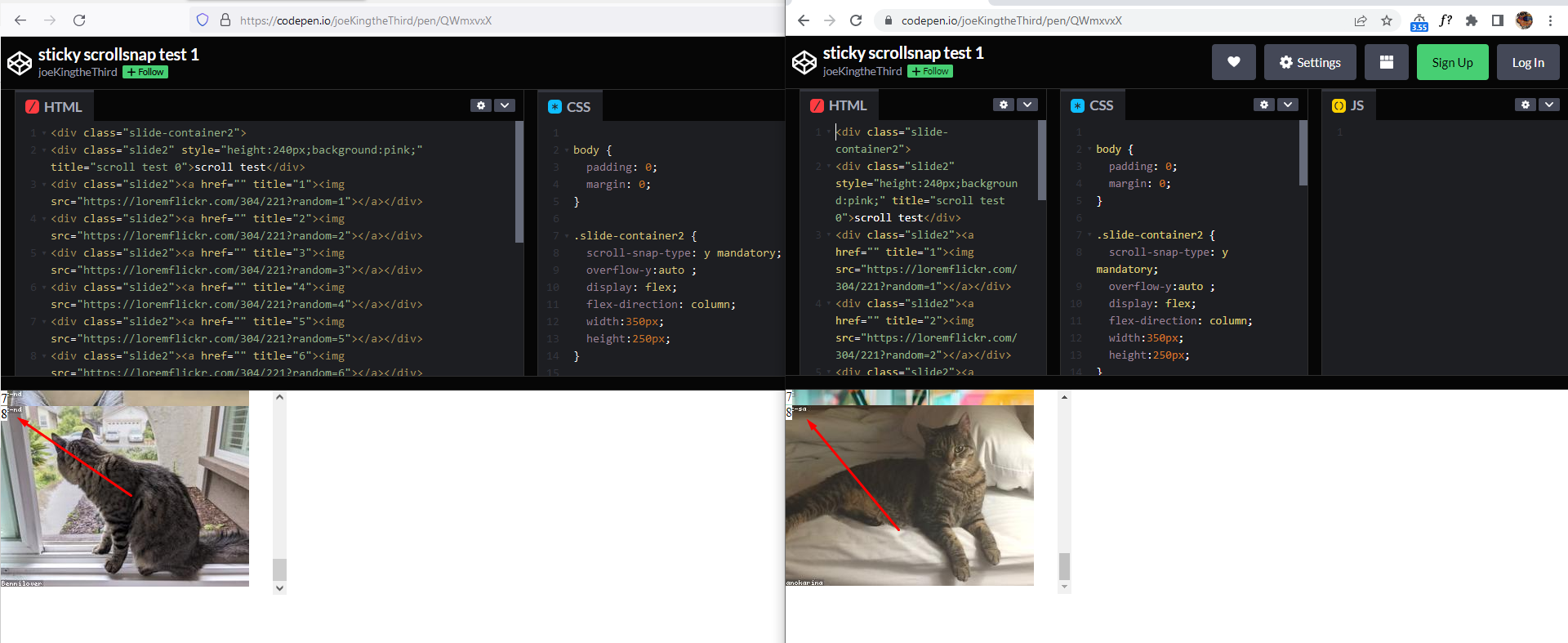
Tested with: Browser / Version: Firefox Nightly 105.0a1 (2022-08-08), Firefox Release 103.0.1, Chrome 104.0.5112.81 Operating System: Windows 10 Pro
@joekingTheThird3 do you get a different behavior on Chrome?
[qa_32/2022]

Same overlap on both browsers. Firefox seems to get stuck with keyboard up arrow, when I go from last to previous slides.
Ok I got it now, after using "Down" arrow keyboard key to reach the last slide, "Up/Down" arrow keys are no longer usable on Firefox. This does not happen on Chrome, where the arrow keys continue to function at all times.
Moving to Needsdiagnosis for further investigation.
[inv_32/2022]
It seems to be position:sticky, top:0 in combination with the scrollsnap that causes the firefox issues.

scrolling backup in firefox gets stuck on 6th item. Trying to vary the number of items causes more complex situations. i.e. the keyboard or scroll wheel going in reverse gets stuck on different items.
Seems like this bug is related to this 3yr old bug https://bugzilla.mozilla.org/show_bug.cgi?id=1594386
Firefox fix - apply position sticky to slides and scroll-snap-align to other div - codepen test https://codepen.io/joeKingtheThird/pen/PoezQOR