

 volta-cli
Memory leak when using "pm2 startup"
Info
volta -v
1.0.5
volta ls
⚡️ Currently active tools:

    Node: v16.13.0 (default)
    Tool binaries available:
        pm2, pm2-dev, pm2-docker, pm2-runtime (default)
node -v
v16.13.0
Steps to reproduce
pm2 startup
[PM2] Init System found: systemd
[PM2] To setup the Startup Script, copy/paste the following command:
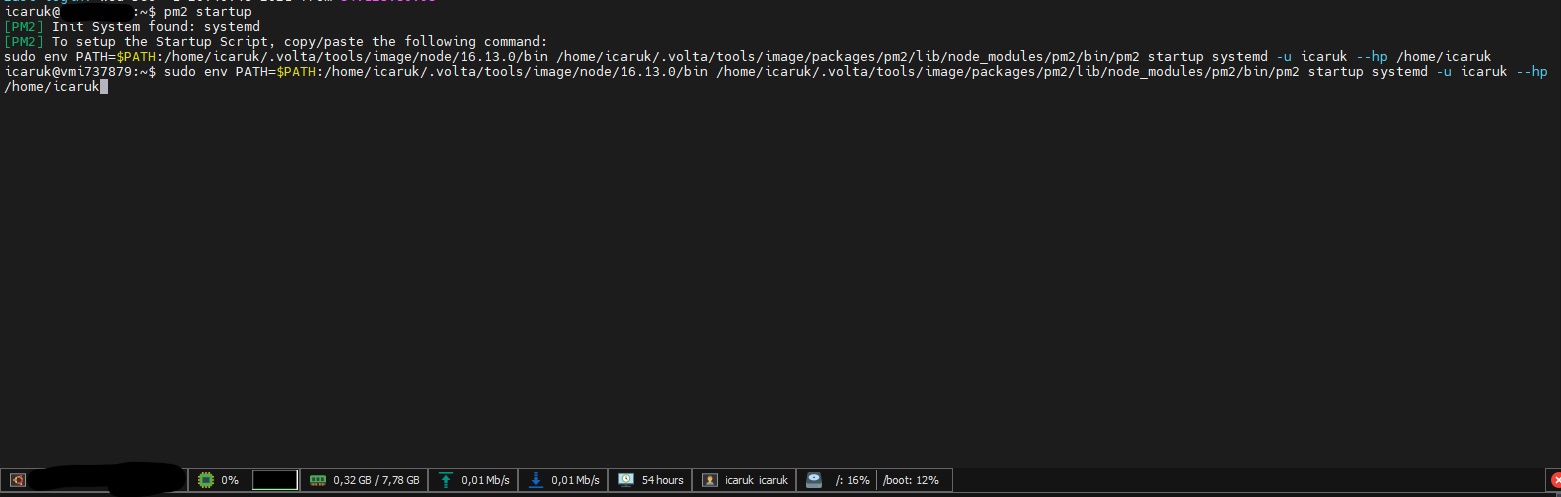
sudo env PATH=$PATH:/home/icaruk/.volta/tools/image/node/16.13.0/bin /home/icaruk/.volta/tools/image/packages/pm2/lib/node_modules/pm2/bin/pm2 startup systemd -u icaruk --hp /home/icaruk
When I run the command, RAM starts from 0.5 GB to 8 GB (max) in 10-15 seconds, freezing and giving no output.

Hi @Icaruk, thanks for reporting! Can you expand a bit on which process is consuming the extra memory? On the surface, this doesn't appear to be an issue with Volta itself, for a couple of reasons:
- The command that it asks you to run appears to be bypassing the Volta shims and going straight to the actual Node binary.
- Volta itself doesn't hold enough data in memory (especially with only 4 packages installed) to balloon up to 8 GB.
Is it possible that this is the underlying pm2 script that is leaking / consuming memory? The above could be a bad assumption and I'm happy to investigate if there is something going on with Volta, but want to be sure of where the problem is located.

Hi @charlespierce, thanks for your reply!
Before Volta I used nvm and I ran that command without any problems. Here is the full process with more info:
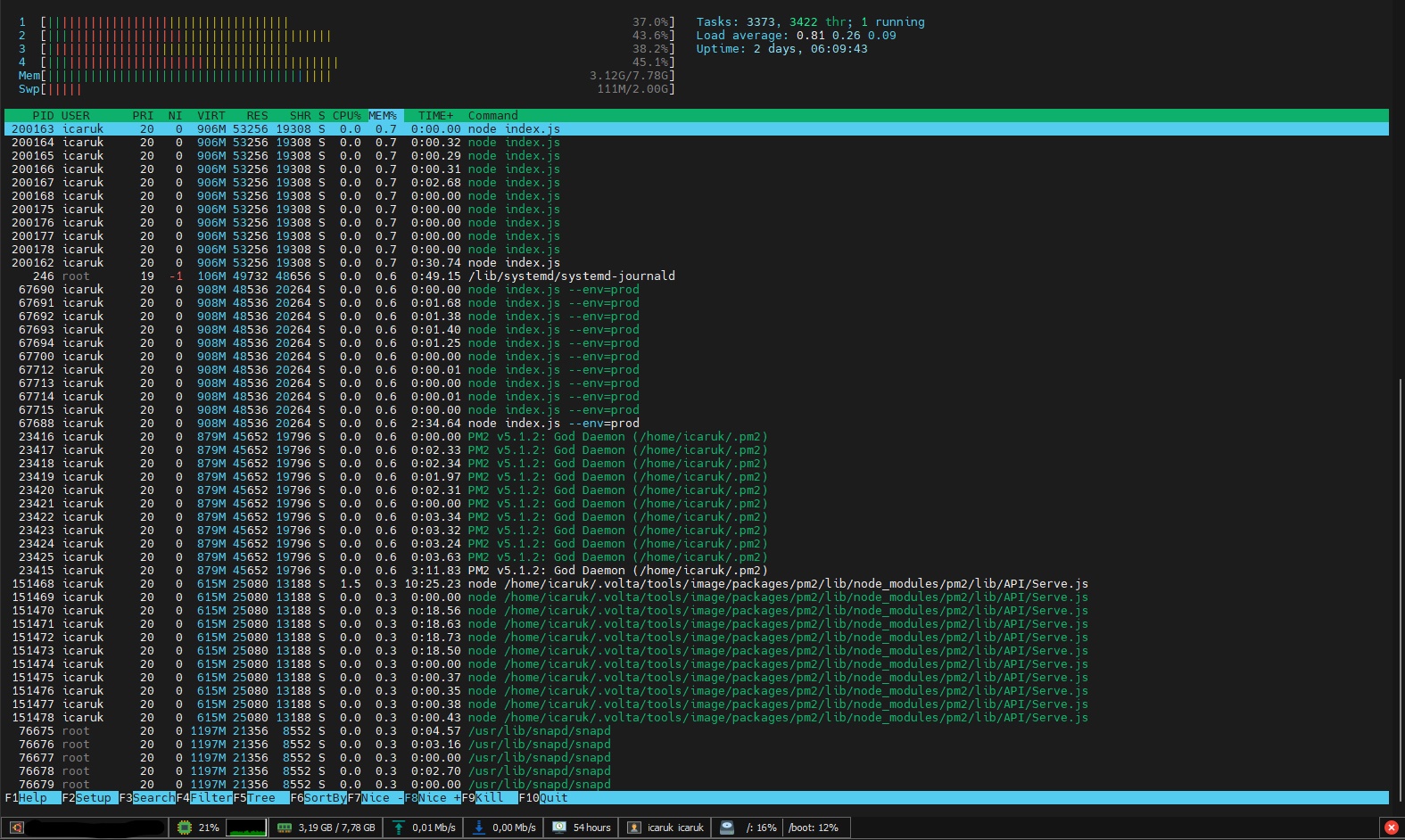
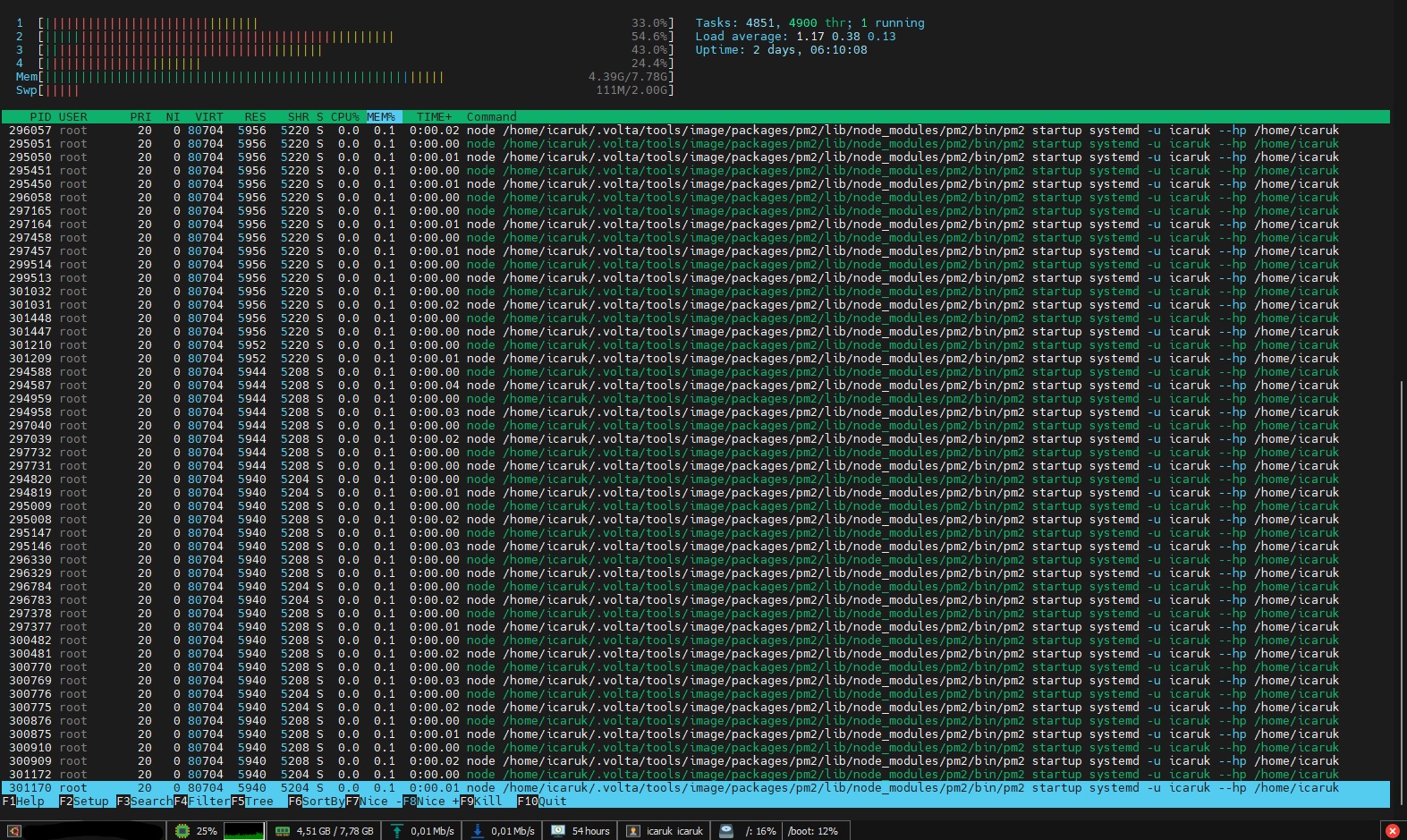
@Icaruk Interesting, thanks for that! It looks like Volta is somehow getting into a loop of recursively trying to call itself and never actually properly finding the Node version. Am I interpreting those screenshots correctly that the number of processes keeps growing (rather than an individual process consuming more and more memory)?
I suspect the issue may have a similar root cause as #1007, since the command that it's telling you to run appears to be a startup command. One suggestion I would have would be to alter the suggested command slightly: Move the $PATH to the end, rather than the beginning, so that it pushes the actual Node directory to the front of the PATH:
- sudo env PATH=$PATH:/home/icaruk/.volta/tools/image/node/16.13.0/bin /home/icaruk/.volta/tools/image/packages/pm2/lib/node_modules/pm2/bin/pm2 startup systemd -u icaruk --hp /home/icaruk
+ sudo env PATH=/home/icaruk/.volta/tools/image/node/16.13.0/bin:$PATH /home/icaruk/.volta/tools/image/packages/pm2/lib/node_modules/pm2/bin/pm2 startup systemd -u icaruk --hp /home/icaruk
Am I interpreting those screenshots correctly that the number of processes keeps growing (rather than an individual process consuming more and more memory)?
Yes
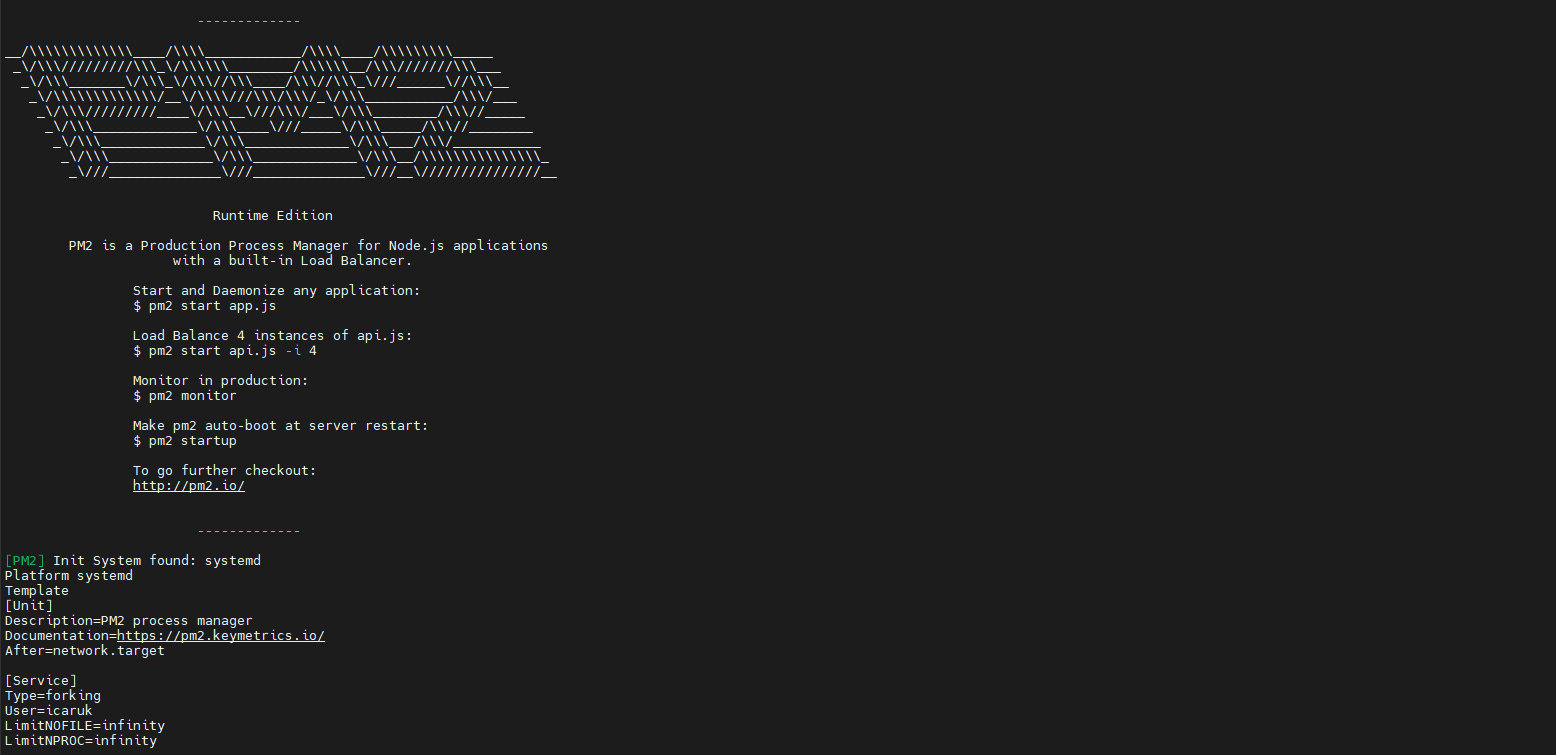
Executing the command you suggested it seems it works nice:
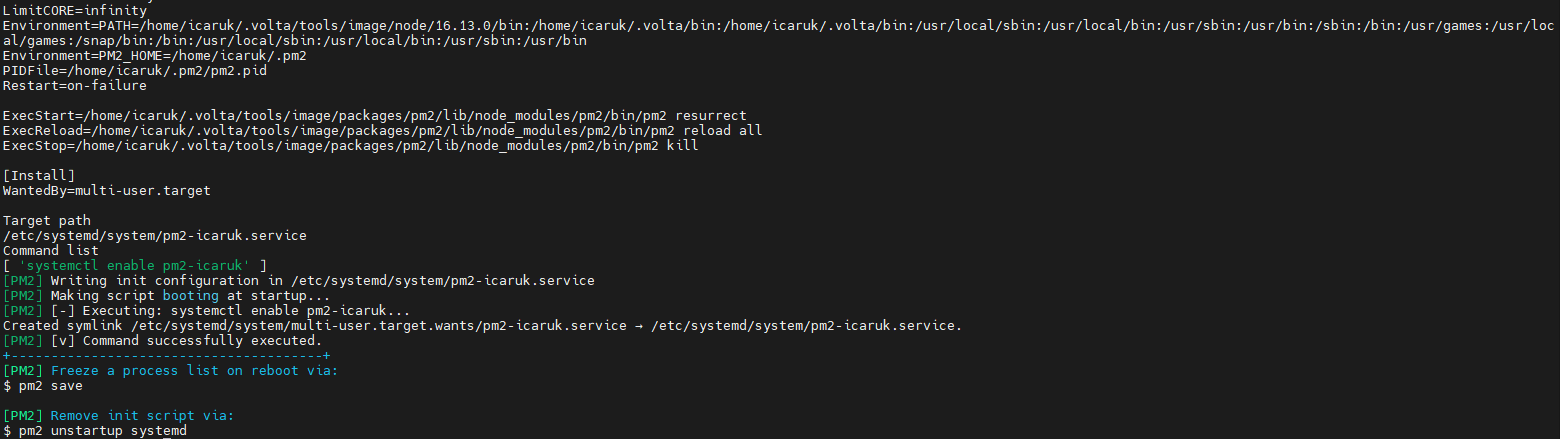
Maybe it's related: 1h ago was having trouble using npm and node commands with Github Actions (that runs on a Linux docker container) and this fixed my issue.
It suggested:
sudo ln -s "$NVM_DIR/versions/node/$(nvm version)/bin/node" "/usr/local/bin/node"
sudo ln -s "$NVM_DIR/versions/node/$(nvm version)/bin/npm" "/usr/local/bin/npm"
sudo ln -s "$NVM_DIR/versions/node/$(nvm version)/bin/pm2" "/usr/local/bin/pm2"
sudo ln -s "$NVM_DIR/versions/node/$(nvm version)/bin/yarn" "/usr/local/bin/yarn"
Instead "$NVM_DIR/versions/node/$(nvm version)/bin/node" I used "/home/icaruk/.volta/bin/node" and the same for npm and pm2.
Then Github Actions could execute npm and node commands.
I hope it helps. Thanks.
Oh interesting, yeah I suspect that's a similar issue with the PATH (that's core to how Volta works and unfortunately can get very hairy very quickly 😅 ). I'm glad the changed command works for you!
One thing I'd be curious about, which may make it more sustainable: Does it work if you run the suggested command without any of the PATH fiddling or explicit paths:
pm2 startup systemd -u icaruk --hp /home/icaruk
This may be a case of pm2 and Volta clashing by both trying to be too smart and fiddle with the PATH at the same time.
Output:
[PM2] Init System found: systemd
[PM2] To setup the Startup Script, copy/paste the following command:
sudo env PATH=$PATH:/home/icaruk/.volta/tools/image/node/16.13.0/bin pm2 startup systemd -u icaruk --hp /home/icaruk
Ohhhhh, thanks, that actually makes it a little more clear what's happening and why pm2 is suggesting what it does: It needs the script to be run as root with sudo, and it tries to set up the PATH to ensure that sudo will work. I'm hopeful then that running as root but without all the extra fanfare should work:
sudo pm2 startup systemd -u icaruk --hp /home/icaruk
If it doesn't, then unfortunately I don't think there will be a less annoying solution than the swapping $PATH to the end that worked above. Volta is designed for the single-user case and so involved behaviors with sudo haven't been investigated heavily up to now.
Output:
sudo: pm2: command not found
It seems that Volta just works with my user.
If I run
getent group sudo
I have this output
sudo:x:27:icaruk
On visudo my user has:
icaruk ALL=(ALL) NOPASSWD:ALL
Maybe this could be the problem?
Ahh, got it, and yeah that's what I was worried about. That's why pm2 suggests you edit the PATH appropriately, because it isn't picked up by default in sudo. It worked in my local testing just now on macOS, but I'm sure there are significant differences in the Linux behavior. I haven't thought through all of the specifics, but that's also likely the underlying cause of the memory error you were seeing initially:
By appending the Node version to the end of the PATH, the call was going through Volta rather than the specific Node version. Volta then tried to set the PATH up to properly handle calling pm2, but got confused along the way because it was running as a different user. Which ultimately led to to recurse infinitely and balloon up in memory.
So at the moment, I believe the original working solution of swapping the hard-coded directory to the beginning of PATH is the best one. Thanks for continuing to debug with me, I was hopeful we'd be able to find a more ergonomic solution 🙁
Thanks for the clarification, I've learned a lot.
The solution is not bad, I just need to move 6 characters.
I (and I think everybody) don't execute the command pm2 startup so frequently, only when a new process is added to PM2, that could be 1 time per month or maybe never.
If you need to debug something else just let me know 😁
