

 vmware
Mouse clicks don't line up with cursor after enabling multiple displays in fullscreen mode
I'm running the following environment:
- Host: Windows 10.0.15063.0 (64-bit) using Workstation 12.5.9 build-7535481
- Guest: Kubuntu 18.04.0 LTS
- open-vm-tools: 2:10.2.0-3ubuntu3
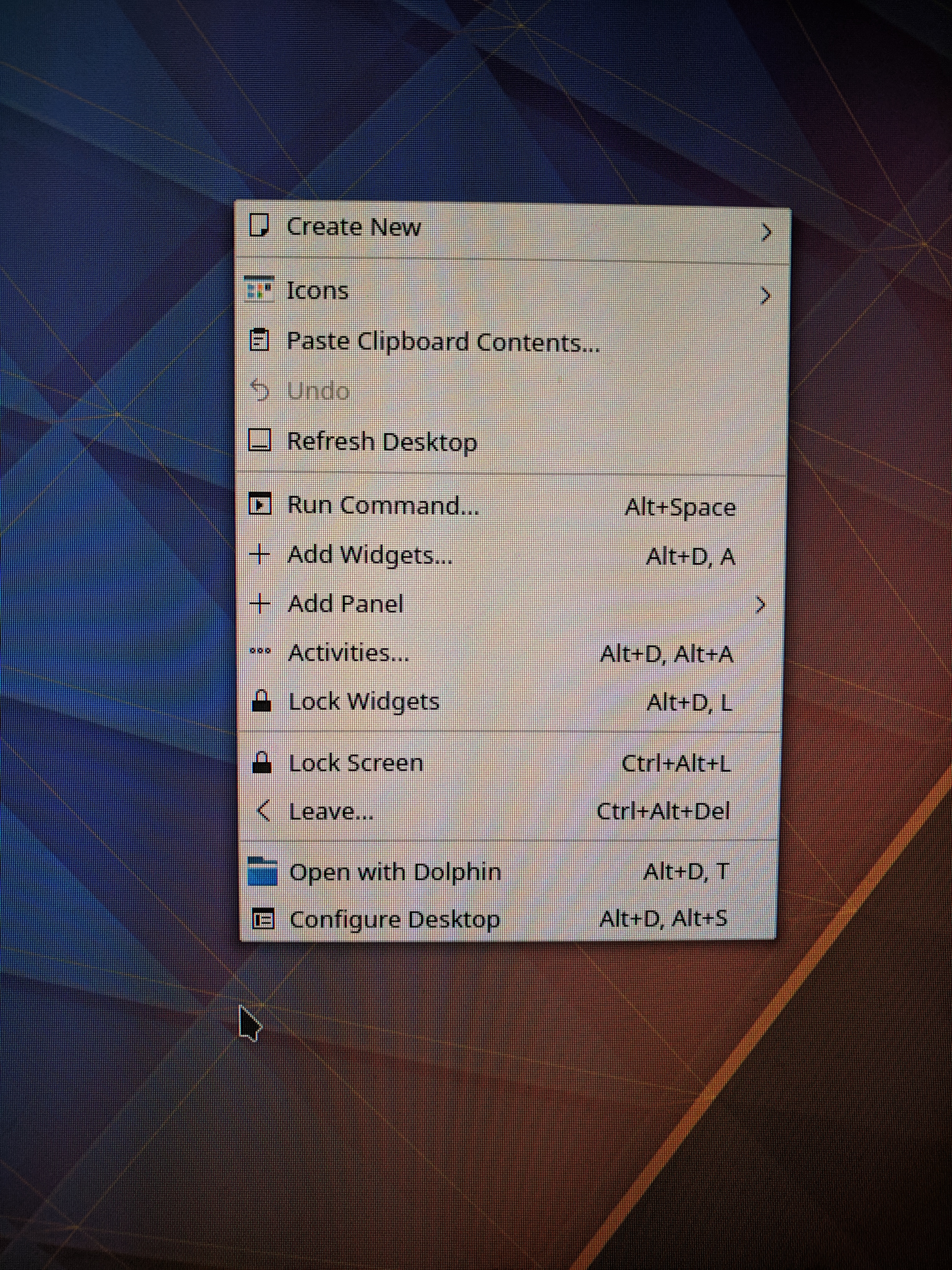
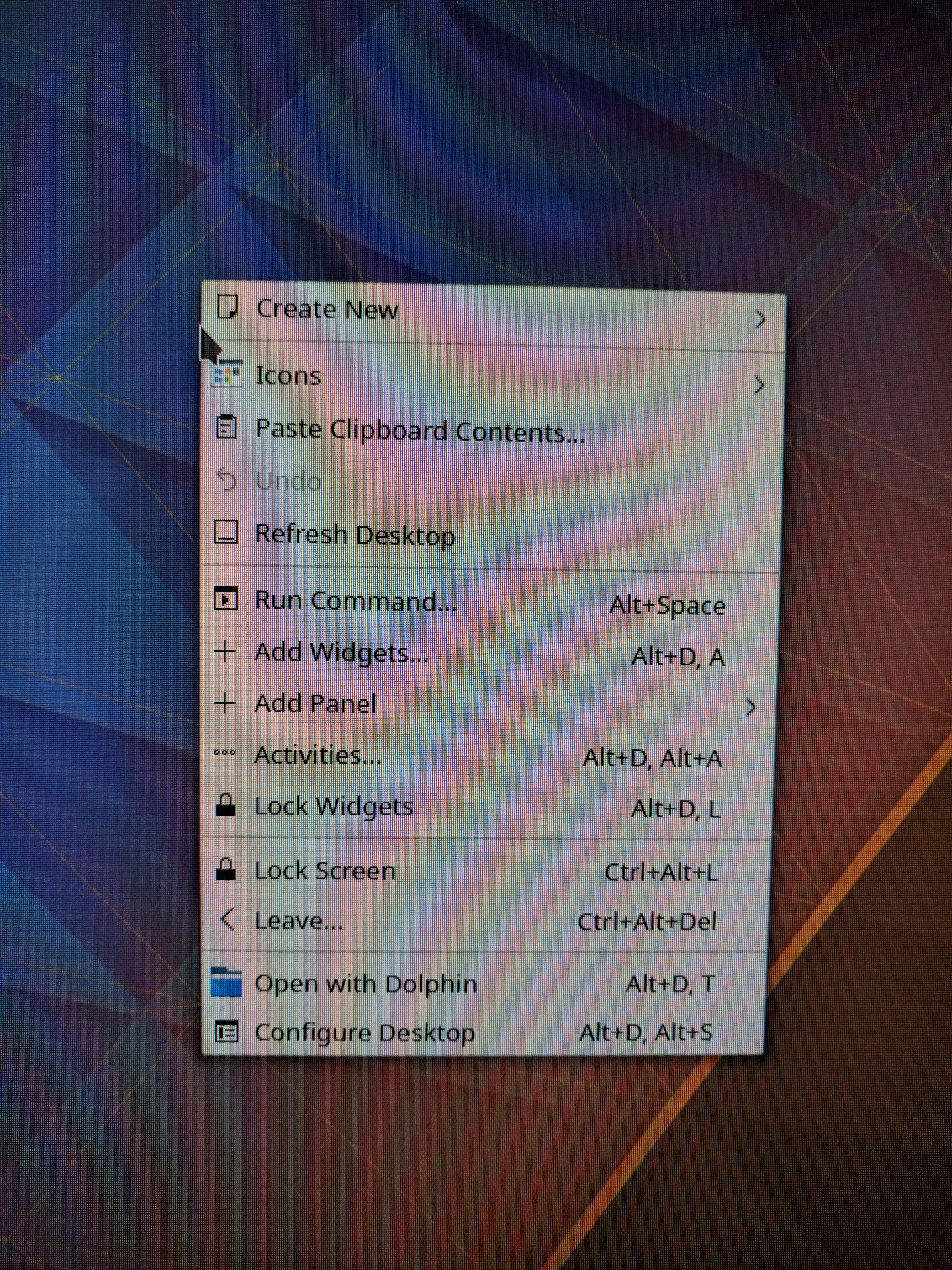
When I enable a second display, neither left- nor right-clicks line up correctly on the display. For example, the right-click context menu will be significantly above where the mouse-pointer produced the right-click. Even more weird, when I try to take a screenshot using Spectacle, the screen shot renders as if things were behaving correctly. Because of that, I've attached images of the problem taken with my phone.
Here's the output of xrandr with a single display enabled and everything working correctly:
Screen 0: minimum 1 x 1, current 1920 x 1200, maximum 8192 x 8192
Virtual1 connected primary 1920x1200+0+0 (normal left inverted right x axis y axis) 0mm x 0mm
   1920x1200     60.00*+  59.88
   2560x1600     59.99
   1920x1440     60.00
   1856x1392     60.00
   1792x1344     60.00
   1600x1200     60.00
   1680x1050     59.95
   1400x1050     59.98
   1280x1024     60.02
   1440x900      59.89
   1280x960      60.00
   1360x768      60.02
   1280x800      59.81
   1152x864      75.00
   1280x768      59.87
   1024x768      60.00
   800x600       60.32
   640x480       59.94
Virtual2 disconnected (normal left inverted right x axis y axis)
Virtual3 disconnected (normal left inverted right x axis y axis)
Virtual4 disconnected (normal left inverted right x axis y axis)
Virtual5 disconnected (normal left inverted right x axis y axis)
Virtual6 disconnected (normal left inverted right x axis y axis)
Virtual7 disconnected (normal left inverted right x axis y axis)
Virtual8 disconnected (normal left inverted right x axis y axis)
Here's the output of xrandr with both displays enabled and things not working correctly:
Screen 0: minimum 1 x 1, current 2944 x 1280, maximum 8192 x 8192
Virtual1 connected primary 1920x1200+0+0 (normal left inverted right x axis y axis) 0mm x 0mm
   1920x1200     60.00*+  59.88
   2560x1600     59.99
   1920x1440     60.00
   1856x1392     60.00
   1792x1344     60.00
   1600x1200     60.00
   1680x1050     59.95
   1400x1050     59.98
   1280x1024     60.02
   1440x900      59.89
   1280x960      60.00
   1360x768      60.02
   1280x800      59.81
   1152x864      75.00
   1280x768      59.87
   1024x768      60.00
   800x600       60.32
   640x480       59.94
Virtual2 connected 1024x1280+1920+0 (normal left inverted right x axis y axis) 0mm x 0mm
   1024x1280     60.00*+
   2560x1600     59.99
   1920x1440     60.00
   1856x1392     60.00
   1792x1344     60.00
   1920x1200     59.88
   1600x1200     60.00
   1680x1050     59.95
   1400x1050     59.98
   1280x1024     60.02
   1440x900      59.89
   1280x960      60.00
   1360x768      60.02
   1280x800      59.81
   1152x864      75.00
   1280x768      59.87
   1024x768      60.00
   800x600       60.32
   640x480       59.94
Virtual3 disconnected (normal left inverted right x axis y axis)
Virtual4 disconnected (normal left inverted right x axis y axis)
Virtual5 disconnected (normal left inverted right x axis y axis)
Virtual6 disconnected (normal left inverted right x axis y axis)
Virtual7 disconnected (normal left inverted right x axis y axis)
Virtual8 disconnected (normal left inverted right x axis y axis)
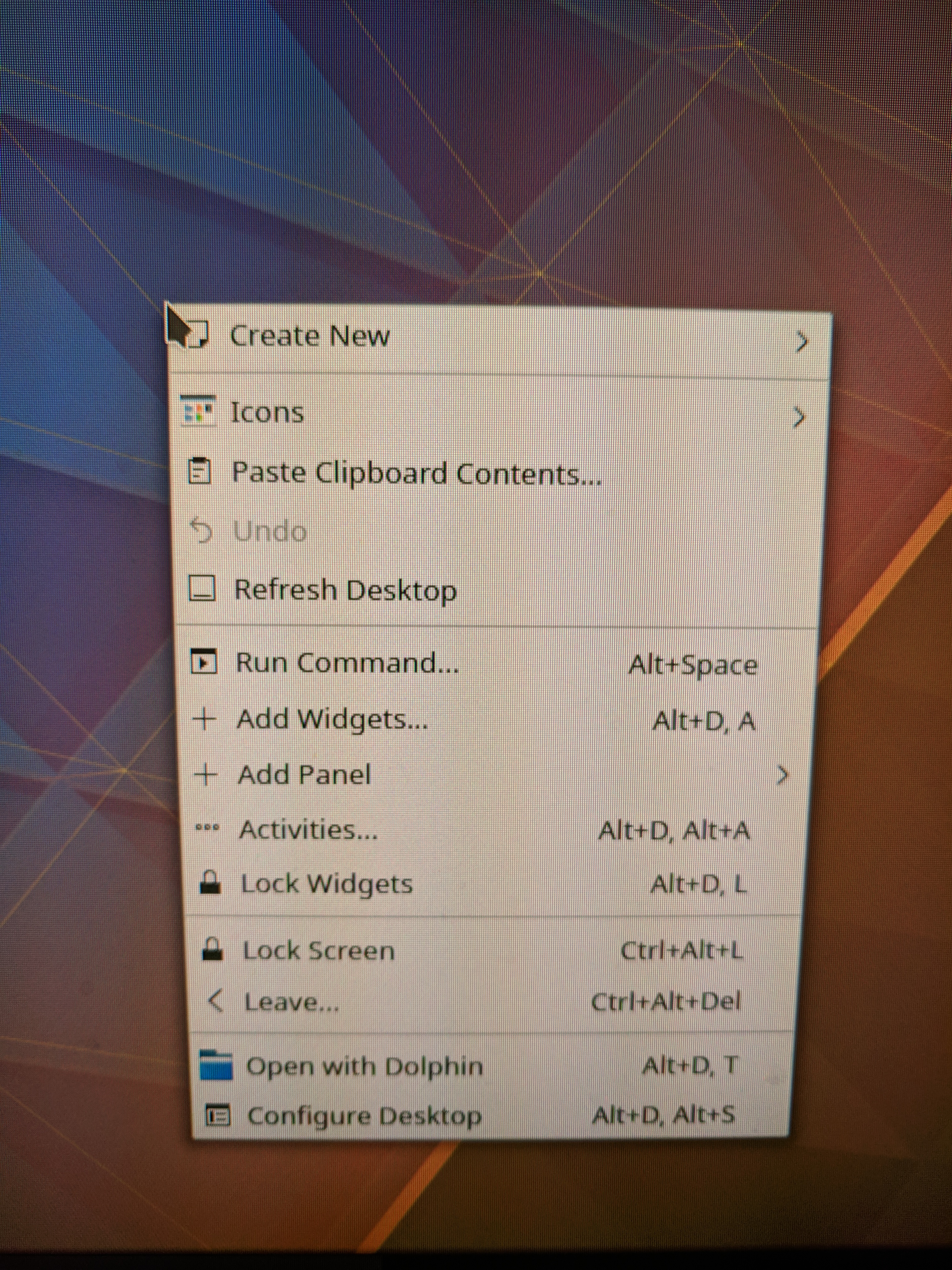
Here's a picture of the right-click context menu lining up with the cursor (expected behavior):
Here's two pictures of things not lining up correctly when two display are enabled:
Any ideas what could be causing this or know of any workarounds? Thanks so much for any help you can provide!

I'm seeing exactly the same problem.
Guest: Debian buster Host: Windows 7 VMware: 15.5
I've installed open-vm-tools from buster backports.
@daveinspace How did you resolve it?

- VMWare Workstation 17 Pro (17.0.2 build-21581411)
- Host OS: Windows 10 (Version 10.0.19045 Build 19045)
- Host GPU: AMD Radeon RX 5700 XT (Driver version: 23.5.2)
- Guest OS 1: Ubuntu 22.04.2 LTS
- open-vm-tools 2:12.1.5-3~ubuntu0.22.04.1 (current latest from jammy-updates)
- Guest OS 2: Kubuntu 23.04
With both guests I noticed the same behaviour.
Mouse event coordinates lines up with the displayed cursor in windowed, fullscreen, fullscreen + exclusive modes (on either one screen).
Enabling fullscreen on both displays, I noticed the following:
- While keeping the displayed cursor on the screen where the VMWare Workstation main window is, mouse event coordinates are mapped across both screens, so if I click on the left side, a click event is triggered on the left screen (not at the displayed cursor position), and if I click on the right side, an event is generated on the right screen.
- While keeping the displayed cursor on the other screen, mouse event coordinates and the displayed cursors line up perfectly.
- Changing which one is the primary screen in the Guest OS does not affect this behaviour.
- Changing which screen hosts VMWare Workstation before switching to fullscreen does not solve the issue.
After setting 'Optimize mouse for games' to 'Always' in the Workstation Input Preferences, enabling fullscreen on both displays, I noticed the following:
- While keeping the displayed cursor on the screen where the VMWare Workstation main window is, mouse event coordinates now line up with the displayed cursor
- Moving the cursor to the other screen makes the cursor invisible, but if I drag a window across, it moves as expected under the invisible cursor
- Pressing Ctrl+Alt then clicking on the other screen swaps which screen has the visible cursor
- Sometimes the cursor stays visible the first time it's dragged across, but turns invisible on the second occasion
Enabling/disabling 3D graphics acceleration makes no difference. Issue is present on both Xorg and Wayland.
This 'Optimize mouse for games' option almost makes a usable workaround, but the cursor rendering must be tweaked somehow.

- VMWare Workstation 17 Pro (17.0.2 build-21581411)
- Host OS: Windows 10 (Version 10.0.19045 Build 19045)
- Host GPU: AMD Radeon RX 5700 XT (Driver version: 23.5.2)
- Guest OS: Manjaro Xfce 22.1.3-230529 (live CD)
- open-vm-tools 6:12.2.0-1
Multi-monitor fullscreen works! Both with and without the 'Optimize mouse for games' option. The installer CD seems to use Xorg.
Found the solution: When the 'Guest operating system' is set to 'Other Linux 5.x kernel 64-bit' in the virtual machine settings, it works fine.
The behaviour described in my first comment happened in a VM set to 'Windows 11 x64', as I wanted to have Secure Boot enabled. After setting up the VM as Win 11 with secure boot, I closed the VM tab in Workstation, set guestOS = "other5xlinux-64" in the VMX file, reopened it in Workstation, and booted the guest. The multi-monitor fullscreen mode worked fine afterwards in Ubuntu with secure boot enabled.
I am also having this issue. This has been around for years, we would really appreciate it if it could at least be assigned to somebody :)
- Host OS: Windows 10 pro, 64-bit (Build 19045.3930) 10.0.19045
- VMWare: Workstation 16 pro (16.2.5 build-20904516)
Guest OS number 1 DOES have the problem. Guest OS number 2 does NOT have the problem. Other than being entirely different distributions, the only difference I see is that with xfce 4.18 the issue is present, with 4.20 it is not present. Obviously there will be innumerable other differences between any two distributions.
-
Guest OS number 1: NixOS Linux 24.11 build ID 24.11.715519.ebe2788eafd5, stable channel, kernel 6.13.6, last updated an hour ago
-
Guest OS number 1 UI: xfce 4.18
-
Guest OS number 1 open-vm-tools version (determined from vmware-toolbox-cmd --version): 12.5.0.5112 (build-24276846)
-
Guest OS number 2: Alpine Linux 3.22.0_alpha20250108, kernel 6.12.17-2-virt, last updated yesterday
-
Guest OS number 2 UI: xfce 4.20
-
Guest OS number 2 open-vm-tools version (determined from vmware-toolbox-cmd --version): 12.5.0.51152 (build-24276846)
For both guests I have confirmed that the OS type is "Other Linux 5.x kernel 64-bit" in the configuration in vmwares GUI. In the vmx file, this line is present: guestOS = "other5xlinux-64". Both guests have their display item configured as use host settings for monitor.
The most recent vmware log file, vmware-0.log is over 2,200 lines long for both guests. Is there something that could assist I can look for in it?
Is there any other information I could provide or things I could try?
