

 vmware-samples
macOS Updater Utility (mUU) - Prompt for admin credentials
Hello, the latest version of the script, once performed by a M1 macOS, show to the logged-in user the popup below with the request for admin credentials, making it impossible to initiate an update by a not-admin user on his own M1. We tried the same version of scripts on a Intel macOS without finding this "anomaly"; the update was carried out automatically without the request for any credential to the user
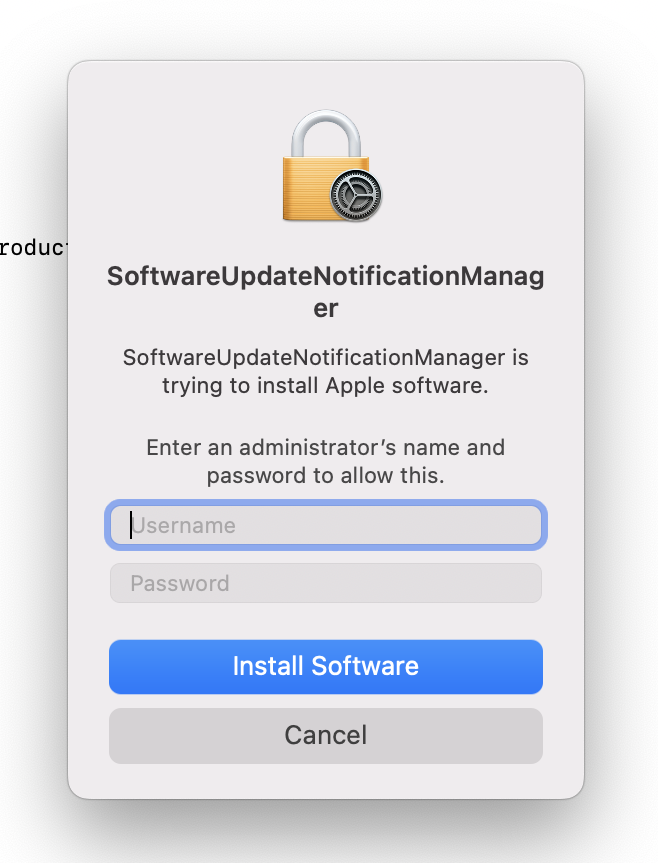
Is it an expected behavior? The M1 should not behave as the Intel-based, so don't request any credential?
Thanks

Apple silicon Macs require the credentials of a user who is a "Volume Owner" in order to install software updates (and upgrades to macOS). If this was better integrated with Workspace One, the MDM could use an escrowed Bootstrap Token to avoid the need for user credentials.

So we can assume that this is an "expected behavior" (due to the bad integration with WS1) and that, at this moment, there is not any way to bypass the credential prompts? If so, it would be impossible to do an automatic, unmanned, os update...right?
Thanks
Hello, any update on this topic? Is it confirmed the needing to have a user with admin rights to be able to install updates via the mUU on Silicon? If it is so, the utility is quite useless imho.... Thanks

No admin rights are needed by end user to install updates using mUU. I would ensure that you are not pushing a "Software Update" profile from UEM in conjunction with mUU as the Software Update profile will use softwareupdated binary causing the credential prompt.
