

 video-react
Can't play on IOS, and fullscreen button didn't provide fullscreen video on IOS
Describe the bug Hello, good day sir! btw first of all, i want to give you my LOVE, i really like about your library.. and this is GREAT lib. I use this lib for my project, and i've tested for my web using desktop and android works perfectly, as expected.
But, when i try open my project using safari/chrome on IOS, i can't play the video, and when i press the fullscreen button, it didn't do as expected, you can see at shorturl.at/juANW, this is still underdevelop..
To Reproduce Steps to reproduce the behavior:
- Open Chrome or Safari in IOS
- Can't play the video
- Fullscreen button didn't do as expected
Expected behavior
- Video played
- Fullscreen button make video fullscreen.
Desktop (please complete the following information):
- OS: IOS 11
- Browser: Chrome, Safari
Screenshoot package.json
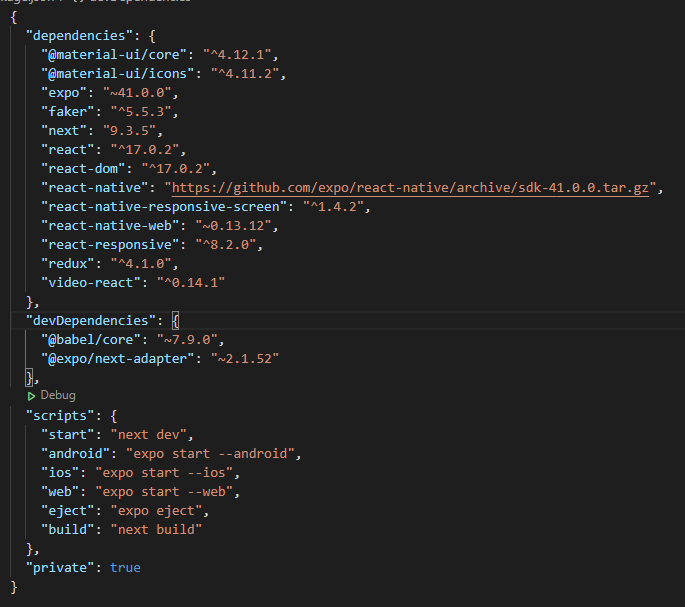
Additional context Can you help me? i think this is a bug, but I also think this is the fault of my own devices, i'm sorry if i have broken English, i do my best to explain, hope you can help me about this.. once again, LOVE YOUR WORK!
Demo https://codesandbox.io/s/video-react-demo-main-forked-yz1mu
// ***** UPDATE ***** \ Didn't know how, but when i try again, the video played on my IOS device, but the fullscreen button still didn't do as expected.

You may try playsInline prop. It sounds like it could solve your problem.
[iOS only]Determines whether HTML5 videos play inline or use the native full-screen controller.

@benkindt I already do that but still didn't work <Player className={styles.video_player} playsInline poster={poster} src={video} preload={'none'} />

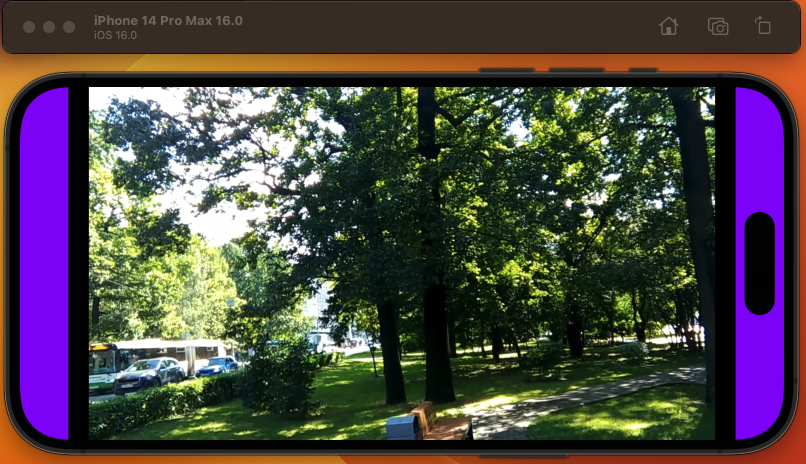 I think I have a similar issue, where if you click on full screen, the sides are still present. (the purple)
