
react-native-map-clustering

react-native-map-clustering copied to clipboard
 venits
Clusters not exploding and markers not rendering until map interaction
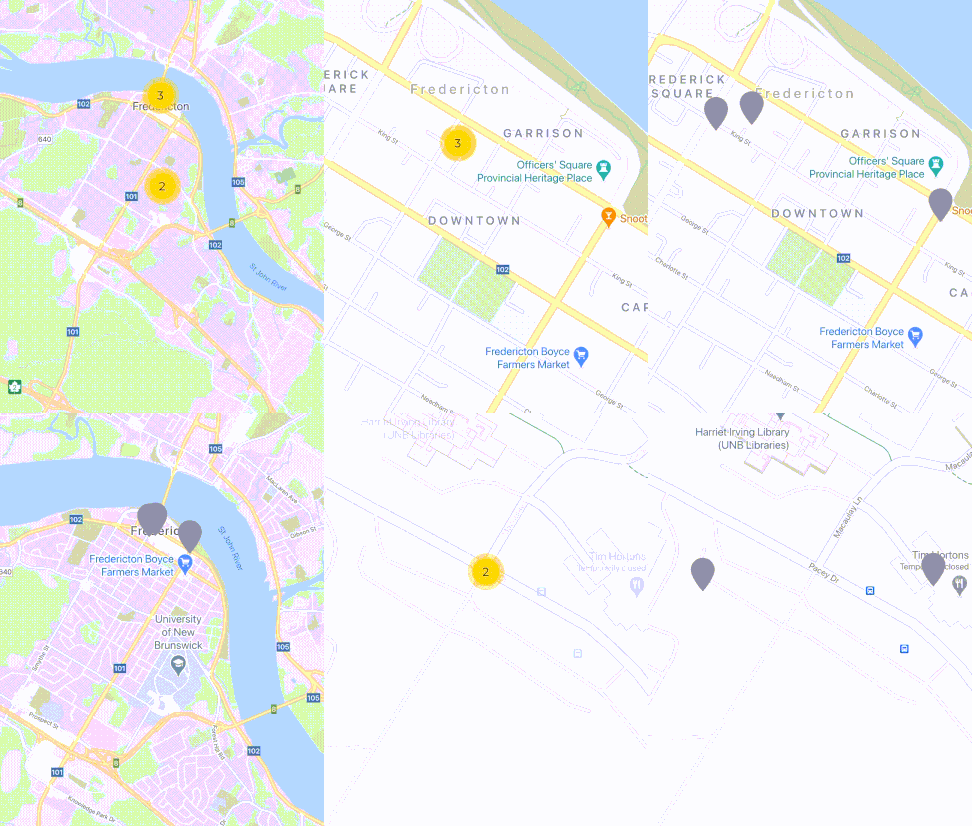
I am having an issue when pressing a cluster. It normally doesn't explode when you press it and it zooms in. Once you interact with the map (pan or zoom slightly ) it updates and either explodes the cluster or renders the map markers. I am using custom markers and the default cluster icon.
<MapView
            ref={mapRef}
            maxZoomLevel={18}
            minZoomLevel={8}
            onPress={() => Keyboard.dismiss()}
            style={styles.mapStyle}
            provider={PROVIDER_GOOGLE}
            clusterTextColor={'#000000'}
            initialRegion={{
              latitude: location.latitude,
              longitude: location.longitude,
              latitudeDelta: location.latitudeDelta,
              longitudeDelta: location.longitudeDelta,
            }}
            onRegionChange={onRegionChange}
          >
            {markers.map((marker) => (
              <Marker
                key={marker.id}
                coordinate={{
                  latitude: parseFloat(marker.lat),
                  longitude: parseFloat(marker.lng),
                }}
                zIndex={getMarkerIndex(marker)}
                title={marker.name}
                onPress={async () => {
                  handlePress()
                }}
              >
                <Image
                  source={getMarkerImage(marker)}
                  resizeMode={'contain'}
                  style={{ height: 45, width: 45 }}
                />
              </Marker>
            ))}
          </MapView>

I'm seeing a similar issue, when the map region is changed and markers have been loaded from a REST api, the markers does not appear until one taps on the map.
@venits Any idea what could be wrong?

i have the same issue, it's solved when I put tracksViewChanges=true in Marker property
