

 utmapp
Occasional Grey Screen - Not a Crash, Recoverable By Clicking Start Menu
Description
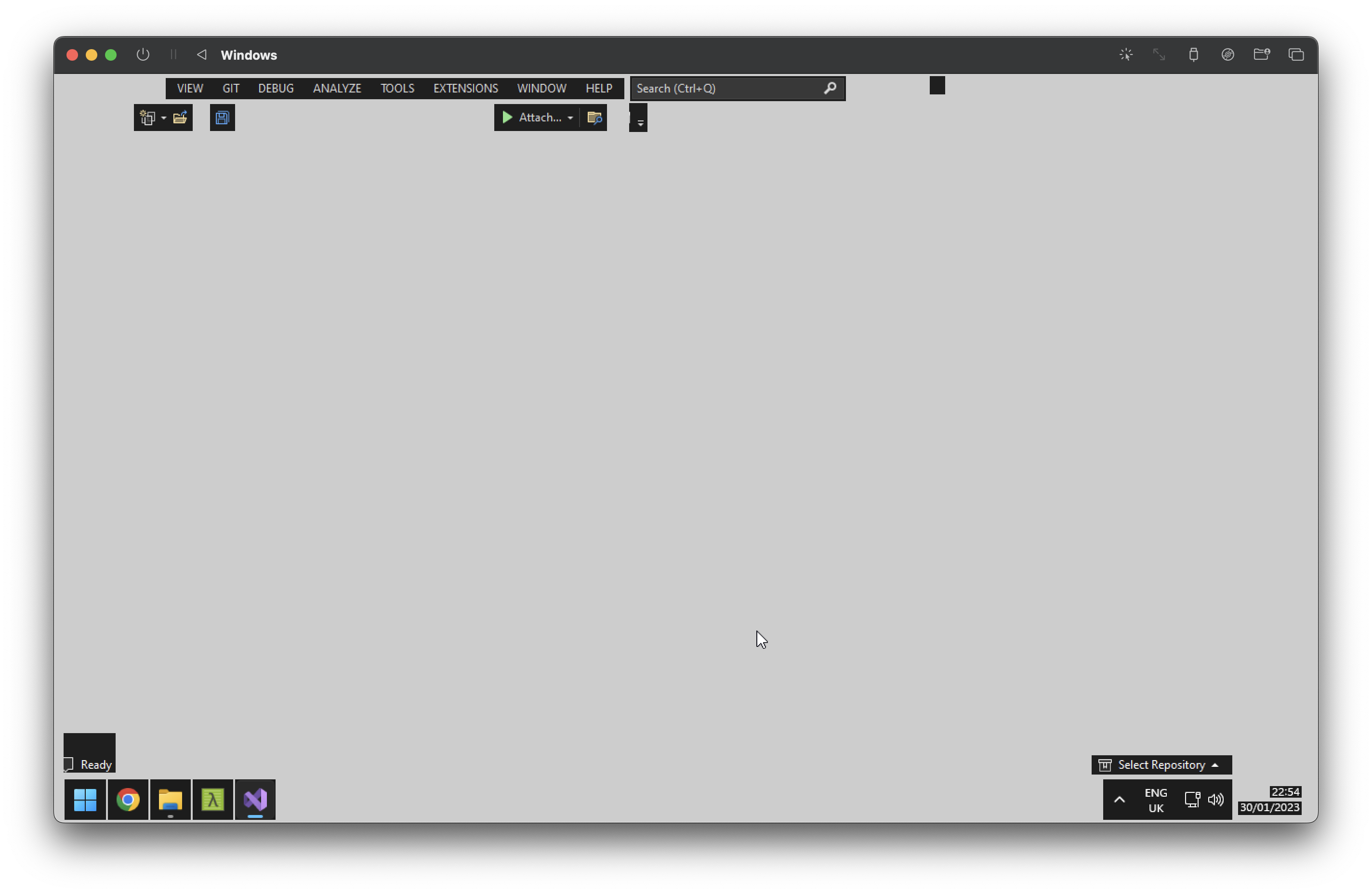
Occasionally, my Windows 11 VM screen goes grey. If I move the mouse around, hovering over some things causes them to render. Clicking the Start button genarally fixes it.
Configuration
- UTM Version: 4.1.5 (74)
- macOS Version: 13.1
- Mac Chip: M1

+1 same exact config and issue here too
I typically right click and choose "Refresh"

What display card is your configuration using? Make sure it's not one that ends with -gl

I have a similar issue (on a MacBook Air M1) but I haven't figured out how to recover. No UI element shows up at all, regardless of key combination or right click for me. I was using virtio-ramfb-gl, but am switching to virtio-ramfb based on your guidance, @osy.

What display card is your configuration using? Make sure it's not one that ends with -gl
Red Hat VirtIO GPU DOD controller, I think this started with some upgrade of UTM, but can't recall the version
Same problem here — grey screen in Windows 11 on M1 Mac host. If I capture the cursor, I can't move it, and it looks properly frozen(?) as some timed processes hadn't fired off.
I was using virtio-ramfb-gl and will try switching to virtio-ramfb
I have a similar issue (on a MacBook Air M1) but I haven't figured out how to recover. No UI element shows up at all, regardless of key combination or right click for me. I was using virtio-ramfb-gl, but am switching to virtio-ramfb based on your guidance, @osy.

same here WIn11 ARM on Mac M1, display virtio-ramfb-gl
full grey screen, not recoverable (need to stop/start VM).
Also if you try to resize the screen (while it's grey) it will revert back to the previous size.

I found a workaround - I changed the display driver setting in UTM and haven’t had the problem since.
I found a workaround - I changed the display driver setting in UTM and haven’t had the problem since.
to which driver?
Sorry, was away from my mac. I switched it to virtio-ramfb and since then, I have been able to sleep and wake my M1 MacBook Air without it doing the grey-screen thing. Previously was using the default, which I think ended in "-gl" and getting the grey-screen.
The screen updates a little slower, I think, but stability is worth the tradeoff for me so far (I'm just using some accounting software)