

 usr-sse2
Custom HiDPI resolution is not available
Hi :)
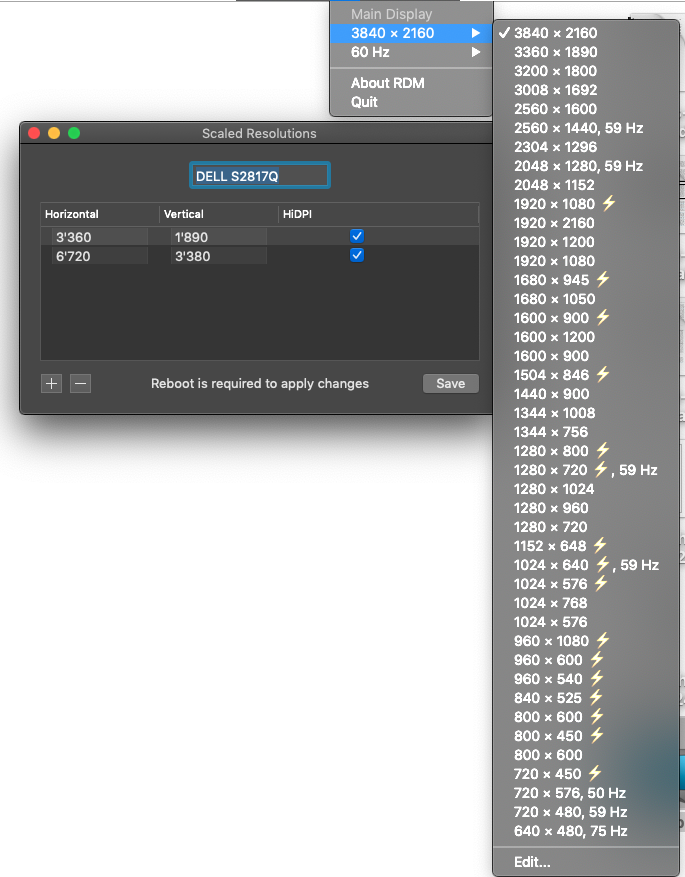
I tried to add 3360x1890 hiDPI but after reboot it's still not there.

(see screenshot) Any idea why?
Best, -a-

6720x3380? I'm not sure that OS permits it and the GPU supports it. I'll try it on my computer, but I have no 4K display. The first line works – I see 1680x945 HiDPI resolution in the list.

I tried to get 3360 x1890 hiDPI (lighting icon). I read somewhere I should double the values in order to get the hiDPI resolution.
For now I have 4k (2160p) and then the next hiDPI res is looks like 1920x1080... Which is not enough. I need something in between... But hiDPI (keeping all my pixels).
The gpu is hd4600
Still... Not much luckier when adding 6720x3780. I still don't get 3360x1890 hiDPI
OK...
This is what I get with HD4600:
While this is what I get with a Rx590:
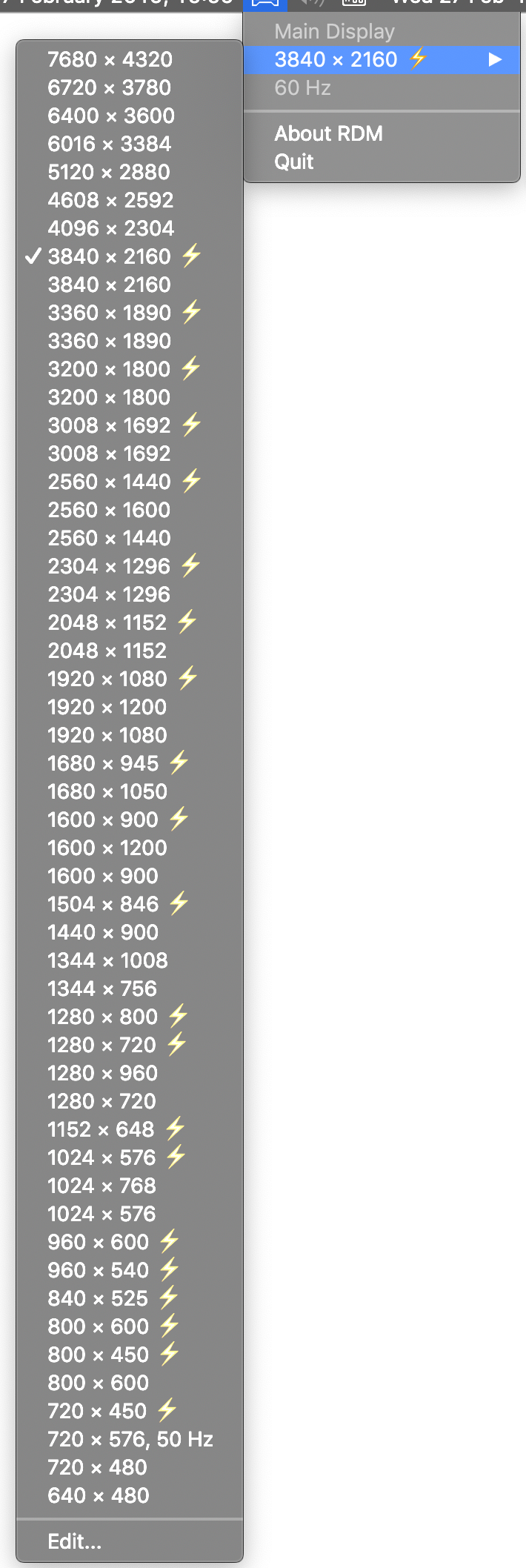
I imagine there is no way to get a better hiDPI res with HD4600 then. FHD is half of 4K in both directions...
Sounds about right? Or do miracles exist?
Best, -a-
same issue on catalina, custom resolution (small enough) does not show up after reboot

