

 userfrosting
NPM Error with Homestead installation
Another user mentioned they had a NPM error when trying to install a fresh copy following the instructions here.
I was able to reproduce this error myself on Windows 10 machine and am adding the error messages in the attached file. UserFrostingHomesteadError.txt

Can't replicate on MacOS host and I don't have a Windows machine on hand right now. @Silic0nS0ldier maybe ?

I have been looking into this a little more. I think we will need to implement one of the two solutions here.
Thinking back, I actually ended up having to use the instructions in the Advanced Homestead Setup because I could not get it to work without modifications to Homestead.yaml
I see that it actually uses bootstrap.yaml https://github.com/userfrosting/UserFrosting/blob/master/vagrant/bootstrap.yaml
I have tried a number of changes to this file and the only way I have been able to get the install to complete is by adding this to the folder section of bootstrap.yaml
      type: "smb"
      mount_options: ["mfsymlinks,dir_mode=0775,file_mode=0764"]
@Silic0nS0ldier Can you try to reproduce this when you have time? I tried on two different Windows 10 machines with the same result. It is a bad first experience for anyone new to UF and since this is the recommended installation method for beginners...
Change 'npm install' to 'npm install --no-bin-links', will do the trick. https://github.com/userfrosting/UserFrosting/blob/fb1b72148d23654315f849d7188fab306211b227/app/sprinkles/core/src/Bakery/BuildAssets.php#L117
https://github.com/userfrosting/UserFrosting/blob/d312d1f054c11d4bec011935042f154a0ec63003/build/gulpfile.esm.js#L150

Change 'npm install' to 'npm install --no-bin-links', will do the trick.
https://github.com/userfrosting/UserFrosting/blob/fb1b72148d23654315f849d7188fab306211b227/app/sprinkles/core/src/Bakery/BuildAssets.php#L117
https://github.com/userfrosting/UserFrosting/blob/d312d1f054c11d4bec011935042f154a0ec63003/build/gulpfile.esm.js#L150
I thought I had tried this but I will give it another shot when I have the time.
I thought I had tried this but I will give it another shot when I have the time.
I have done this yesterday(GMT+8:00). And UF runs will on Windows 10 (1903) inside the VirtualBox (6.0.10).
As @LsYueh solution seams to have solved the same issue here https://github.com/userfrosting/UserFrosting/issues/1049#issuecomment-549879106, can we update it in the main repo? Will it work with Unix/MacOS ?
As @LsYueh solution seams to have solved the same issue here #1049 (comment), can we update it in the main repo? Will it work with Unix/MacOS ?
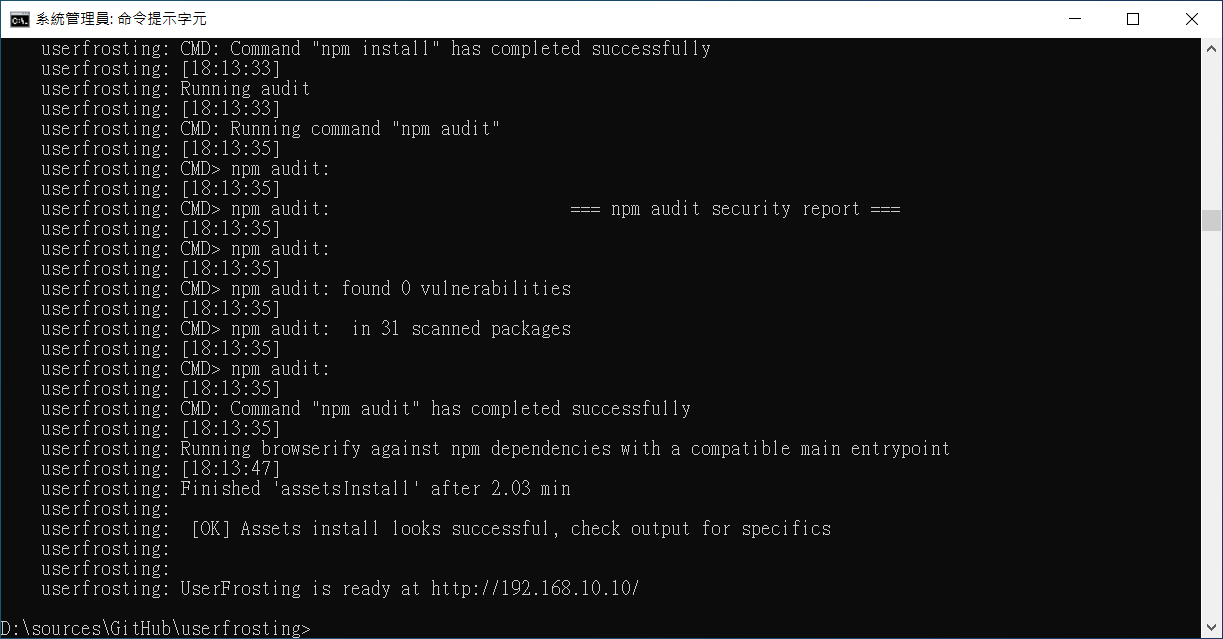
That's not necessary. On Windows, run Command Prompt as administrator will solve all our problems. The installation guide of Dev Environment should mention that before user runs "vagrant up".
Reference:Why do you have to be an admin to create a symlink in Windows?