

 urbit
urbit
Keyfile not downloadable after changing keys
I've tried this now on a couple test planets. I can't do a personal breach.
Repro:
-
Initiate a personal breach under "reset networking keys. NOTE: Breach Continuity checkbox is checked but will not display as checked in the browser (per this issue: https://github.com/urbit/bridge/issues/499)
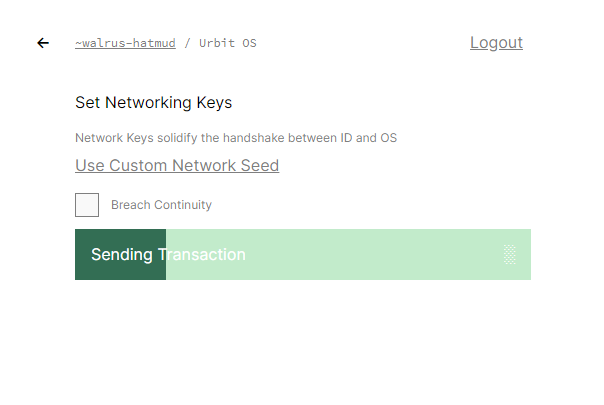
-
Once the transaction is complete, click on Return:
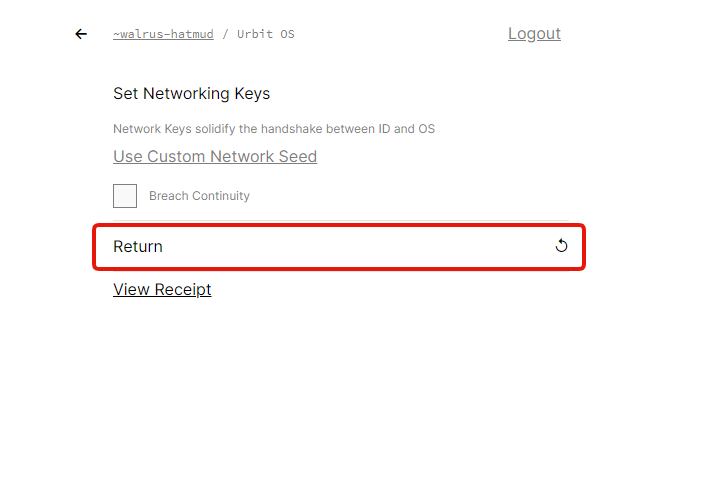
-
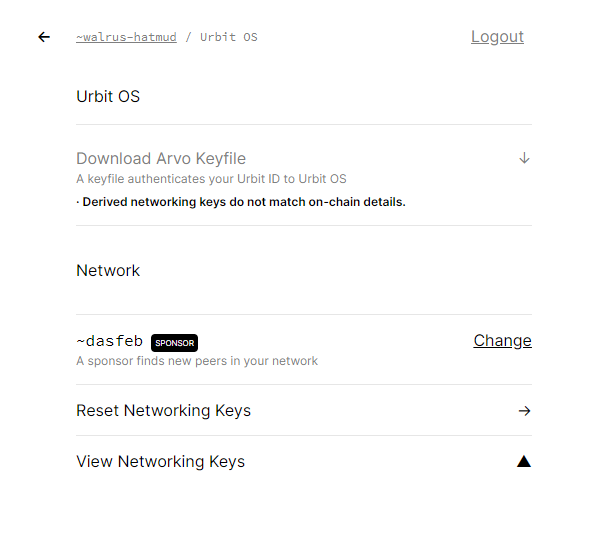
You won't be able to download the arvo keyfile because "derived networking keys do not match on-chain details."
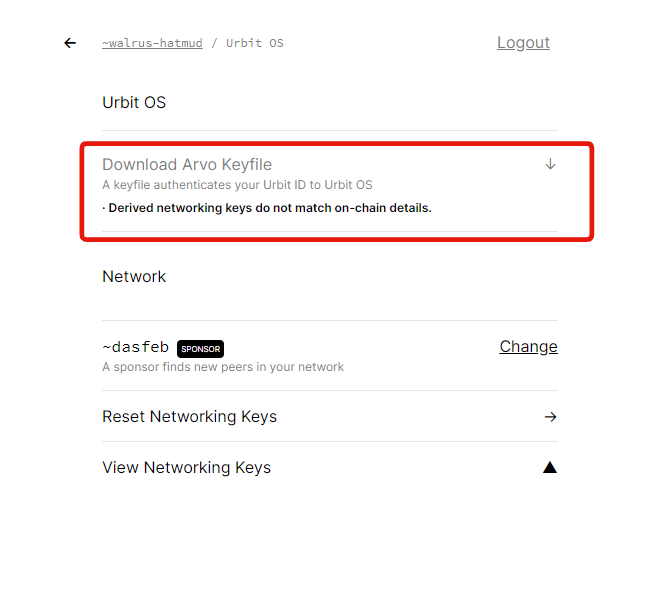
-
If you leave the page and come back to it, you still won't be able to download the keyfile:
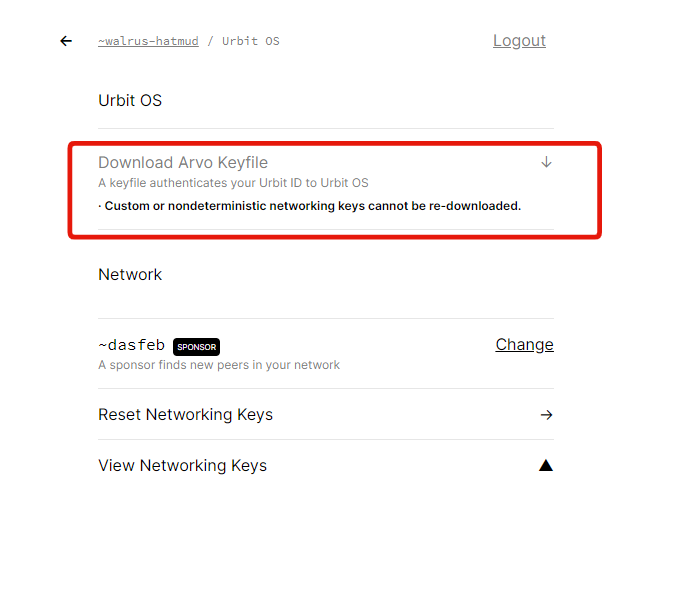

Wait huh, last time I tried changing networking keys gave you a download button directly in the flow, right after the transaction completed. Wondering if it just doesn't do that for the breach case for some reason, or if something else is up...
Since it might be relevant, what login method did you use for these? Master ticket, or something else?

Since it might be relevant, what login method did you use for these? Master ticket, or something else?
@Fang- I logged in with MetaMask.
I don't know if it's related but I have two planets and a star, I log in using my ethereum private key, and all three say "derived networking keys do not match on-chain details" like shown above. and I'm prevented from checking "breach continuity", js console says
"deriving seed with revision 2 keys do not match details for revision 1"

I was #503. No breaches. I used Master Ticket, can obtain Planet keys but not Stars.

Wait a second... "once the transaction completes" should look like this:
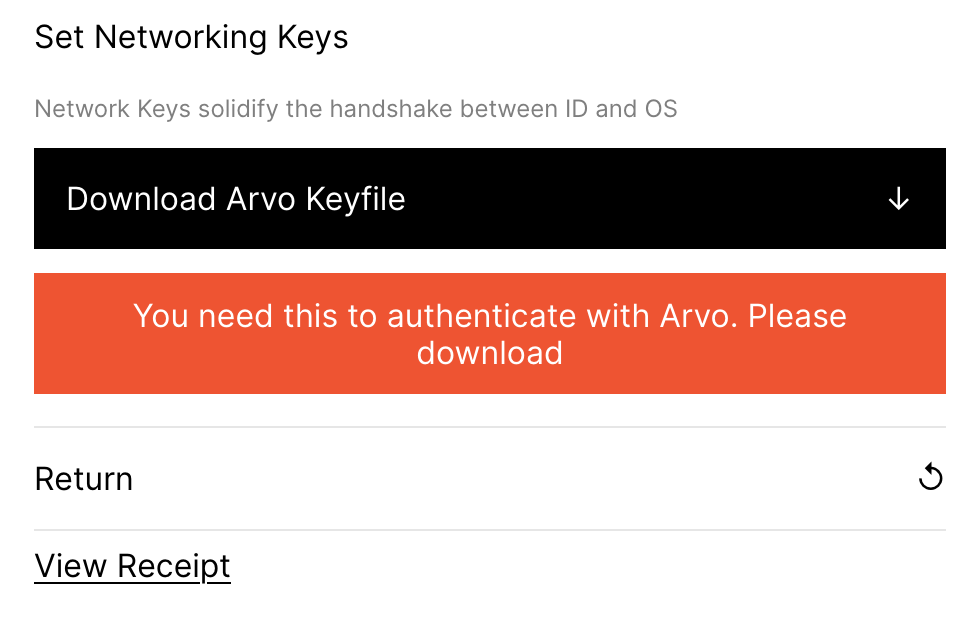
Looking at it again, kind of surprised to see your screenshots @JohnELester. The above I got from testing with MetaMask just now, and that behaved fine.
This (rather aggressive) warning is a rather recent addition, I believe. Wondering if you all might have had older versions cached or something... To be clear, this is just from bridge.urbit.org, right?
As for not being able to get these keys even after the fact (ie after page reload), #505 should fix that for all new keyfiles once that goes in, eradicating "keys do not match" situations altogether.
Multiple people complained of this over the weekend (on the discord and urbit.live telegram), some of whom I assume had never used bridge before. I also assume they were using bridge.urbit.org, though I didn't ask.
One person had trouble with whatever public bridge they were using, and downloaded 2.5.2 to use locally, but reported the same problem. A different person reported this problem with whatever public bridge they were using, then used 2.5.0 locally successfully.

@Fang- I just tried it again. Same exact result as I got before.
I made sure web cache was cleared. Authenticated with MetaMask. Running latest version of Chrome with no plugins. Also got the same result using Brave browser.
Accessing bridge.urbit.org, I log in with MetaMask.
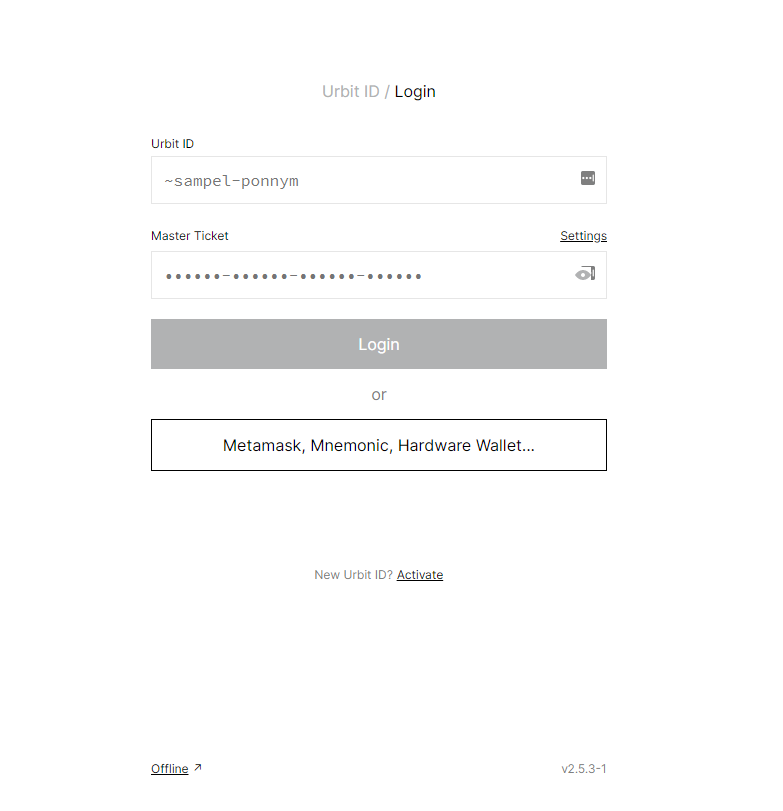
I select "Reset Networking Keys."
I check the "Breach Continuity" box and submit the transaction.
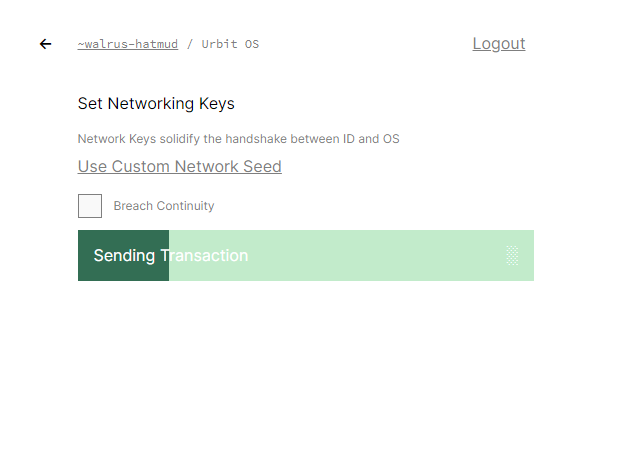
And this is what comes back when the transaction is done. No prompts anywhere to download the keyfile.
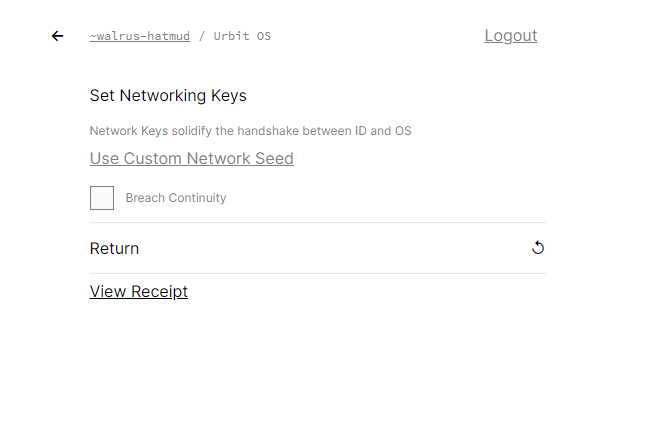
Like I said before, I was helping someone over the weekend to breach and then download their keyfile. They saw the exact same thing.
Thanks for confirming. I just managed to get a reproduction of this on Ropsten Bridge. Can't repro on the code that upcoming release is based on though, so hopefully that fully fixes this. ETA later today or tomorrow, thanks for your patience!
Happy to help, and I'm very happy you managed to get a repro of it. I was starting to think maybe I was just hallucinating.
Hmm okay, so turns out I can only repro this sporadically. Some observations and thoughts, for the record:
When it did occur, I observed useSetKeys in NetworkingKeys.js not marking the thing as completed, because keyfileAvailable was false.
Additionally, navigating back to the "OS" page it didn't contain the updated keys/revision number yet. (Sounds like the stale keyfile issue.) Navigating to the point overview, and then back into "OS" did update all this data though, letting you download latest keys etc.
Perhaps there's a weird race condition here. It fetches new point data from chain as soon as it sees that the transaction went through, but maybe the node still answers with results from the previous block? (Edit: actually, wouldn't this be a serious bug in the node? So, pretty unlikely...)
If that's the case, we could remedy by either waiting a little bit before getting new point details, or updating the details locally, without asking the chain, to the values we expect. The former is bad for UX, the latter is bad for potential error cases.
Alright, new release is out. As per the above comment, I don't think it fully fixes everything discussed here, but it does present a workaround:
Keyfiles are now deterministic based on whatever secret you log in with. So, if you ever find yourself in this situation again (unable to download keys after sending the transaction) you should try navigating back and forth in the UI, or if that fails, reload the page, log in again, and then you should be able to download your latest keys.
That said, if anyone still runs into this, please do report. Thank you. (:
Refreshed/dumped web cache and everything but same as before, I still don't the option to download the arvo keyfile right after the transaction completes. Same screen as before:
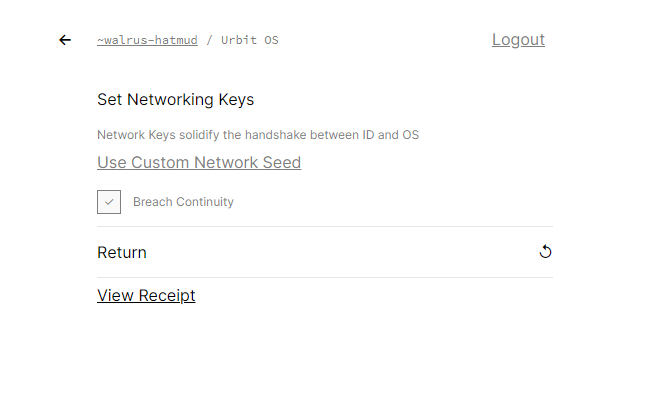
But if I back up and go back to the OS screen, I can now download the keyfile:
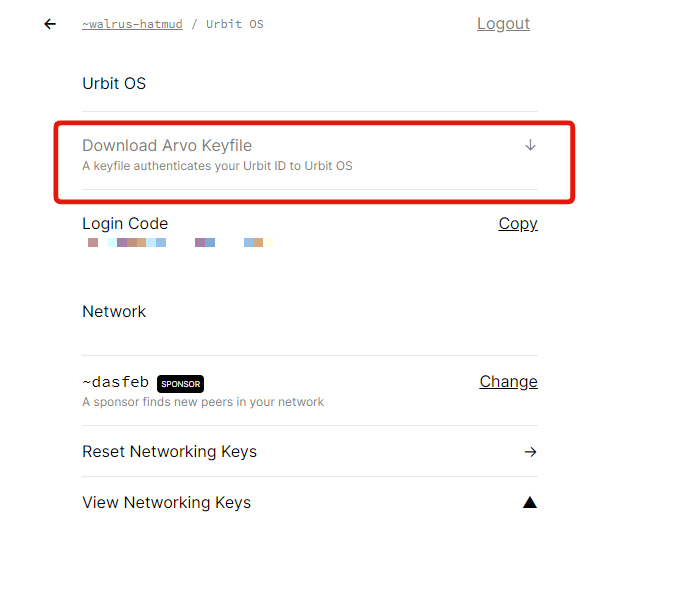
Always being able to download a previously generated keyfile is a great new feature. Thank you!