

 udecode
TodoList toolbar item does not work like numbered or bulleted
Description
Hi,
Since i cannot find an exemple in the documentation for a todolist toolbar item i tried to create one myself. I firstly tried to create a toolbar in the same way as bulleted or numbered like:
<ToolbarList
  type={getPlatePluginType(editor, ELEMENT_TODO_LI)}
  icon={<CheckBoxOutlineBlank />}
/>
But it does not work and render this when clicking:

Secondly ( the solution i use right now ) i tried using a ToolbarElement and it renders just fine and works well
<ToolbarElement
  type={getPlatePluginType(editor, ELEMENT_TODO_LI)}
  icon={<CheckBoxOutlineBlank />}
/>
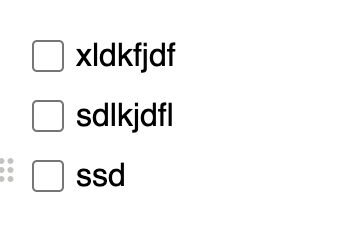
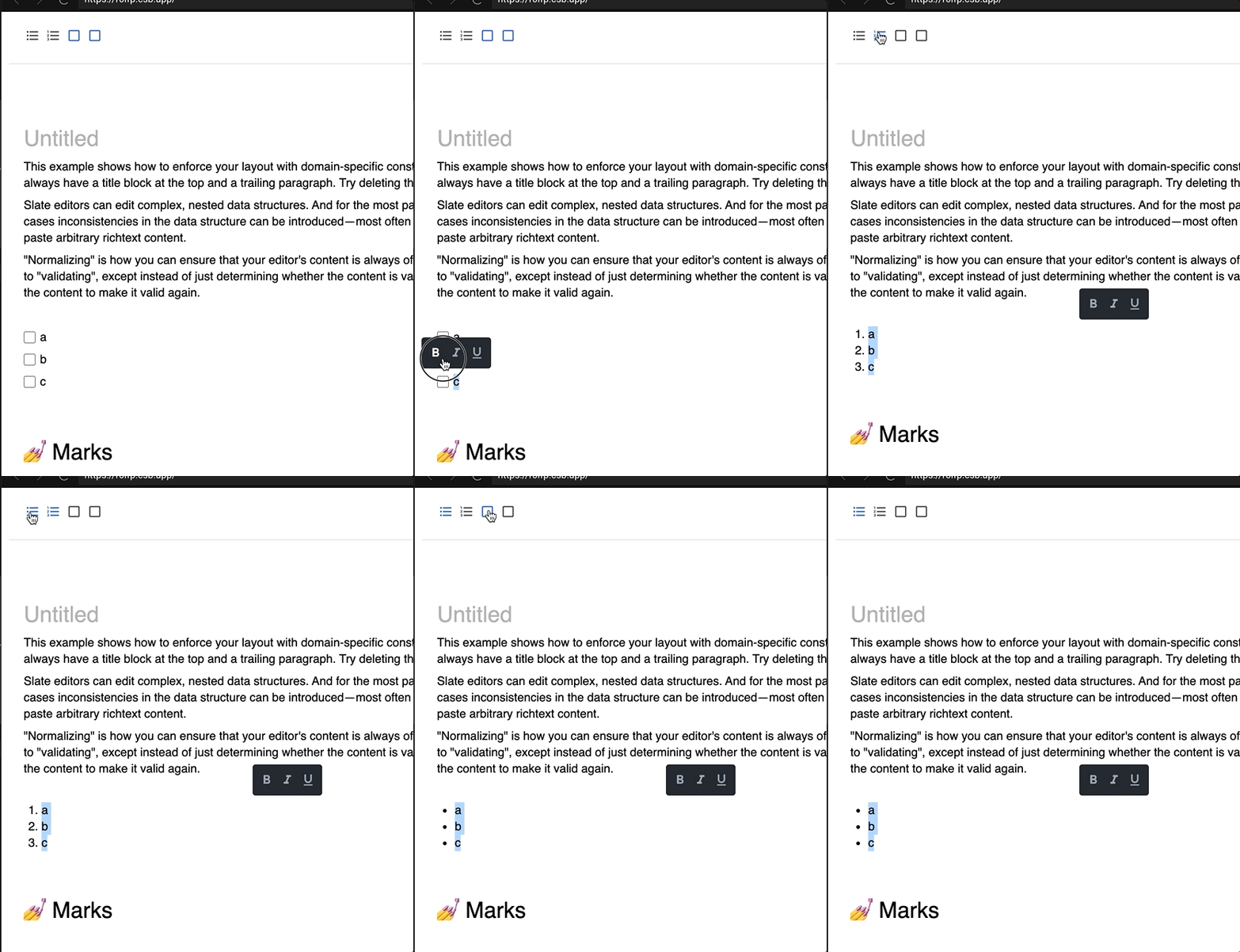
The problem with this approach is i cannot convert a numbered list or bulleted list to a checkbox list using the toolbar, something that works well when converting a bulleted list to a numbered list for exemple. Note: converting a checkbox list to a numbered or bulleted list works fine not the other way around.
Exemple:
Sandbox
https://codesandbox.io/s/plate-playground-forked-r0lfp?file=/config/Toolbars.tsx
Expectation
I expect that the todolist toolbar item behaves the same way as the bulleted or numbered ones does, but maybe the way i'm doing it is wrong since i didn't find a good exemple in doc.
Any ideas on how to achieve that ?
Environment
- slate: 0.63.0
- slate-react: 0.65.2
- @udecode/plate: 1.1.2
- browser: chrome

I've seen the same behaviour and attempted to get this to work in a similiar way (in vain)

iirc, the current toggle methods toggle between a list and not being a list, rather than having methods to say "oh, this was an ordered list, not turn it into a checklist". Toggling between simple unordered and ordered lists works, but I think it breaks when they're nested unless that has been fixed.
So, it's possible, but the code doesn't exist yet in Plate to logically switch between list types afaik. I'd be happy to review or collaborate to make this happen.

What is missing in toolbar buttons is resetting the current block type to the default type, which is trivial for flat blocks like headings but need some work for nested blocks like lists.
We're thinking to extend Plate with something like editor.resetFormat or editor.clearFormat so each plugin can override it, then toolbar buttons can use this function to properly toggle block types
