uber
uber
Graph example- Next attribute dropdown
Describe the bug The dropdown in choices is not able to change the "next" attribute for the node.
To Reproduce Steps to reproduce the behavior:
- npm install
- npm run serve
- BWDL section
- click on any node
Expected behavior Selecting the options in the dropdown should change the "next" attribute for the node.
Screenshots
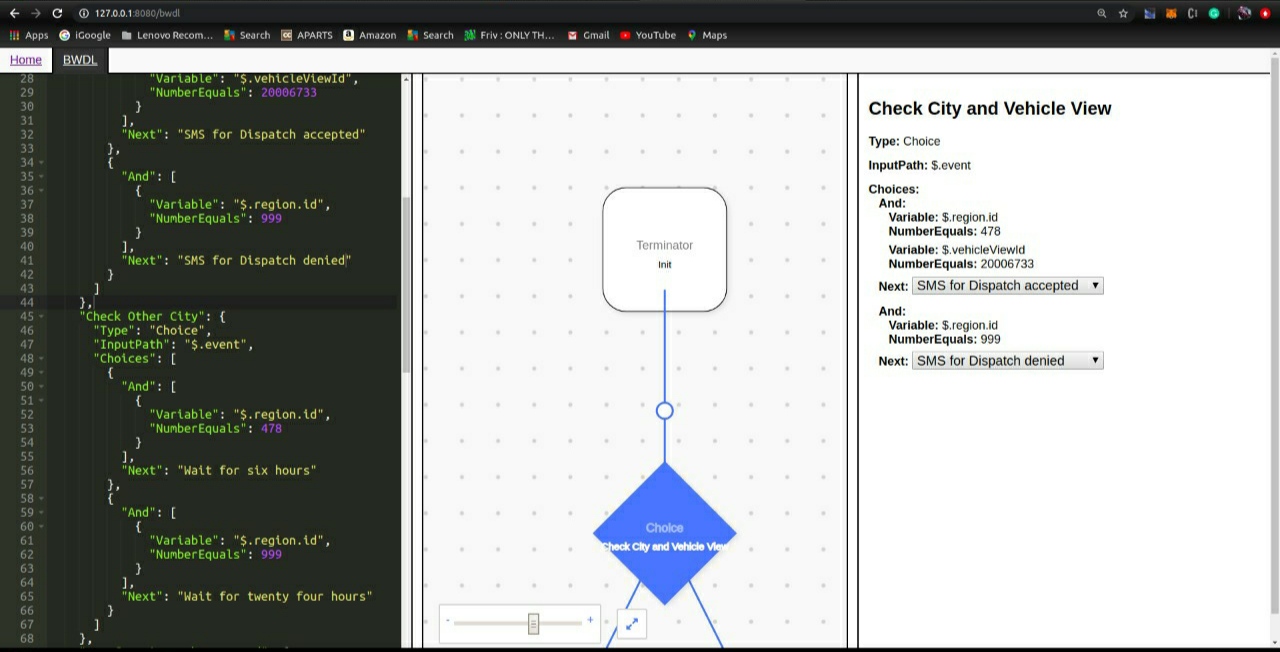
Desktop (please complete the following information):
- Ubuntu 18.04.4
- Chrome browser Version 81.0.4044.138 (Official Build) (64-bit)
- react-digraph v5-alpha
Do you want to work on this issue? Yes, I would love to work on this issue.

That is an example of how to use the Transformer attribute. The source code illustrates how you could develop your own transformer for your own JSON structure which converts the structure to react-digraph arrays. The right panel is a simple way to display the details of each node and isn't a way to modify the view. The view is also in readonly mode, so you wouldn't be able to do anything if this wasn't set up as a simple example. You can review the example in the file below.
https://github.com/uber/react-digraph/blob/master/src/examples/bwdl/index.js