

 typora
css float: now longer left-wraps/right-wraps text
-
[x] Searched existing issues to avoid creating duplicates.
-
[x] Confirmed that it can be reproduced in built-in themes without customized CSS. confirmed with all built-in themes
-
[x] Searched http://support.typora.io/
An image that is in a <IMG> tag with the style "float:right", is right-justified, but if that image is on the first line of a paragraph, it appears ABOVE the text as opposed to left-wrapping around the image. This is new with the latest version (1.4.4). This bug does not appear when exporting to PDF.
To reproduce, create MD file:
<img src='someimg.png' style='float:right;width:30%'/>test text test text test text test text test text test text test text test text test text test text test text test text test text test text test text test text test text test text test text test text test text test text test text test text
Running on: Kernel: 5.19.9-1-MANJARO arch: x86_64 bits: 64 compiler: gcc v: 12.2.0 Desktop: KDE Plasma v: 5.25.5 Distro: Manjaro Linux base: Arch Linux

The same is true for right-wrapping text on left-floated images.
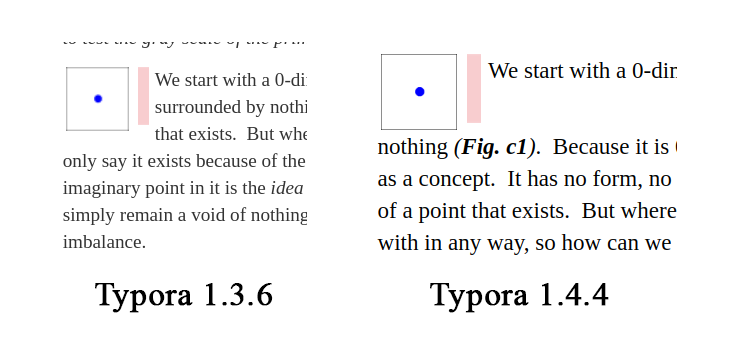

There is an additional bug in the CSS formatting. Regardless of the width set in the style, the image is getting reduced to about 5%.
The image attached is from the following code:
The quantitative values are the same in both equations, but the qualitative values are radically different.
<img src='../Images/tcurve.png' style='float:right;width:20%'/>In applying formula b) we begin with 4÷family-size for the first tholon, so we have 4÷1, or simply 4. The next value, with a family-size of 3, would then be 4÷3, or 1.333, the next family-size of 5 is then
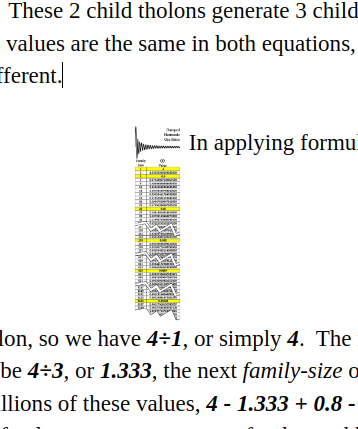
the image is getting reduced to about 5%.
There are now transparent border before and after images for editing purpose.

Can you elaborate on this a bit, please? It is unclear what transparent borders have to do with broken floats or image shrinkage. I also don't see any additional borders in images added with tags or with MD. How big are these borders? Can they be disabled in CSS? Is that what is breaking the float functionality? Does this mean that any docs with images that were made before this change will now be affected by this change? Are you saying that the float issue is not a bug?

It is unclear what transparent borders have to do with broken floats or image shrinkage.
It should not broken floats, we will fix the float issue. It is a very small border which would cause setting width of image not 100% accurate.