

 twibiral
C# encoding problems
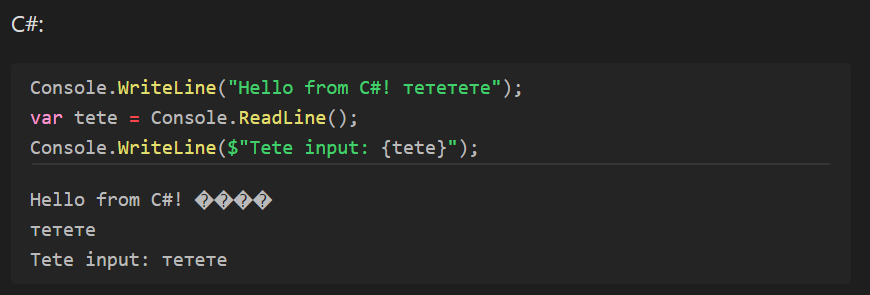
When I try to output something in C# with Console.WriteLine() in Cyrillic, I get incomprehensible characters instead of what I actually wrote. However, when I enter data with Console.ReadLine() and then output it, it's fine. I don't think this is the behavior one would expect
Below I present a code snippet that demonstrates this:

Interesting, thanks! What OS are you using? What is its primary configured language?

My operating system is Windows 10 and the main language in the system is Russian.
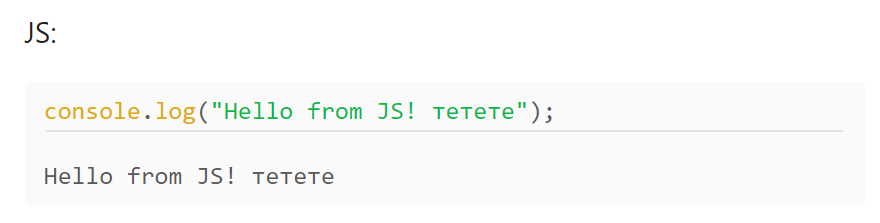
By the way, in other languages the encoding is fine (JS, Python):

Could you try putting this snippet before your code?
Console.OutputEncoding = System.Text.Encoding.UTF8;

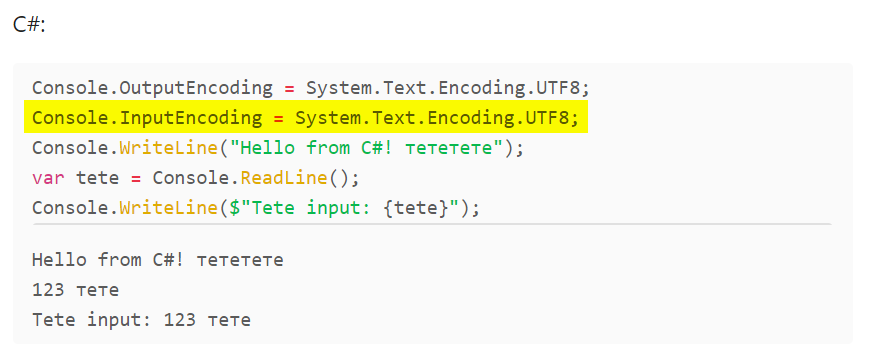
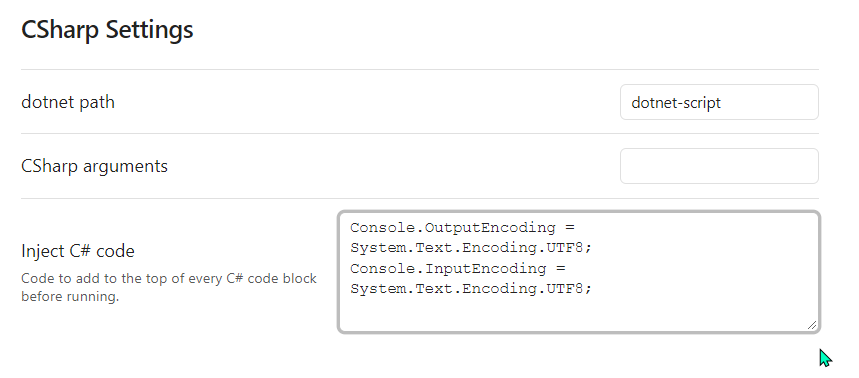
I pasted these two lines into the settings in the C# language settings in the plugin and now it works as expected!
Thanks for the help.
I think the problem is related to #200. Windows still uses windows-1252 as the default encoding. The injected code changes this to utf-8 which makes it work. I think we will just add the settings you use as default settings in the next release.
