ttscoff
Can you share more info about what needs to be used to get templates displayed like in your examples
Hi,
What I can see on your example is great
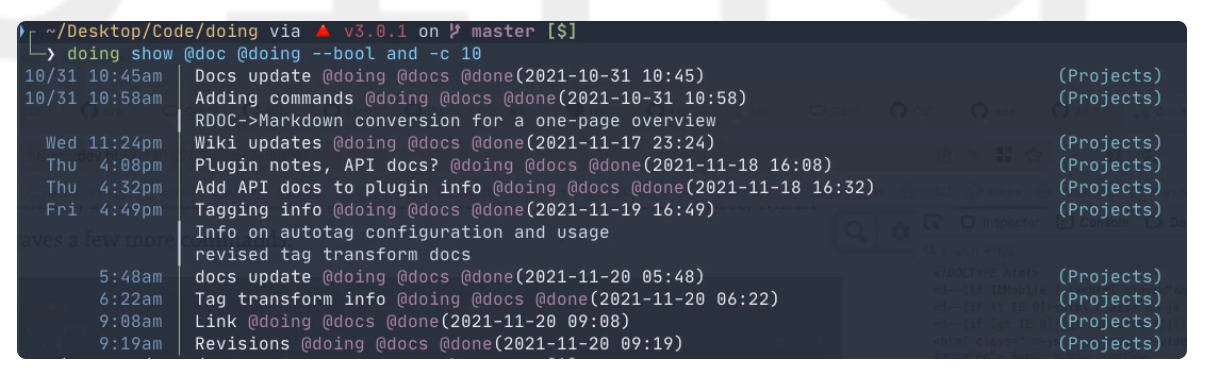
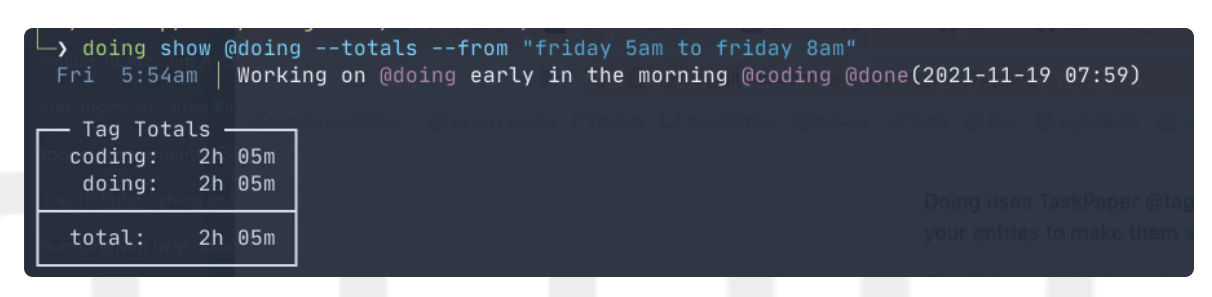
What I get in reality on my Ubuntu on Windows (using windows terminal) is this
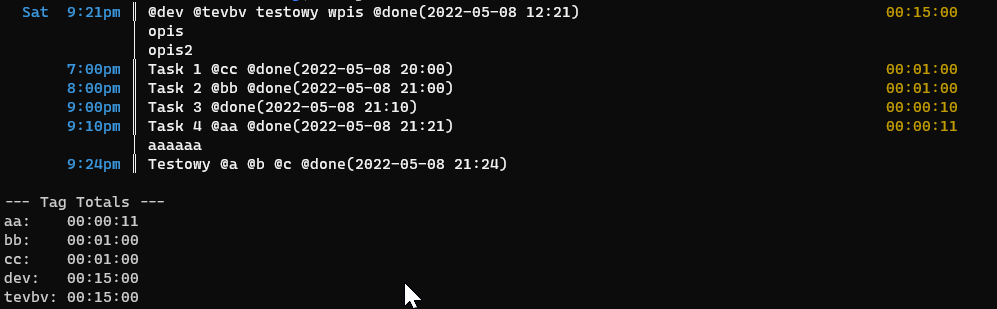
The layout is different. The total table seems to be also formatted differently.
I'm not sure if this is just a Mac thing or just a font/terminal/shell you can share with us? I would like to have similar resuts you have without having to buy a mac please ;)

The only notable differences between mine and yours are the font and colors and the totals formatting.
For font and color, I use JetBrains Mono and the Nord color palette in my terminal. I've changed my template string since that screenshot, but my current one is:
template: "%reset%cyan%shortdate %boldwhite%80║ title %dark%boldmagenta[%boldwhite%-10section%boldmagenta]%reset
      %yellow%interval%boldred%duration%dark%white%80_14│ note"
To get the box formatting on the totals block, try adding this to the root of your config:
timer_format: human
(Or just run doing config set timer_format human)
Let me know if that helps!
-Brett
On 8 May 2022, at 15:04, krzysiek-b wrote:
Hi, What I can see on your example is great
What I get in reality on my Ubuntu on Windows (using windows terminal) is this
The layout is different. The total table seems to be also formatted differently.
I'm not sure if this is just a Mac thing or just a font/terminal/shell you can share with us? I would like to have similar resuts you have without having to buy a mac please ;)
-- Reply to this email directly or view it on GitHub: https://github.com/ttscoff/doing/issues/142 You are receiving this because you are subscribed to this thread.
Message ID: @.***>